
Popup Builder
The highlight of this release (and our most upvoted feature to date) is the new popup builder.
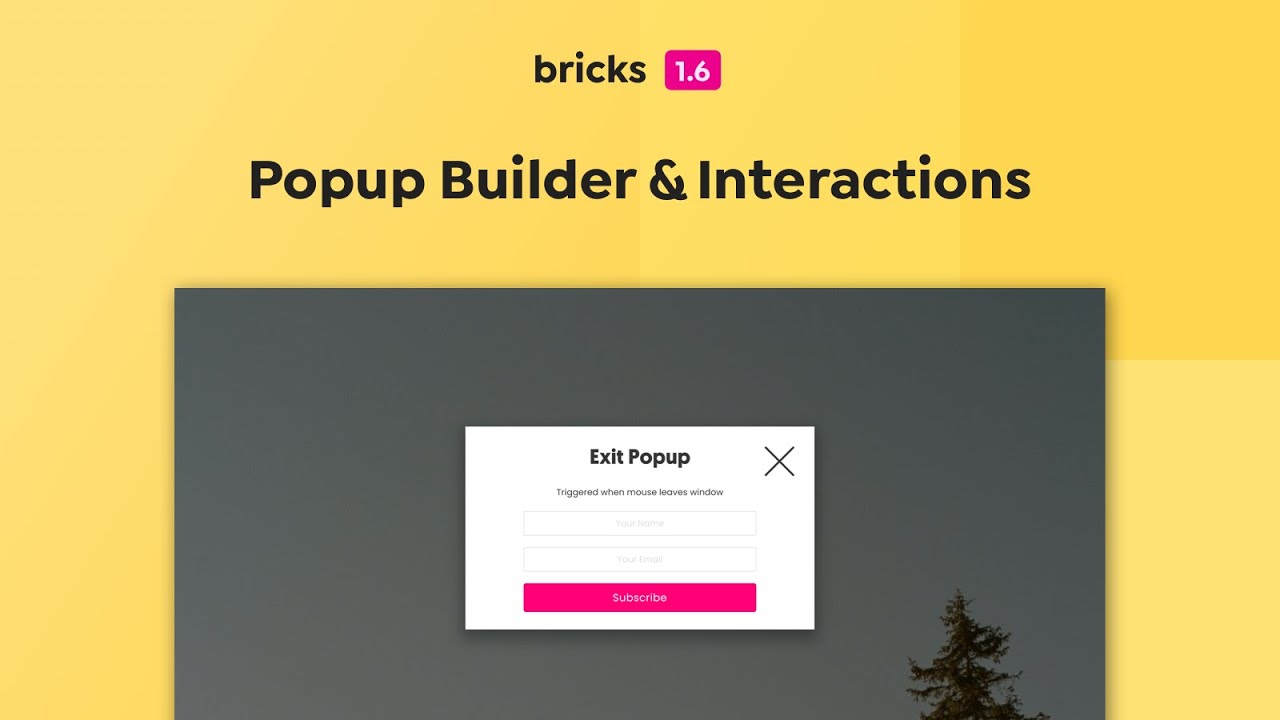
Documentation & examples: https://academy.bricksbuilder.io/article/popup-builder/
It’s extremely powerful & takes advantage of many of the features you are already familiar with in Bricks (templates, element conditions), and also functions nicely with another real powerhouse of a feature:
Interactions
Prior to 1.6, the only built-in interactions Bricks offered were simple entry animations. The new popup builder seems like the perfect reason to step up our game and introduce a much more powerful solution to visually set up interactions, not just for popups but for any element.
Documentation & examples: https://academy.bricksbuilder.io/article/interactions/
The original “Entry animations” are now deprecated! Run the new converter option “Entry animation to interactions” (Bricks > Settings > General > Converter) to convert your existing entry animations (set under Styles > Layout) to the new interactions. Please perform a backup first, as the converter automatically deletes all your old entry animations.
Full changelog
- Popup BuilderNew
- Disable Bricks Lazy Load on Specific Image (via loading=eager HTML attribute)New
- Button element: Parse dynamic data tag inside “External URL” (composed links)New
- Video element: Support composed URLs (text + dynamic data)New
- Support comments paginationNew
- WooCommerce Add to cart: Add “clear” option for variable productsNew
- SEO: Add “title “tag to image (if custom title is added via the media library)New
- Image Gallery element: Add attachment ID via “data-id” attributeNew
- New filter: bricks/registered_post_types_args (allows users to display non-public CPTs in builder)New
- New dynamic data filter “:raw” to skip parsing tagNew
- New style setting: “cursor” (under Style > Layout > Misc)New
- Social Sharing element: Set icon, background, and color individuallyNew
- InteractionsNew
- Skip lazy loading background images with HTML attribute set to loading=eagerNew
- Theme Styles: Provide “column-gap” & “row-gap” controls for all layout elementsNew
- Progress Bar element: Add dynamic data picker to “Percentage” settingNew
- New translation: HungarianNew
- Builder: Auto-expand number inputs that contain CSS functionsNew
- Code element: New “Render without wrapper” settingNew
- New dynamic data filter: url (e.g. ACF field type “file” to output plain URL)New
- New Converter option: Entry animation to interactionsNew
- Capabilities: Set “No access” for individual user & dropdown for SVG upload & code executionNew
- Theme Style: Provide “Padding” setting for button size “Default”New
- Convert web-safe CSS var colors (e.g. “red”, etc.) in builderImprove
- Post Content element: Don’t render when WordPress content is emptyImprove
- Posts element: Apply isotope filter typography to “ul” instead of “li”Improve
- Post Social Sharing element: Validation error due to XML tagImprove
- Updated: swiperJS from 8.0.6 to 8.4.4Improve
- Updated: splideJS from 4.0.7 to 4.1.4Improve
- Canvas: Hide element action buttons if active element is not visible (display: none)Improve
- Post content element: Remove Bricks default “ol” & “ul” stylesImprove
- Bricks Settings: Disable autocomplete (e.g. Remote templates URL + password fields)Improve
- TranslatePress: Fix image translation (cause: lazy load) & builder languageImprove
- Query Loop: Element ID used instead of class in custom CSS on mobile breakpointsFix
- Overlay/Gradient on global class won’t add .has-overlay for position: relativeFix
- Nav Menu element: Required Icon settings not available on mobile-firstFix
- Theme Styles: Hover styles show always on the canvasFix
- Builder: Values from lower breakpoint show as placeholder on higher breakpointsFix
- Inner Container setting: Placeholder shows values from parent containerFix
- Animation classes are not removed after they ran (in builder)Fix
- Basic Text: causing line breakFix
- Template element: Notice: Undefined index (templates.php line 258)Fix
- Nav menu: Overflow issueFix
- Mobile first: Deleted pseudo class leaves values in CSS without selectorFix
- Windows: “Insert element after active element” shortcut not workingFix
- .brx-header-Left class name typoFix
- Empty cart template: Not showing after cart is clearedFix
- Nestable Slider: Custom arrows are displayed even though “Show arrows” is offFix
- RTL: Builder tooltip positionFix
- WooCommerce Product Price: Missing stylesFix
- Slider: Content align icons are swappedFix
- Lazyload causing 404Fix
- Heading element: Separator align icons wrong axisFix
- Shape Divider: Triangle concave split/gap on mobileFix
- Builder: Removing last shape divider, does not clear setting properlyFix
- “Convert Bricks data to Gutenberg blocks” setting not workingFix
- SEO Page Settings: Title & Permalink not updatedFix
- Fix ‘Warning: Undefined array key’ (assets.php line 2214)Fix
- Builder: Hamburger toggle not shown on mobile breakpointFix
- Custom Tag “table” uses display: flex instead of “table”Fix
- Pagination element: AJAX not working if query is set to Posts element queryFix
- Shape Dividers: Linked Icon element uses position: relative from shape dividerFix
- Header right/left: Custom width not set on canvasFix
- Carousel: “Items to scroll” on breakpoint skips slides on other breakpointFix
- Image element: Overlay conflict with captionFix
- Slider element: Apply default min-height: 50vh to .swiper-slide instead of rootFix
- Interactions: Animation delay doesn’t work / Content Loaded Delay doesn’t allow decimalsFix
- Dynamic background image not using set size (front end)Fix
- Element Conditions: ACF true/false issueFix
- Dynamic data tag ‘woo_product_excerpt’ formatting removedFix
- Add to cart element inside query loop redirects to single product pageFix
- Exported template empty with zlib compression enabledFix
- Products element: “On Sale” checked shows all productsFix
- Code element: CSS in builder not correct with code execution enabledFix
- Query Loop: Wrong context if ACF Repeater field nested inside ACF relation loopFix
- Posts element: Error when loaded through a Template element inside the builderFix
- Popup Trigger “Mouse leave window” not working in Firefox/SafariFix
- Learndash: Breadcrumbs added to Bricks elements (that use the_content filter)Fix
- Dynamic data: “featured_image” shows featured image from populate content (if no featured image exists for current page)Fix
- Edit content permission: Should not be able to remove global classes from elementFix
- Element Conditions: “or” not working on 2nd+ condition groupFix
- Nestable Slider: Scrolling on mobile devices triggers resize eventFix