
We’re excited to announce the beta release of Bricks 2.2 – a massive design-system update.
You can manually download the 2.2-beta for testing and providing feedback from your Bricks account at https://my.bricksbuilder.io/. As with any beta release, please do not use it on any production site. That’s what the final 2.2 is for.
Style Manager
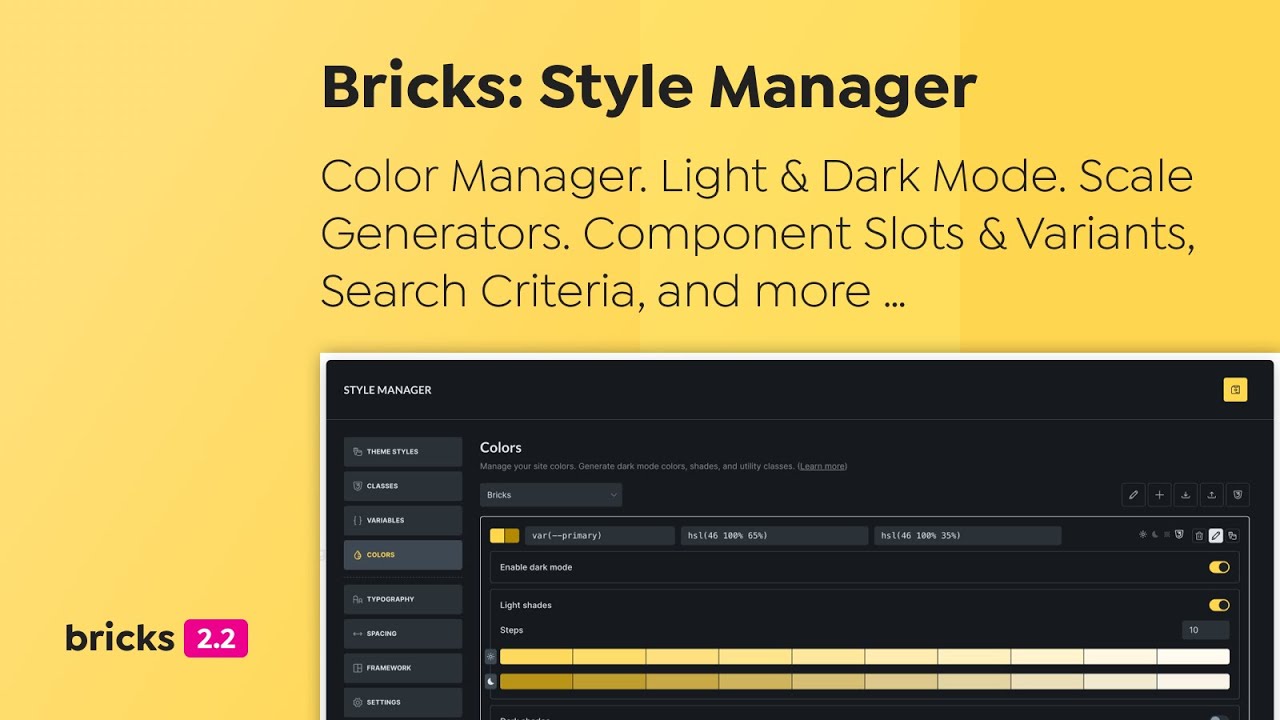
Bricks 2.2 introduces a comprehensive Style Manager that centralizes the management of design tokens and styles inside the builder. Streamlining the workflow for designers and developers, promoting maintainable and scalable design practices across your entire website.
This new popup interface organizes key styling elements into intuitive tabs, including theme styles, classes, CSS variables, color palettes, typography scales, spacing scales, framework generation, and the style manager settings.
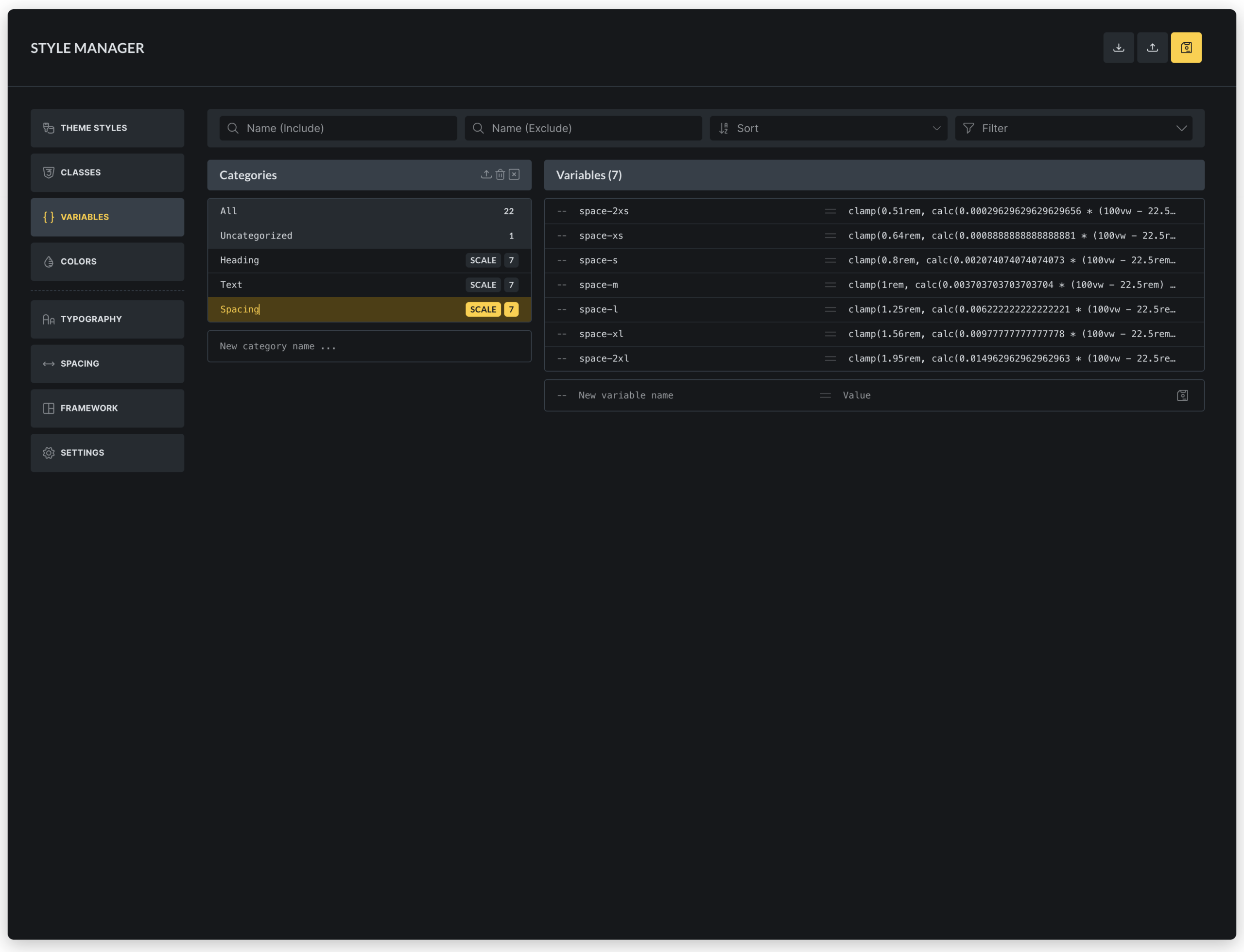
Color Manager
The new Color Manager in Bricks streamlines your color workflow, supports advanced features like dark mode, shades and transparency, and even generating complementary colors, all using CSS variables (custom properties) for maximum scalability and maintainability.
- Create, edit, rename, delete, import, and export color palettes as JSON files, with automatic persistence to the database.
- Manage individual colors with support for light/dark mode variants, variable naming (CSS custom properties), and direct color picker integration.
- Generate color shades (light, dark, transparent) and harmonies (analogous, monochromatic, complementary, etc.) for enhanced design flexibility.
- Create utility classes for colors (e.g., background, text, border, fill, stroke, outline), which are dynamically added to global classes.
- Convert legacy colors from pre-v2.2 formats to modern HSL-based variables, ensuring backward compatibility.
- Preview and export generated CSS for entire palettes or individual colors.

Color Control (revamped)
The new color control in Bricks 2.2 enhances color selection and management within the builder. It enables users to:

- Input color values directly as raw text, hex, RGB, HSL, or CSS variables, with auto-expansion for complex values (type
varor--to search the variable manager). - Select from color palettes via a popup interface, supporting both grid and list views for browsing root colors and their shades (light, dark, transparent).
- Use a variable picker to choose colors from global palettes, integrating with dynamic data tags.
- Preview colors with transparency patterns and tooltips showing color details.
- Add custom colors to palettes by assigning variable names, preventing duplicates and auto-generating IDs.
- Integrate a color picker for visual selection, supporting multiple formats (HSL, RGB, hex).
- Manage palette preferences like active palette and view mode, saved in localStorage for persistence.
This control streamlines color workflows, supports advanced features like shades and transparency, and ensures seamless integration with the builder’s state and palettes.
New element: Toggle – Mode (light/dark)
The “Toggle – Mode” element provides a button to let visitors switch between light and dark mode on your website without page reload. It features:
- Customizable icons for light and dark modes, with default sun/moon SVGs if not specified.
- Styling controls for icon colors and sizes in both modes, applied via CSS properties like color, fill, and font-size.
- Accessibility support with configurable aria-label for screen readers.
- Dynamic rendering based on the project’s default mode (light, dark, or auto), showing the active state accordingly.
Typography & Spacing Scales
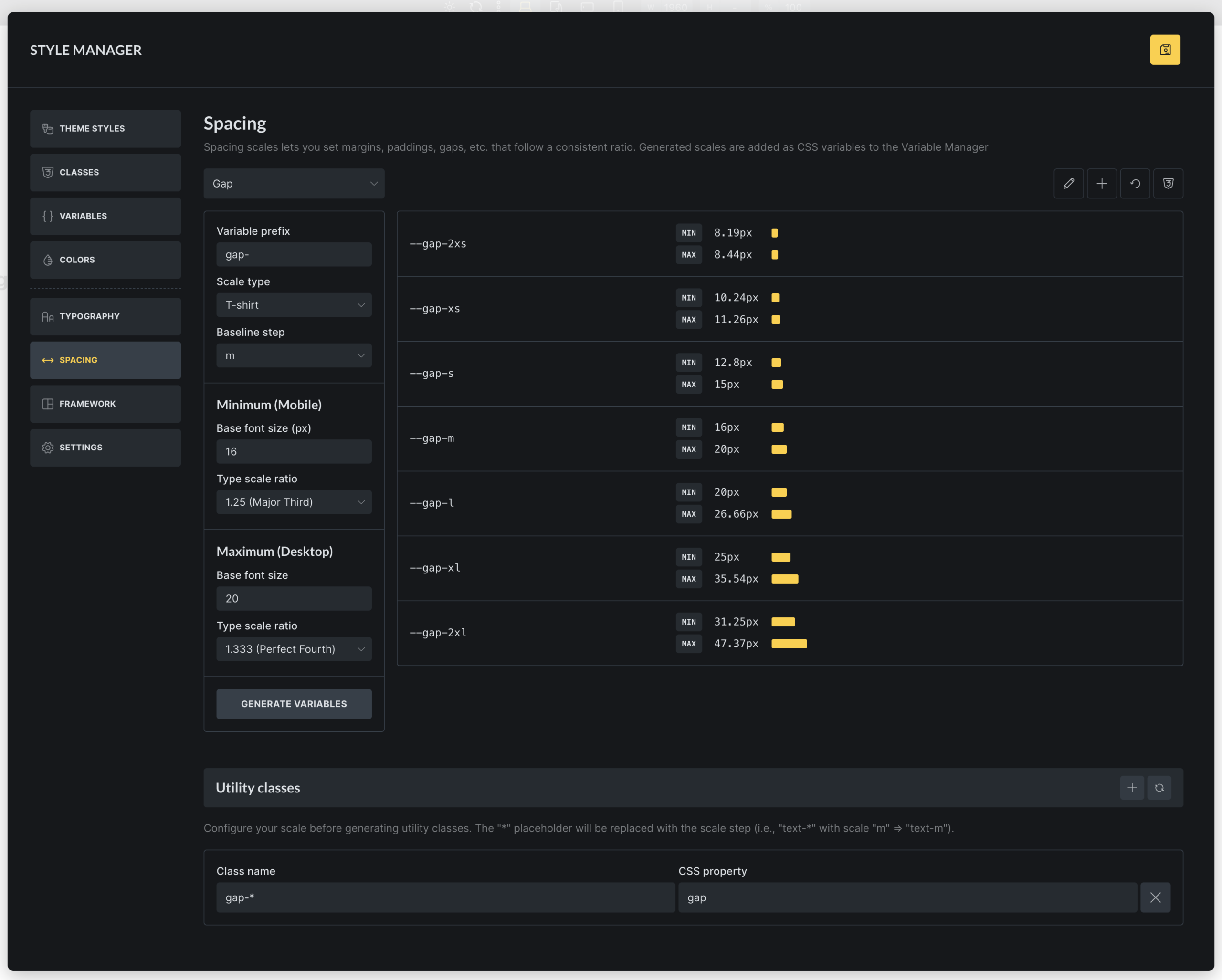
The new Typography & Spacing scale generator & editor enables users to create and manage scalable design systems for consistent typography and spacing across projects. It supports:
- Scale creation and editing with options for typography or spacing scopes, including naming, variable prefixes, and baseline steps.
- Scale types such as t-shirt (e.g., 2xs to 2xl), numeric (1 to n), or custom steps, with configurable scale ratios (e.g., Minor Second to Octave).
- Responsive scaling by setting minimum (mobile) and maximum (desktop) font sizes and ratios, generating fluid variables that adapt between breakpoints (via Style Manager “Settings”).
- Variable generation that creates CSS custom properties for each scale step, with previews showing min/max values and typography/spacing examples.
- Utility class configuration allowing users to define class names and CSS properties (e.g., font-size, margin) that map to scale variables, automatically generating global classes.
- CSS export for downloading generated variables and utility classes as files.
- Reset and rename functionality to restore defaults or update scale names.
CSS Framework Importer
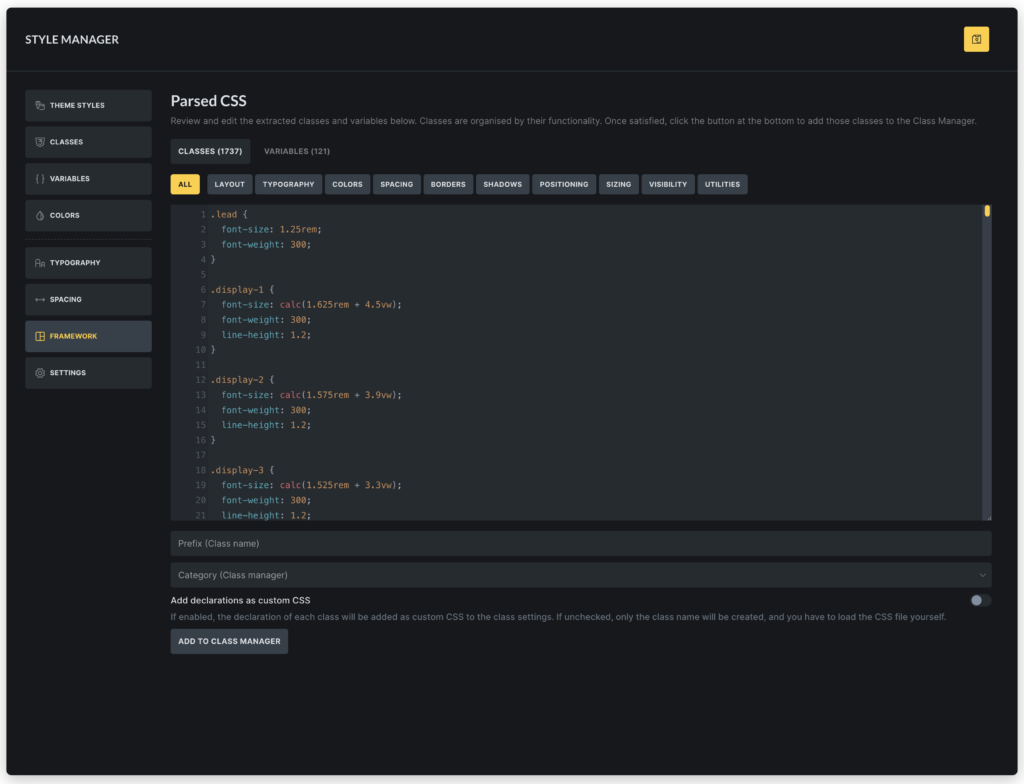
The CSS Framework Importer is a tool that lets you extract the classes & variables of any CSS framework into the class & variable manager in Bricks.
Simply paste the content CSS file content into the code editor, and Bricks automatically shows you all extracted classes grouped into categories like layout, colors, and typography. Plus, it extracts all CSS variables.
You can add prefixes to avoid conflicts, choose categories, and import everything with customizable options for custom CSS and variable values.
Component Slots
The Component slots feature in Bricks introduces a powerful way to create flexible, reusable components. By adding Slot elements as placeholders within a component, users can define specific areas where custom content can be inserted when the component is instantiated.
This allows for dynamic content injection, enabling components to adapt to different contexts while maintaining a consistent structure.
When editing a component instance, users can drag and drop elements directly into these virtual slots, which are visually represented in the builder’s structure panel. Slot elements render the assigned content seamlessly, providing a slot-based architecture similar to modern web frameworks.
Component Style Variants
Create multiple visual variations of a component without duplicating its structure by defining custom variants (e.g., primary, secondary styles for buttons) alongside a base/default variant, streamlining design consistency and reusability.
Key capabilities include:
- Variant management for components: Add, rename, and delete custom variants.
- Editing variants during component creation, with a selector to switch between base and custom variants for targeted styling.
- Instance selection for component usages, allowing users to apply specific variants (e.g., different button styles) via a dropdown in the element panel.
- Integration with Gutenberg blocks, exposing variant options as select controls for seamless editing in the WordPress editor.
- Base variant labeling with customizable labels for the default state.
This feature enhances component flexibility, reducing redundancy and enabling efficient style variations across projects.
Nested Components: Property bindings
Nested component property bindings enable developers to connect properties of nested (child) components directly to their parent component’s properties, allowing automatic value inheritance and dynamic updates within component hierarchies.
Components as blocks: Set block icon, category, preview image
The “Components as blocks: Set block icon, category, preview image” feature allows Bricks components to be registered as Gutenberg blocks in the WordPress editor. It provides controls to customize each component’s block representation, including:
- Block category: Assign components to specific Gutenberg block categories (e.g., Bricks components or custom categories) for organized block insertion.
- Block icon: Set a custom icon for the component block in the block inserter, improving visual identification.
- Preview image: Upload or select an image to display as a preview thumbnail in the block editor, enhancing usability and design workflow.
Search Criteria
The new “Search Criteria” feature in Bricks 2.2 provides granular control over search behavior for both native WordPress searches (via Search element and Search Result template) and Filter – Search elements in query filters.
Users can specify which fields to search—such as post fields (title, content, excerpt), term fields (name, slug, description), user fields (username, email, etc.), and custom meta fields—replacing the default WordPress “s” parameter logic.
Optional weight scoring allows ranking results based on field importance, with higher weights prioritizing matches in those fields.
Configurations are set in the Search Result template for native searches or directly in Filter – Search element settings for filtered queries.
Learn more: http://academy.bricksbuilder.io/article/search-criteria/
New Query Type: Array
The new “Array” query type enables querying custom PHP arrays or JSON data directly, allowing dynamic content loops from user-defined data sources without relying on WordPress database queries. It supports pagination, conditional filtering, and integration with dynamic data providers for flexible, custom data handling in elements like Posts or Carousel.
Learn more: https://academy.bricksbuilder.io/article/query-loop/#array
Builder: Instant navigation
The “Builder: Instant navigation” feature is an opt-in, experimental option that enables AJAX-based navigation between pages in the Bricks builder without full page reloads. It maintains the builder interface and state during transitions, allowing faster page switching for improved editing workflow. Users can enable it in builder settings, though it’s marked as experimental due to potential compatibility issues.
Bricks Templates
The “Community templates” option has been retired. We’ll eventually launch a proper “Template Marketplace” for third-party template contributions (free & paid).
Design sets Liv, Sizzle, Reality, and Digital have been updated with improvements.
“Wireframes” and “Design sets” features have exited the experimental stage and are now stable for production use.
More Highlights
- Spacing control: Remember linked state (enable via Bricks > Settings > Builder)
- Nav menu & nestable: Custom Mobile Menu Breakpoint
- Contextual spacing: Add setting to “Remove default padding”
- Add to cart element: Provide controls to style Group Products
- WooCommerce: New template for “My Account – Payment Methods”
- New filter hooks to use Pagination element for different query object type
- New dynamic data tags:
Full changelog
- Search Criteria (via Search filter element & Search template)New
- Light/dark mode: Auto (respect OS or browser)New
- Color Palette ManagerNew
- Component slotsNew
- Style ManagerNew
- Component style variantsNew
- Components: Polylang integrationNew
- Nested components: Property bindingNew
- Components as blocks: Customize block icon, category, image previewNew
- New Query Type: ArrayNew
- Builder: Instant navigation (opt-in; experimental)New
- New element: Toggle – Mode (light/dark)New
- Bricks templates: Design sets updated (Liv, Sizzle, Reality, Digital)New
- Bricks templates: Community Templates option retiredNew
- Spacing control: Remember linked state (enable via Bricks > Settings > Builder)New
- Nav menu & nestable: Custom Mobile Menu BreakpointNew
- Add “justify-self” control to elementsNew
- Contextual spacing: Add setting to “Remove default padding”New
- Add to cart element: Provide controls to style Group ProductsNew
- WooCommerce: New template for “My Account – Payment Methods”New
- New filter hooks to use Pagination element for different query object type (bricks/pagination/…)New
- Builder: Initiate rename on double-click (structure panel)Improve
- Cascade layer: remove various !important from CSS rulesImprove
- Components: Include properties when exporting componentImprove
- Filter – Search: Clear icon still visible after navigating back in browserImprove
- Hide Element active: Don’t load scripts & stylesImprove
- Instance count is wrong for nested componentImprove
- Map Leaflet: Expose map object under window.bricksData.leafletMapInstancesImprove
- Meta Box “Post” field: Support query loop like JetEngine & ACFImprove
- Nested component: Clicking “back” also closes the main instance (builder)Improve
- Polylang: Bricks post duplication shouldn’t duplicate translation fieldImprove
- Product Gallery: After variation is selected, if image is already in gallery, just select itImprove
- Product Rating: Add customisation setting for review textImprove
- WooCommerce query: Support multiple options activated on the same queryImprove
- Color Control (revamped)Improve
- Query Filters Reindex performance improvementImprove
- Query loop include: support {woo_product_images} and {woo_product_gallery_images}Improve
- SVG: Add attributes to the SVG instead of the “a” tagImprove
- Interaction: Start animation for Popup should provide context fields for AJAX popupsImprove
- Background video poster doesn’t show in a loopFix
- Builder: Components DD tag with position absolute styles for the first query item breakFix
- Builder: Copy & Paste styles across tabs (Safari)Fix
- Builder: Element classes re-added when the setting is changedFix
- Builder: Heading element in a component has unexpected classes if multiple instances on the same pageFix
- Builder: Nestable Slider does not show properly before reloading the canvas (RTL)Fix
- Built with Bricks: Gutenberg notice rendered when a single template is appliedFix
- Class & Variable Manager: Drag & drop order in a category is not savedFix
- Components as Block: Type on “No result Text” causes JS error (Query loop property)Fix
- Components as Block: Empty taxonomy terms (link prop)Fix
- Components: Select on canvas & unlink on structure panel causes orphaned elementsFix
- Components: Form custom success message isn’t used (text property)Fix
- Components: Property connection is lost when copy-pasting conditionsFix
- Custom CSS specificity issue inside query loopFix
- DD tag search_term_filter:queryId does not update, if Filter – Search has action on submitFix
- Disabled Emoji but still converting symbol to smileyFix
- Fatal error when opening post created via Bricks form, if textarea contains commaFix
- Filter – Checkbox: Not working filter by Post title (ID)Fix
- Filter: bricks/body/attributes missing spaces (validator error)Fix
- Form submissions: decimals get saved as integersFix
- Form: Field spacing applies to submit button after submitFix
- Form: Field spacing applies to submit button after submitFix
- Form: Frontend submission does not save file to ACF custom file fieldFix
- Global element convert to Component bugFix
- Icon font contents wrong encodedFix
- Icon inside component not shown if rendered via “Post content” inside a PopupFix
- Query filters: If enabled, the page jumps to the top (on page refresh)Fix
- Image: figure, figcaption and picture lead to wrong HTML markup (validation error)Fix
- Interaction animation infinite loop if element is partially visibleFix
- Map Leaflet: If popupText is empty, it causes PHP warningFix
- Nested component inside query loop doesn’t re-renderFix
- Order by “Default” _default should be showing for post query onlyFix
- Product Gallery: Thumbnail navigation position not reacting to changes correctlyFix
- Query API: Custom alt text not rendering with query API DD tagFix
- RTL – Context menu: Direction is different in the canvas and the structure panelFix
- Relevanssi: Use bricks_template shortcode in a page and enable Excerpts and highlights cause no active theme style in search templateFix
- SVG (Source: Code) in mega menu section breaks nav menuFix
- Social Share Twitter (X) not working on AndroidFix
- Template element: Renders empty on canvas for editors with full accessFix
- Variation Swatches: Image (Use variation image) force every option images changedFix
- Visual Grid Builder: Can not edit loop items on componentFix
- Visual Grid Builder: Can not properly move elements if grid items are loop + component/non nested oneFix
- Query Filters: Fix when targeting Posts elementFix
- Component in query loop no re-render when updating properties (if no PHP element inside)Fix
- Loop: SVG fill/stroke color from ACF color pickerFix
- Map Connector: Marker image not support full URL in “Custom URL” fieldFix
- Query Filter: Use ACF date field on filter select, radio, checkbox not workingFix
- Query filters: Metabox provider, dynamic picker always emptyFix
- Disabled icons in icon managers still shows in Gutenberg Bricks BlocksFix
- Components as blocks: Image size list is not same as in builderFix
- Components: Icon property issuesFix