
Bricks 2.1 is here, and it’s one of our most significant updates yet.
This release introduces multiple major new features that open up exciting possibilities for your workflows, along with numerous improvements and fixes.
You can manually download the 2.1-beta for testing and providing feedback from your Bricks account at https://my.bricksbuilder.io/. As with any beta release, please do not use it on any production site. That’s what the final 2.1 is for.
Let’s take a look at the release highlights…
Bricks components as blocks
Use your Bricks components directly inside the WordPress block editor (Gutenberg).
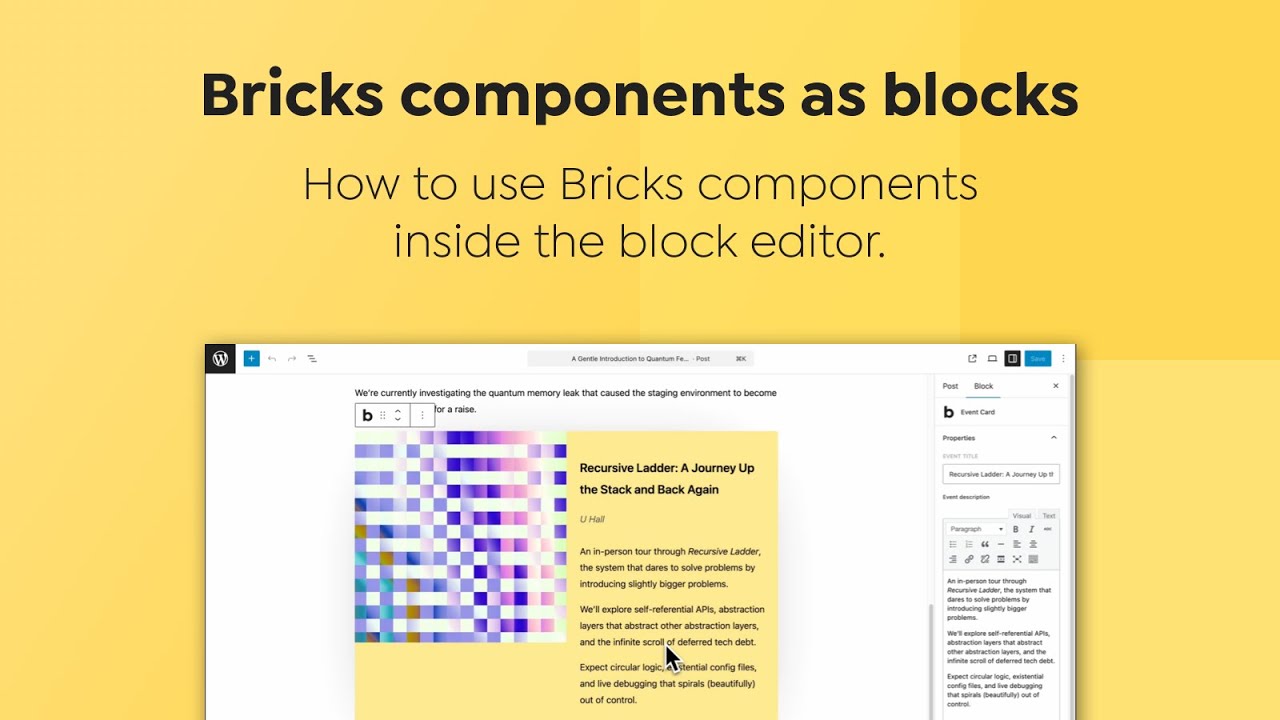
Documentation: http://academy.bricksbuilder.io/article/bricks–components-as-blocks/
Not every client or team member works inside the Bricks Builder interface or has access to it. Many rely on the native WordPress block editor (Gutenberg) to edit content. By making Bricks components available as blocks, you bridge the gap between both worlds:
- Seamless workflow – Designers and developers can build complex, reusable Bricks components, while content editors insert and configure them in Gutenberg without touching the Bricks canvas.
- Consistent design system – Components ensure your layouts, styles, and branding stay consistent across all editors.
- Better handoff – Agencies and freelancers can lock in structure and styling in Bricks, while empowering clients to manage content in the familiar block editor safely.
This feature makes Bricks more flexible in real-world WordPress workflows, where different people use different editing tools.
Bricks Templates: Wireframes & Design sets
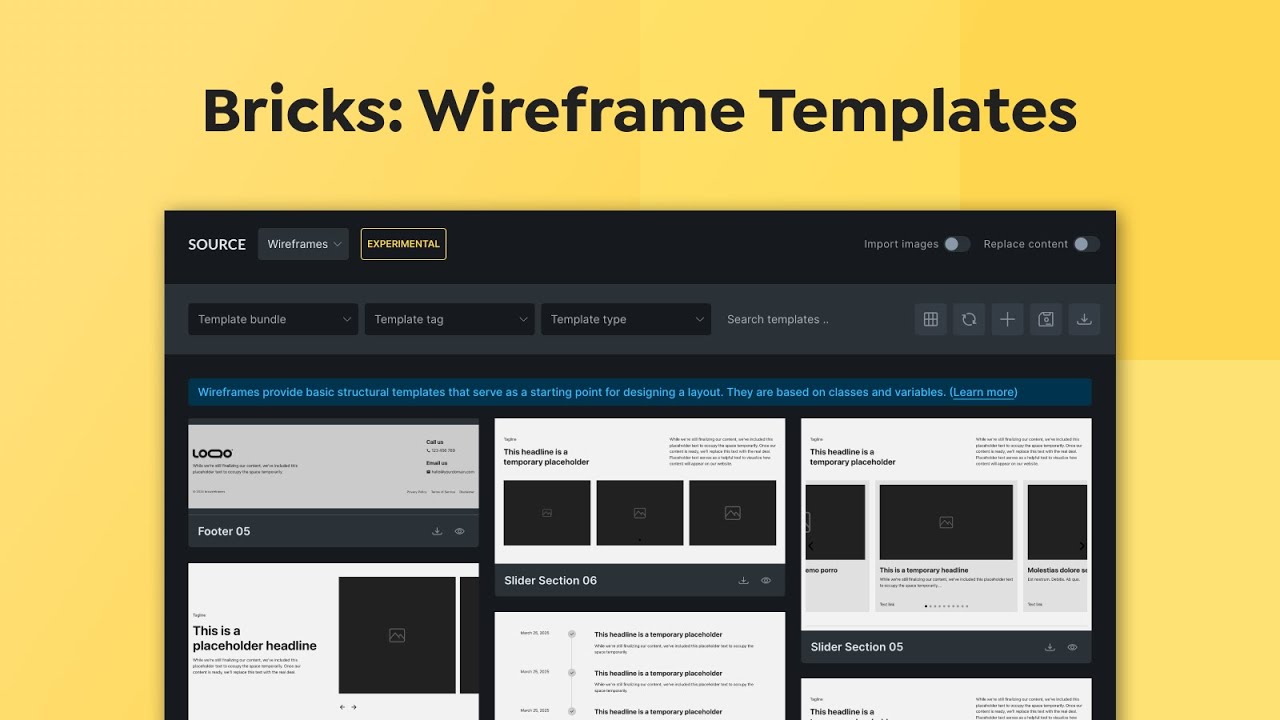
Documentation: http://academy.bricksbuilder.io/article/wireframe-templates/
Designing from a blank canvas can be time-consuming and intimidating. With Wireframes and ready-to-use Design Sets, you can:
- Kickstart projects – Quickly spin up professional layouts without having to reinvent the wheel.
- Stay consistent – Use pre-designed structures and styles that align with best practices.
- Save time – Focus on customizing and fine-tuning instead of building every page section from scratch.
Wireframes give you clean structural starting points, while Design Sets provide polished, styled layouts—helping you move from idea to finished website faster.
Global Queries & Query Manager
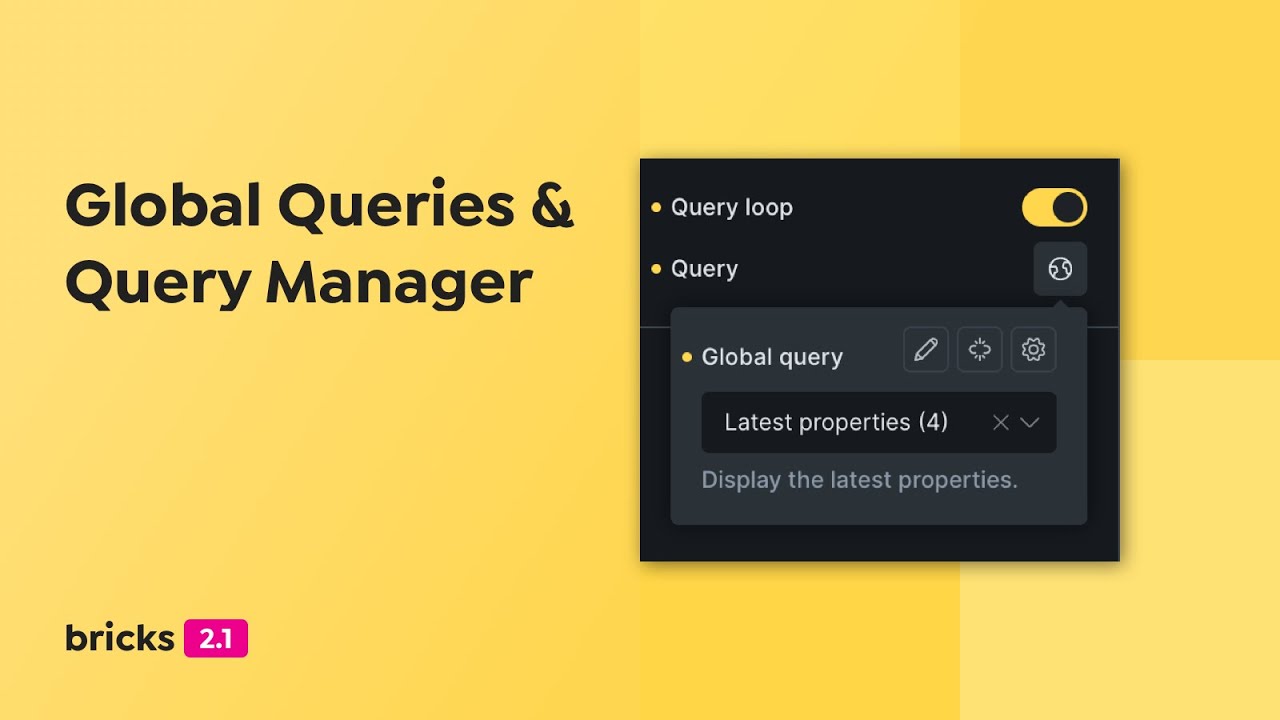
Complex sites often rely on the same queries in multiple places. Without a central system, you’d need to recreate or adjust these queries repeatedly.
With Global Queries & the Query Manager, you can:
- Define once, use everywhere – Create a query once and reuse it across your site.
- Save time & reduce errors – Update the query in one place and the changes apply site-wide.
- Stay consistent – Ensure content displays the same way everywhere it appears.
This brings a whole new level of efficiency and maintainability to dynamic websites built with Bricks.
Documentation: https://academy.bricksbuilder.io/article/global-queries-query-manager/
Query Data from APIs
Fetch & display third-party API data in your query loops—no custom code needed.
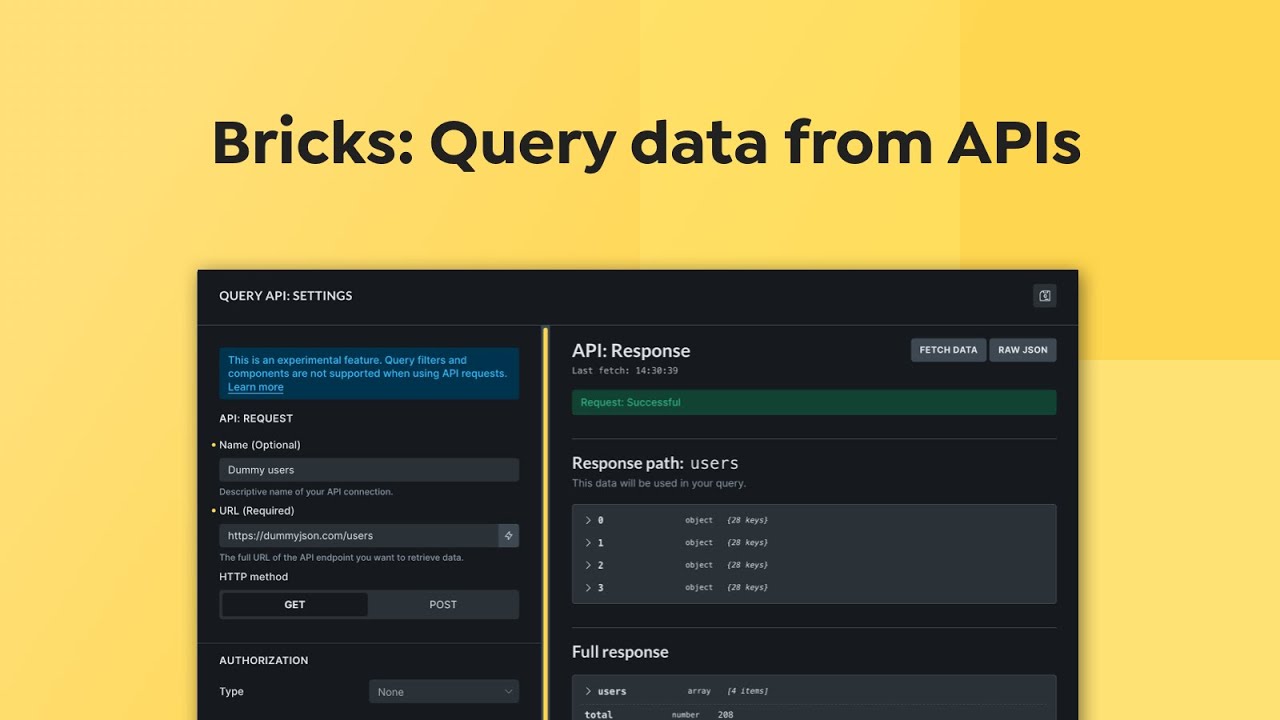
Modern websites often need to display content from external sources, such as listings, reviews, events, or data from another WordPress site or third-party APIs. Until now, you could only query your own database (posts, terms, users).
Bricks 2.1 provides the new API Query type that allows you to connect to any API endpoint:
- Connect without coding – Fetch JSON data from any REST API directly inside Bricks.
- Display anywhere – Render API results in query loops using Bricks’ dynamic data system.
- Build advanced integrations – Combine WordPress content with third-party data sources for richer, more dynamic websites.
This makes Bricks not just a site builder, but a flexible platform to connect with the wider web.
Documentation: https://academy.bricksbuilder.io/article/query-data-from-apis/
Create & Update Posts via Frontend forms
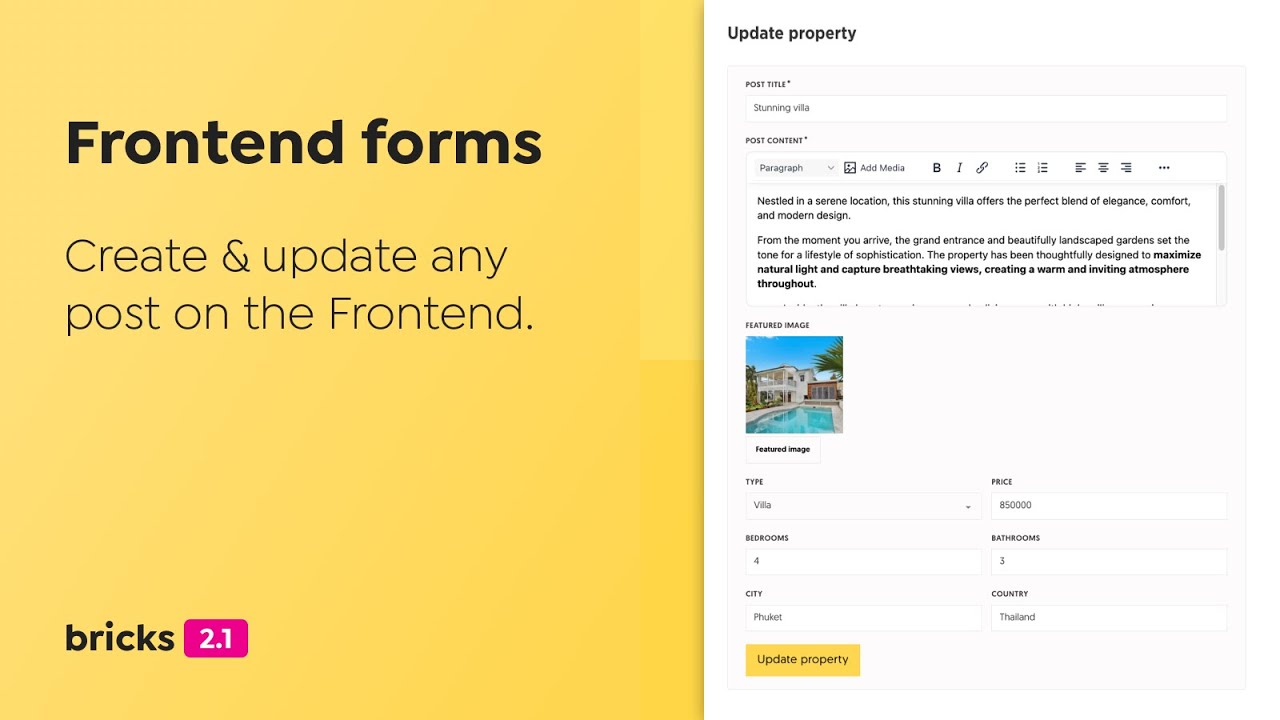
Let users (or clients) create and edit content from the front end—without giving them wp-admin access or building custom endpoints. With Create post & Update post form actions—and new Rich Text and Image fields—you can:
- Streamline publishing – Map form inputs to Title, Content, Featured Image, Taxonomies, and Custom Fields (incl. CPTs) for true no-code submission and editing.
- Improve content quality – The Rich Text field enables formatted post/email content; the Image field supports uploads for featured images, galleries, avatars, etc.
- Protect your site – Keep strict control with roles/capabilities, draft/pending statuses, moderation flows, and conditional logic.
- Reduce handoffs – Clients and collaborators can update their own posts (events, listings, case studies) directly on the site, eliminating the need for dashboard training.
- Power real use cases – Directories, job boards, event calendars, UGC blogs, testimonials, support portals—built with forms, not plugins or PHP.
This turns Bricks forms into a lightweight CMS interface: safer than sharing wp-admin, faster than custom development, and flexible enough for complex content workflows.
Documentation: https://academy.bricksbuilder.io/article/create-update-posts-on-the-frontend/
Fluid Typography Generator
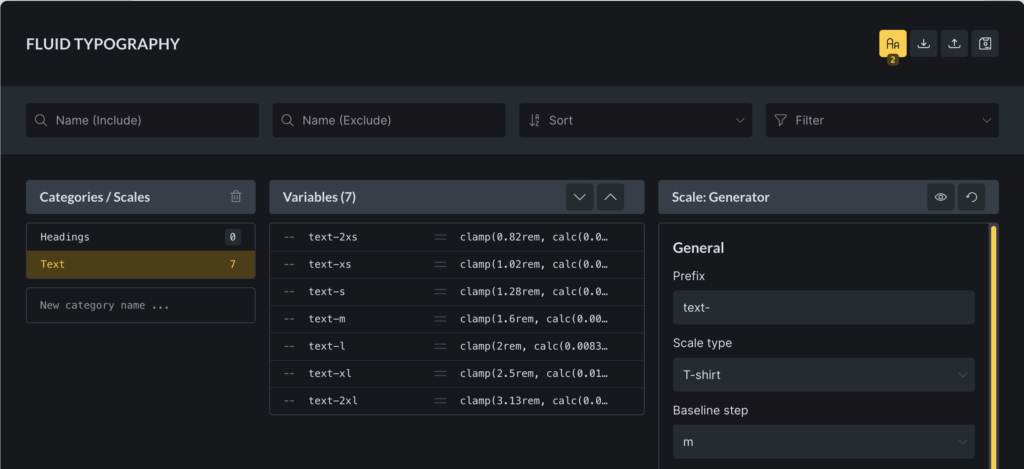
Typography is one of the biggest factors in how professional and polished a website feels. Traditionally, making text scale smoothly across devices meant manually juggling clamp() values, CSS variables, and breakpoints.
With the Fluid Typography Generator, you can:
- Create fluid type scales visually – Define minimum & maximum sizes and let Bricks handle the math.
- Ensure readability on any device – Headings and body text scale gracefully between screen sizes.
- Stay consistent – Apply the same type system across your entire site via Theme Styles.
This makes setting up modern, responsive typography simple, consistent, and accessible—even if you’re not a CSS expert.
Documentation: https://academy.bricksbuilder.io/article/fluid-typography/
New element: Map – Leaflet (OpenStreetMap)
Maps are essential for many websites—whether it’s showing store locations, event venues, or points of interest. But Google Maps often comes with heavy scripts, API keys, and usage costs.
With the new Map – Leaflet (OpenStreetMap), you get:
- Lightweight performance – Faster loading maps with fewer external dependencies.
- No API keys or billing worries – Completely free and open-source.
- Flexible customization – Control markers, popups, tiles, and styling directly inside Bricks.
This gives you a privacy-friendly, cost-free, and efficient alternative to Google Maps.
User activation
Account quality and security suffer when new users can log in with unverified emails. The new User activation email feature adds a simple, reliable verification step—sending an activation link to every new registrant (not just those created via Bricks forms).
- Reduce fake & spam accounts – Stop bots and disposable emails from gaining access.
- Protect gated content & resources – Only verified users can proceed, keeping memberships, downloads, and community areas cleaner.
- Smoother onboarding – Clear “confirm your email” flow that users already understand.
- Consistent across your stack – Applies to all new user registrations (core, plugins, custom flows), so you don’t need different solutions for each entry point.
- Better deliverability hygiene – Verifying addresses improves list quality for future notifications and transactional emails.
- Admin-friendly – Centralized activation logic reduces the need for custom code and one-off plugin dependencies.
In short: verified users, fewer headaches, and a cleaner, more secure user base—no matter where the registration originates.
Documentation: https://academy.bricksbuilder.io/article/user-activation/
Tabs element: Accordion layout on mobile
Tabs are great on desktop, but on small screens, they can squeeze labels, hide context, and force extra taps. The new Accordion layout at breakpoint setting transforms your Tabs into vertically stacked panels optimized for touch, starting at the breakpoint of your choice.
- Better mobile UX – Clear, scrollable sections with large tap targets and less sideways navigation.
- Preserves context – Users can see headings and open multiple sections without losing their place.
- Accessibility-first – Utilizes familiar disclosure patterns (keyboard and ARIA), enhancing support for screen readers and touch devices.
- Fewer layout issues – Avoids squished tab labels, overflow, and wrapping problems on narrow viewports.
- Content flexibility – Ideal for FAQs, product details, and long-form pages where sections can be expanded on demand.
- One component, responsive behavior – Build once; Bricks handles the tab→accordion switch automatically at mobile breakpoints.
Result: cleaner mobile design, higher task completion, and fewer support complaints about “missing” content on phones.
Theme Styles: Caption styles for Image & Image Gallery
Images often carry important context through captions—whether it’s crediting the source, explaining the photo, or adding supporting details. Until now, caption styling was limited or required custom CSS.
With Caption styles in Theme Styles, you can:
- Stay consistent – Define global typography, spacing, and color for all image and image gallery captions (including the block editor).
- Save time – No need to restyle captions for each image or gallery manually.
- Improve readability – Ensure captions complement your design system, rather than clashing with it.
This makes managing captions easier, more professional, and fully integrated into your site’s design system.
Full changelog
- Bricks components as blocksNew
- New element: Map – Leaflet (OpenStreetMap)New
- Fluid TypographyNew
- Query data from APIsNew
- Query Manager & Global QueriesNew
- New Dynamic Data Tag: query_loop_indexNew
- Bricks Templates: Wireframes & Design setsNew
- Form element: New actions “Create post” & “Update post”New
- Form element: Field type “Rich text”New
- Form element: Field type “Image”New
- User activation emailNew
- Tabs element: Accordion on mobileNew
- Theme Styles: Caption styles for Image & Image GalleryNew
- Component: Set element CSS “id” on the instanceNew
- Search element: Overlay direction, gap, and button controlsNew
- Range Filter: New Thumb style controls (background, border, box-shadow)New
- Assets generation: Performance issue if color palettes are all variable valuesImprove
- Builder: Missing breakpoint setting indicator in Theme StylesImprove
- Builder: Remove translate-z from draggable.jsImprove
- Builder: Update all packages to their latest versionImprove
- Code editor: Show all action icons above code editorImprove
- Components: Include components in copy & pasteImprove
- Contextual Spacing: “Additional Target Elements” allow to expand/collapseImprove
- DevTools CSS warningsImprove
- Skip adding “href” attribute if value is emptyImprove
- Filter – Radio: Hide “Options” group if no target query is selectedImprove
- Query filter element: Meta Key field always visible when “Custom field” source is selectedImprove
- Query loop: Toggle & query control both visible by default (component)Improve
- Rich Text element: Dynamic data button heightImprove
- Theme Styles: Theme style options widthImprove
- Video Lightbox: “Muted” control to autoplay YouTube videos on Safari iOSImprove
- PHP max upload file size: Change from 16 MB to 64 MBImprove
- Animated Typing: Support ampersand (&)Fix
- Builder: Changing the new property type does not update placeholder valueFix
- Builder: Connected component instance doesn’t exist causing memory exhaustionFix
- Builder: Looping component instance bugs (loop indicator, missing HTML, loop re-render on property change)Fix
- Cascade layer: Gutenberg figure marginFix
- Checkout: Ship to different address shows on canvas even if “force to billing address” is enabledFix
- Class in the trash can still be added to element, but it is not visibleFix
- Code element: HTML emmet abbreviations on TAB press not workingFix
- Component with link property might cause instance image not being updated on canvasFix
- Component: Custom selector styles doesn’t apply and remain after unlinking componentFix
- Component: Duplicated global classes after component importFix
- Component: Rename CSS ID is not appliedFix
- Component: Unlinking removes custom selectorsFix
- Component: Visual Grid Builder not workingFix
- Component: Custom CSS backslashes removed after saveFix
- Component: Rich text property resets/closes when created directlyFix
- Component: Connected property dropdown not showing in SafariFix
- Component: Disable property connect icons for nested Query controlsFix
- Component: Dynamic data inside nested component set on CSS control inside query loop not workingFix
- Component: Nested Form no action set errorFix
- Dynamic data: “:raw” filter for dynamic data not working consistentlyFix
- First loop element: Contenteditable missing HTML (only text)Fix
- Image element: Aspect ratio wrong selectorFix
- Image element: Gradient/overlay on non-desktop breakpoint not addedFix
- JavaScript error after deleting attribute connected to component propertyFix
- Map: Info box popup (Query mode) missing ID level styles with external filesFix
- Nav Nestable: Mega Menu position shift when using Load More (if display none)Fix
- Nav nestable: Dropdown icon color specificityFix
- Product review element: fill color applied to all starsFix
- Quick Access Bar does not open control groupFix
- SVG: Fill only applied after builder reloadFix
- Slider: DD image size not respectedFix
- Target Query: Dropdown cannot find the query (component) enabled via toggle propertyFix
- Theme Styles: Button styles can’t be overridden on a classFix
- Theme Styles: Changes cannot be overwritten on individual elementsFix
- Theme Styles: Hover is not updating controlsFix
- Theme Styles: Reduce block & div elements display specificityFix
- Undefined array key “taxonomy” when using checkbox filter with “AND” logic on term archive pageFix
- User profile: Capability “default” sometimes incorrectFix
- Visual Grid Builder: Editing on class not workingFix
- Visual Grid Builder: Gap on classFix
- Visual Spacing: Modifiable without “Access style (CSS) settings” permissionFix
- WooCommerce Breadcrumbs: Home & Separator icons can’t be styled individuallyFix
- AJAX popup with no scroll body causes mega menu overflowFix
- Cascade layer: Broken WooCommerce lightboxFix
- Class/Variable picker: Hover over an item in a category selects the items in the same position in all other categoriesFix
- Disable form submission when submitting to avoid duplicate entriesFix
- PHP error when set Popup “Display on breakpoints”Fix