
This update, with around 140 changes, brings you better code and template management, various builder improvements, and some of those long-outstanding bugs got squashed as well.
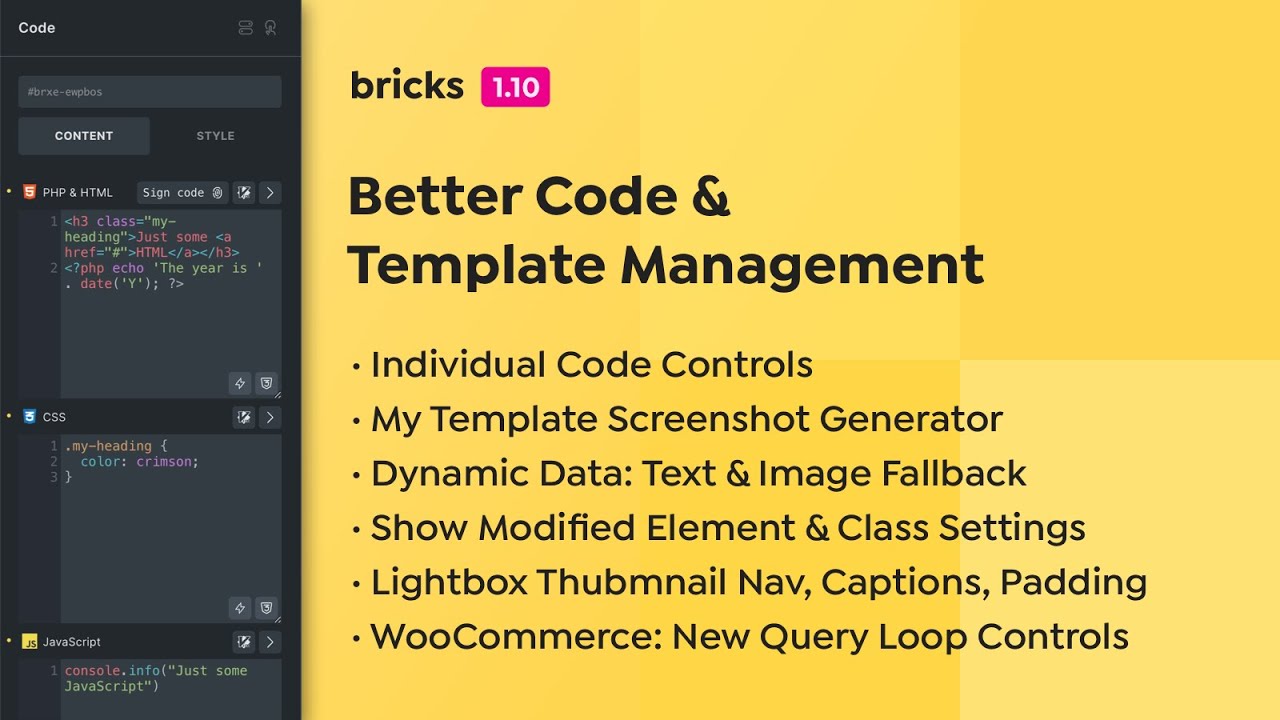
Code element: Individual code controls
You now have individual HTML/PHP, CSS, and JavaScript controls. This not only lets you better organize your code, but it also adds the following functionality:
- Auto-Close Brackets
- Auto-Close HTML Tags
- Error Syntax Highlighting (PHP, JavaScript)
- Vim (enable under: Bricks > Settings > Builder > Code Control: Vim)
All while retaining 100% backward compatibility with your existing code elements.
Better Template Management
The time of manually generating individual template thumbnails as featured images is finally over.
Bricks can now create full-page template screenshots automatically whenever you save a template or manually in bulk from the template manager in the builder.
Please enable this feature under Bricks > Settings > Templates > My Templates > Template screenshots. Featured images precede template screenshots.
For a better templating experience in the admin area, you can also enable the Template thumbnail column setting under Bricks > Settings > Templates.
Inside the builder, you can now view your templates in a grid (masonry) or list view.
Show Modified Element & Class Settings
Another roadmap item we could check off in Bricks 1.10 is the ability to filter the element settings to view only the modified element & class settings. The element search is now permanently visible and located at the bottom of the element panel alongside the “modified settings toggle”.
Dynamic Data: Text & Image Fallback
Dynamic data has been an essential part of Bricks since day one. We are happy to announce that you can now set dynamic text and image fallbacks via the new @fallback and @fallback-image dynamic data filters.
Dynamic data text fallback syntax:{acf_text @fallback:'Fallback text goes here ...'}
Dynamic data image fallback syntax using an image ID:{acf_image @fallback-image:123}
Dynamic data image fallback syntax using an image URL:{acf_image @fallback-image:'https://bricksbuilder.io/fallback-image.png'}
Better Lightboxes
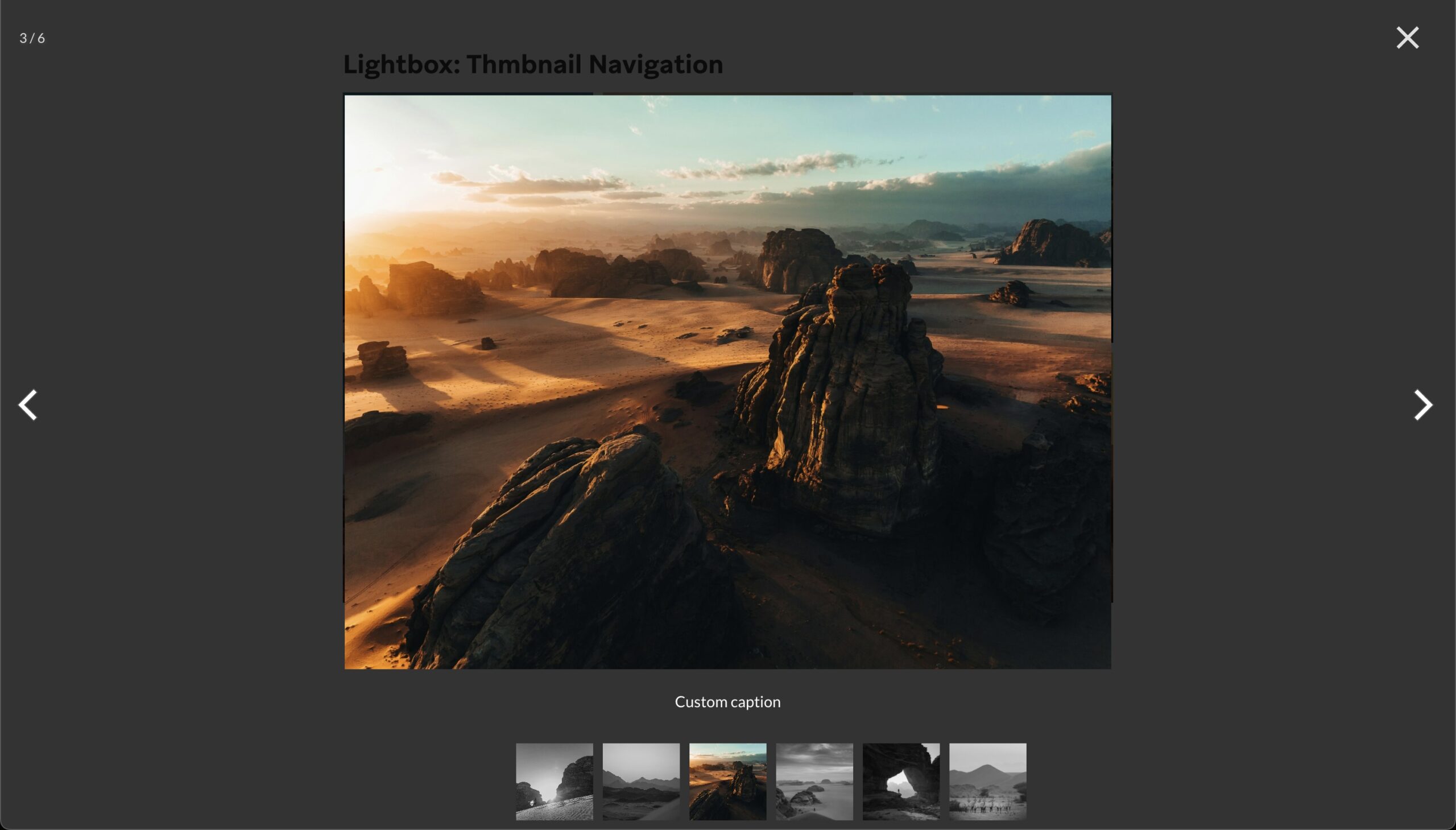
Lightboxes in Bricks have also received various upgrades. Enable Thumbnail Navigation, Captions, Padding, and Image Click Action.
More highlights:
- Popups: Support the “Populate content” setting
- Builder: Add custom HTML attributes to the canvas (from Bricks filters & element settings)
- Builder: New “Copy: Bricks ID” to clipboard button in element panel & context menu
- WooCommerce: New query loop controls (On sale, Featured, Hide out of stock, Upsell, Cross-sell)
- Page settings: “Custom CSS” breakpoint support
- Theme Styles: Links “CSS selectors” setting (extends default CSS selectors)
- Element conditions: New compare operators: Is empty, Is not empty (for dynamic data)
- Reading Time element: Support query loops
Full changelog
- Show Modified Element & Class SettingsNew
- Lightbox: Thumbnail Navigation (Carousel, Image Gallery)New
- Generate Screenshots In-Bulk & On-SaveNew
- Code Element: Separate inputs for HTML/PHP, CSS, JSNew
- Syntax checking in CSS editorNew
- Lightbox Caption (Carousel, Image, Image Gallery)New
- Lightbox: Image click action (Disable zoom, etc.)New
- Lightbox: Padding (px) settingNew
- Dynamic Data: Text & Image FallbackNew
- Builder: New “Copy: Bricks ID” to clipboard button in element panel & context menuNew
- Popups: Support ‘Populate content’ settingNew
- WooCommerce: New query loop controls for “On sale”, “Featured”, “Hide out of stock”, “Upsell”, “Cross-sell”New
- Theme Styles: Links “CSS selectors” setting (extends default CSS selectors)New
- Reading Time element: Support query loopsNew
- Bricks > System Information: meta_value column type checkNew
- Bricks settings: Builder > Variable dropdown: Hide valueNew
- Comments element: New setting “Author HTML tag”New
- Icon List element: New setting “Icon size” & “Label size”New
- Search element: New setting for icon border & box-shadowNew
- WooCommerce Product Price filter: Set currency symbol and positionNew
- WooCommerce Account – Page element: New setting “Disable navigation”New
- Page settings: Custom CSS breakpoint supportNew
- Code element: Vim bindings (Bricks > Settings > Builder > Code control: Vim)New
- Element conditions: New compare operators: Is empty, Is not empty (for dynamic data)New
- Code control: CSS lintingNew
- Query Filters: Schedule indexer (for huge websites)New
- Icon List element: “Icon size” & “Icon color” setting (for all icons)New
- WooCommerce Cart Totals: Button width (new control)New
- Accessibility: Use :focus-visible instead of :focusImprove
- Builder: Add custom HTML attributes to the canvas (from Bricks filters & element settings)Improve
- Builder: Deprecate setting “Inner container/div”Improve
- Builder: Switch to preview shouldn’t reset the canvas widthImprove
- Carousel: Add aria-label to lightbox link (a11y)Improve
- Code element: %root% shortcut overridden by emmet inside {}Improve
- Dynamic data: Support more special characters in arguments ($+%*#!=)Improve
- Form element: “Reply To Email” supports name & emailImprove
- Form element: Checkbox/radio “name” setting not usedImprove
- Nav menu & nestable: Ensure wp-admin bar covering mobile offcanvasImprove
- Pseudo-classes/elements: Content support CSS functions (e.g. attr, counter, url)Improve
- Bricks settings: Builder access manage_options messageImprove
- Reading Time element: Improve Chinese & Japanese time calculationsImprove
- Testimonials & Team members elements: Remove default images as Unsplash Source has been retiredImprove
- Video element: Remove default background-color (potential overflow when using border-radius)Improve
- WooCommerce: Checkout Thank you “Downloads” section CSS responsivenessImprove
- WooCommerce: Checkout Thank you addresses should wrapImprove
- Builder: Reduce AJAX calls when editing PHP-rendered elementsImprove
- Builder: Save icon should spin in the other directionImprove
- Dropdown element: Wrap ever query loop result in li.menu-itemImprove
- WooCommerce: Bricks “AJAX Add to cart” support variation productsImprove
- Dropdown: Icon library, but no icon selected: dropdown doesn’t openImprove
- Duplication: Copy Bricks template settings tooImprove
- Filter Radio: A11y improvementImprove
- Header: Search overlay inside sticky slide-up doesn’t openImprove
- ACF Repeater: Dynamic background bug in nested flexible contentFix
- ACF Repeater: No result in a Group if inside a Relationship loopFix
- ACF field name same as repeater field name: Generates PHP warning in builderFix
- ACF: Post object loop + Nested Group field + Repeater field (PHP error: cannot use object of type WP_Post as array)Fix
- ACF: Additional checks for Google Maps API keyFix
- Builder: Styles applied to the wrong breakpoint (for short breakpoint names like “L”)Fix
- Color Palette: Raw value remains clear on saved color if clearedFix
- Filter: render_attributes not working for Icon & SVG elementFix
- Form element: Redirect action doesn’t process form field IDFix
- Form element: Without redirect action, file type “Files” triggers error on second submissionFix
- Form element: Audio files like wav or m4a cause “Uploaded file type is not allowed” errorFix
- Gutenberg Lightbox: max-width issue with align left/rightFix
- Icon element: Missing “is-active” outline on canvasFix
- Image element: Overlay doesn’t show with link setFix
- Query Filter & WPML activated: JavaScript error (Type error: “url” is read-only)Fix
- List element: Meta setting doesn’t render 0Fix
- Maintenance mode: Remove canonical & OG tagsFix
- Map element: Infobox image & lightbox should use image sizeFix
- Meta Box: Search bug in Advanced location rules when “Query Bricks data in search results” is enabledFix
- Nav nestable: Menu jumps on page load due to mobile close toggleFix
- Nav nestable: Mobile menu width is set to autoFix
- Non standard template setup + Posts page (is_home) edit with Bricks: Main query not appliedFix
- Page settings: Custom code shows “sign code” unintentionallyFix
- Polylang Pro & ACF language field group: Irrelevant Field group shows in wp-adminFix
- Polylang & WPML: Incorrect language template exportedFix
- Product Tabs element: JS error (firstChild.classList is undefined)Fix
- Query Filter: Radio & Select default compare operator is not EqualFix
- Query Filter: Sometimes index records erase (with Polylang activated)Fix
- Query Filter: Support “Disable Query Merge” setting on the taxonomy pageFix
- Query Filter: Pagination element with condition error once filteredFix
- Query loop: Nested loop dynamic style (e.g. background) not workingFix
- Scroll snap: Page setting “Selector” not workingFix
- Search element: Input width not applied correctlyFix
- Structure Panel: Wrong element icon ‘title’ value after renamingFix
- Term page with empty post: Dynamic background not generatedFix
- Theme Style: Don’t apply “Links” styles to links within a Post (content source: Bricks)Fix
- Theme Styles: “/” in name breaks external file generationFix
- Theme Styles: Button transition: Show variable picker instead of DD pickerFix
- Query loop: Can’t use DD field value as nested query loop parameters (ACF, Meta Box, JetEngine)Fix
- Query loop: Query editor code not used on archive pages if “Is Main Query” setting is enabledFix
- WPML: Copy template settings & typeFix
- WooCommerce Sale Badge: Uncaught DivisionByZero Error for Product Bundle typeFix
- WooCommerce Account Login: “Disable” settings not workingFix
- Image Gallery: Masonry image overlap inside tabsFix
- Anchor text link with icon: Offcanvas doesn’t close when link is clickedFix
- Builder: Element disappears from structure panel/canvas (after moving it to a different level and back, then edit a setting)Fix
- Builder: RAW CSS variable name no longer applies after deleting colorFix
- Builder: Wrong min-height after inserting element on canvas (header/footer template)Fix
- Custom authentication page: Subdirectory sites not using custom auth pageFix
- Duplicate (WordPress): Escaped (backslash) quotation marks in ACF WYSIWYG fieldFix
- Duplicate: Post/page add additional backslashes for some meta valuesFix
- Dynamic border color with different border missing CSS generated in loopFix
- Form: Google reCAPTCHA spacing (form group padding)Fix
- Frontend: border-width missing (using same value on all directions)Fix
- Interaction: LeaveView ignored the first triggerFix
- Mini Cart element: Off-Canvas doesn’t show if placed in sticky slide-up headerFix
- Nav Menu Dropdown: Top level background color on hover wrong selectorFix
- Nav Menu: Top level & Sub menu icon SVG wrong selectorFix
- Nav Nestable element: Deprecate “Top level > Justify content” setting (use Mobile menu > Align items)Fix
- Nav Nestable element: Desktop menu shows on mobile in imported templateFix
- Posts element: Image position ‘Left’ not working on it’s ownFix
- Posts page: Unable to retrieve the correct dynamic field value on link-related controlsFix
- Product Gallery element: Apply thumbnail slider border to gallery imageFix
- Query Filters: DB columns storing post_id should use bigint (instead of int)Fix
- RTL: Accordion: Remove unnecessary marginFix
- RTL: Comments reply button position (external CSS files)Fix
- RTL: Post Comments: margin-left causes page overflowFix
- RTL: Spacing control flip left/right position (builder)Fix
- RTL: Text-align & flex controls wrong order (builder)Fix
- RTL: background video transformFix
- RTL: Radio filter: Button mode causes overflowFix
- Radio filter: Specificity issues with classesFix
- Search Overlay: Background color with transparency is not working correctlyFix
- Smooth Scroll not applied if entire page has no global class (external CSS files)Fix
- Team members element: Title tag control missingFix
- Dynamic data: echo tag unable to capture parameter (0 value) if custom function only needs 1 argumentFix
- Unexpected element with children data causing memory exhausted (infinite loop)Fix
- Unexpected interactions removed if using scroll & run once (on multiple elements)Fix
- WPML: Builder ‘Pages’ panel URL always points to default languageFix
- WooCommerce Order review: padding doesn’t apply to subtotal & totalFix
- WooCommerce My Account/View order: Viewing invalid order number breaks page/templateFix
- WooCommerce: Order status “refunded” creates fatal error (builder)Fix
- Form: Files are not cleared properly after submitFix
- Dynamic data: query_results_count with a number-only query ID not workingFix