
Visually query your WordPress database
Empower creativity by visually querying your WordPress database. No coding needed. Just fast, easy data access.
Dynamic queries across elements
Infuse dynamic queries across multiple elements such as div, block, container, section, slider, slider (nestable), and the accordion and accordion (nestable).
Create dynamic content cards, listings, sliders, and accordions, presenting content in structured and engaging ways.

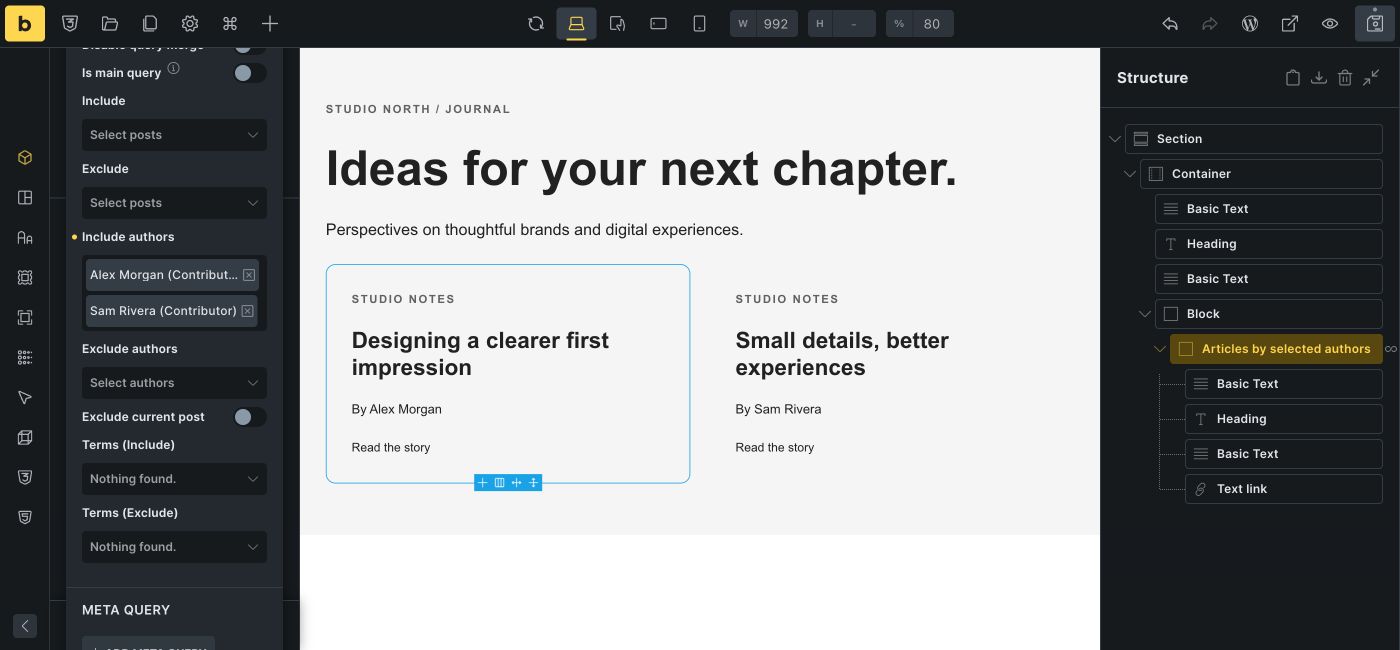
Choose which content appears
Select the content type, order, and number of results visually. For post queries, include or exclude multiple authors to build listings for selected contributors.

Taxonomy and meta queries
Fetch posts based on specific taxonomy terms or values of custom fields (meta data, dynamic data) with taxonomy- and meta queries.
Define once. Use everywhere.
Stop rebuilding the same queries over and over. With Global Queries and the Query Manager, you can define a query once and reuse it across your entire site. Update it in one place, stay consistent everywhere, and keep your dynamic content perfectly in sync.
Explore Global Queries in the Bricks Academy
Map your listings, events, or stores in real time
Query locations on the fly or feed the map from an existing loop and keep markers in sync as data changes. Build tailored infobox popups, cluster markers for performance, and add filters for instant user-driven searches. Turn raw location data into an interactive, real-time map experience.
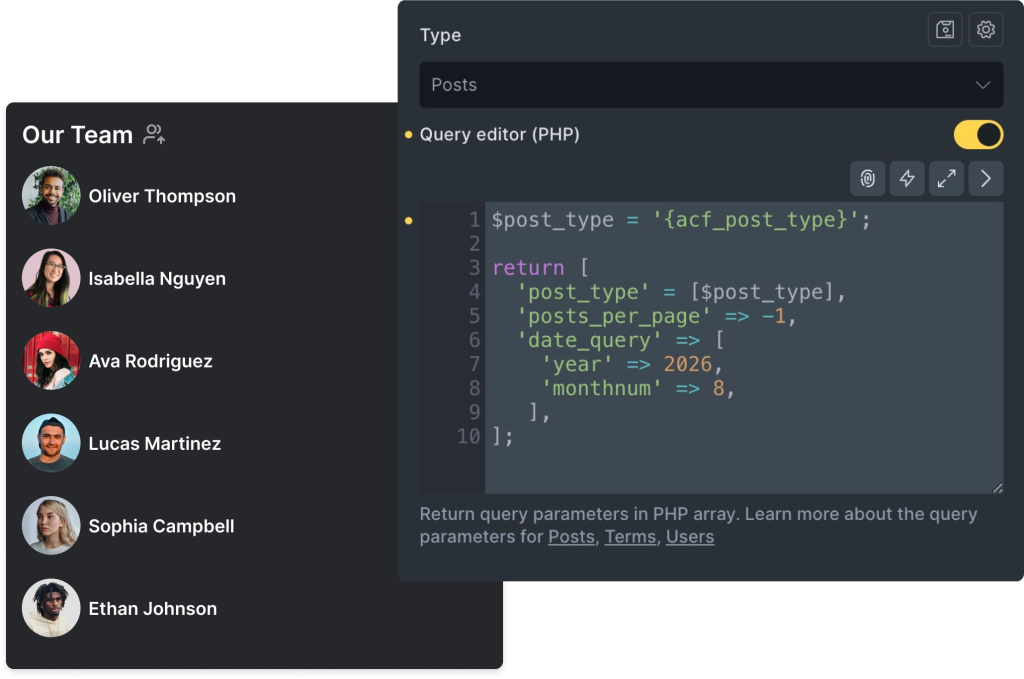
Custom database queries
Write your own custom database queries in PHP with the Query Loop Editor. Unlocking full flexibility and precise control over your website's content output.
Fetch & display any API data – visually
Connect to any REST API and pull in JSON data directly inside Bricks—no custom code required. Display results in query loops, combine with WordPress content, and create dynamic, data-rich websites that integrate seamlessly with external sources.
Explore API Queries in the AcademyContent filtering, sorting and live search simplified
Experience real-time content filtering, sorting, and live search without page refreshes. Create advanced facets to filter WordPress content by taxonomy terms, post fields, or custom fields. Perfect for refining shop archives, recipe pages, listings, and more.
Help visitors narrow down results
Filter and sort listings without reloading the page. Use taxonomy terms or custom fields, and choose how field values are compared—for example, show properties with a floor area greater than a selected value.
All details in the Bricks AcademyShow results as visitors type
Display matching results while visitors type. Choose what happens when they press Enter: update results with AJAX or send them to a dedicated results page with their search and filter values.
All details in the Bricks AcademyEnhanced content browsing
Seamless user experience
Enhance browsing with infinite scrolling and pre-built loading animations. Enjoy uninterrupted content consumption, swift load times, and simple navigation.

Pagination for precise navigation and improved accessibility
Improve site structure and SEO with enhanced pagination. Precise navigation for improved accessibility and performance.