
Bricks 2.4 adds AI-assisted site editing, a central Builder Browser, global data transfers, and customizable Builder layouts. It also introduces CSS Sync, expanded component and media management, and new WooCommerce setup and layout tools.
This release brings together the features and improvements introduced throughout the 2.4 beta and release candidate cycle.
Bricks AI Abilities
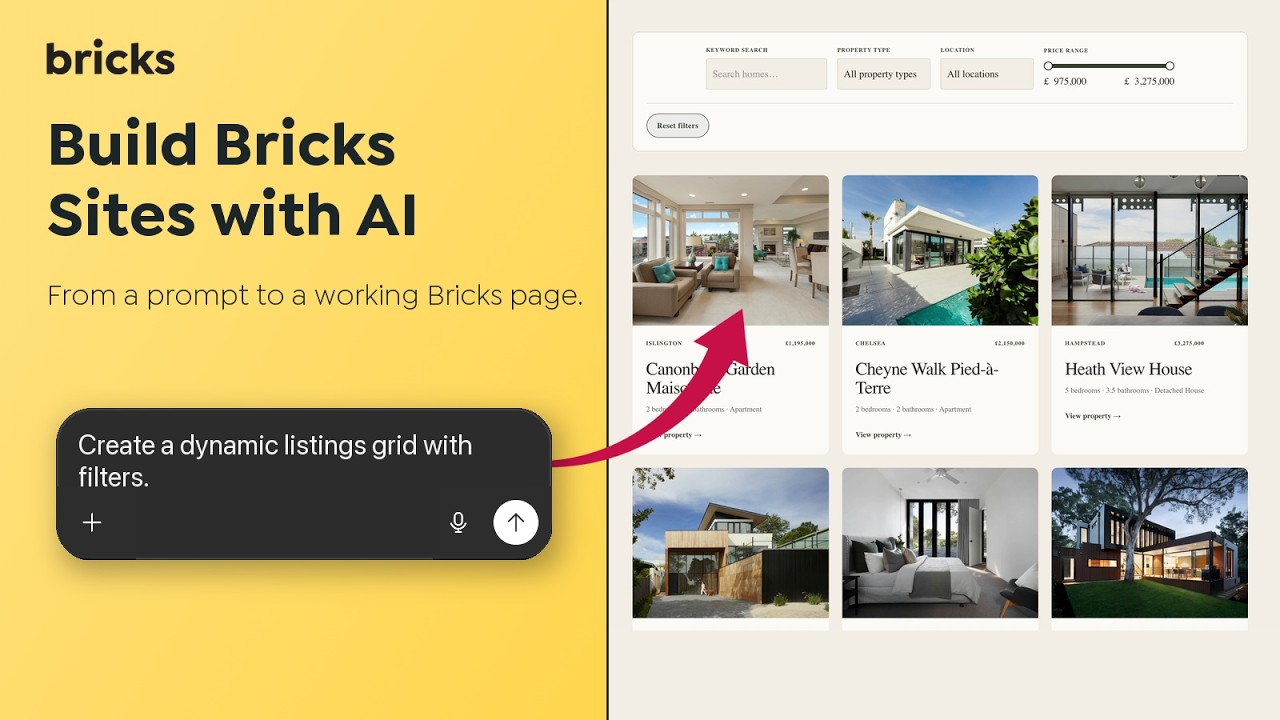
Connect a compatible AI client (Codex, Claude, Copilot, etc.) through the Bricks > AI configuration screen to create pages, edit existing content, and manage your design system. The screen includes client setup guidance, connection checks, and individual ability controls.
Abilities cover pages, elements, templates, components, global classes, variables, color palettes, queries, navigation menus, WooCommerce setup, and import/export.
Agents can also convert HTML and CSS into editable Bricks content and make targeted changes to existing pages.
Builder Browser
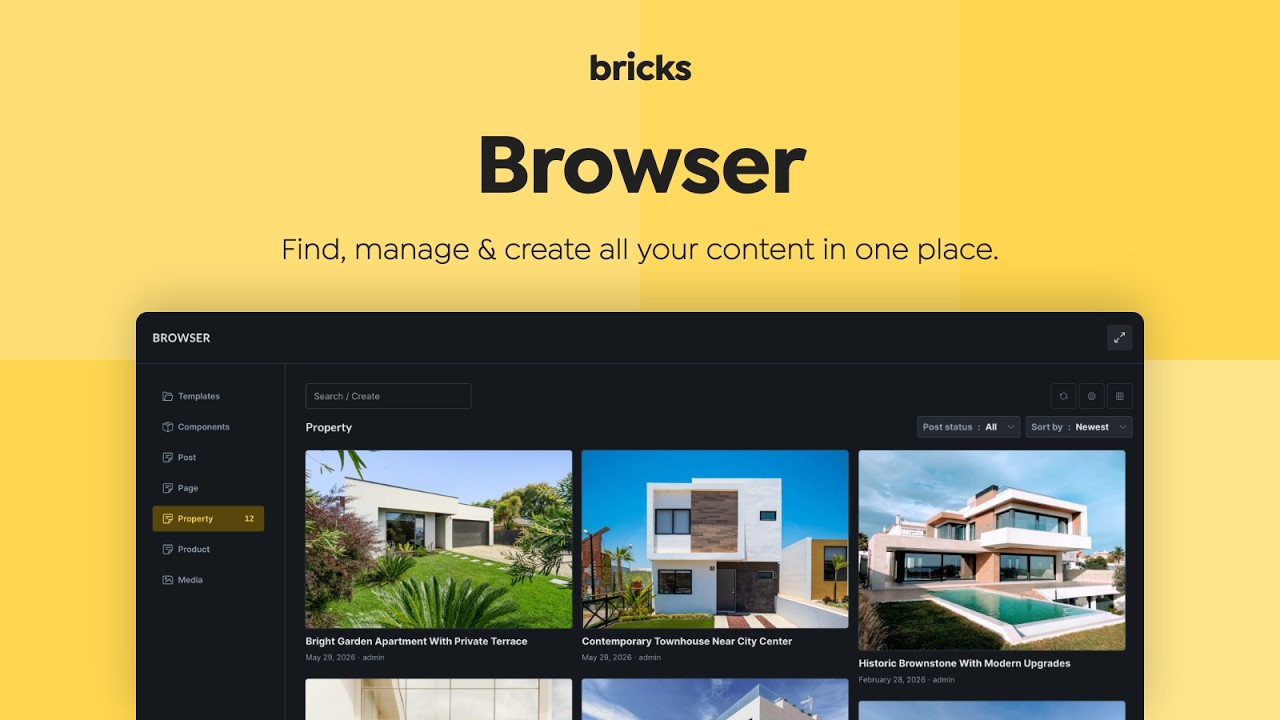
Manage templates, components, and post types enabled for Bricks from one place. The Builder Browser brings browsing and management into the Builder, with search, filters, and access to related managers.
Component Manager
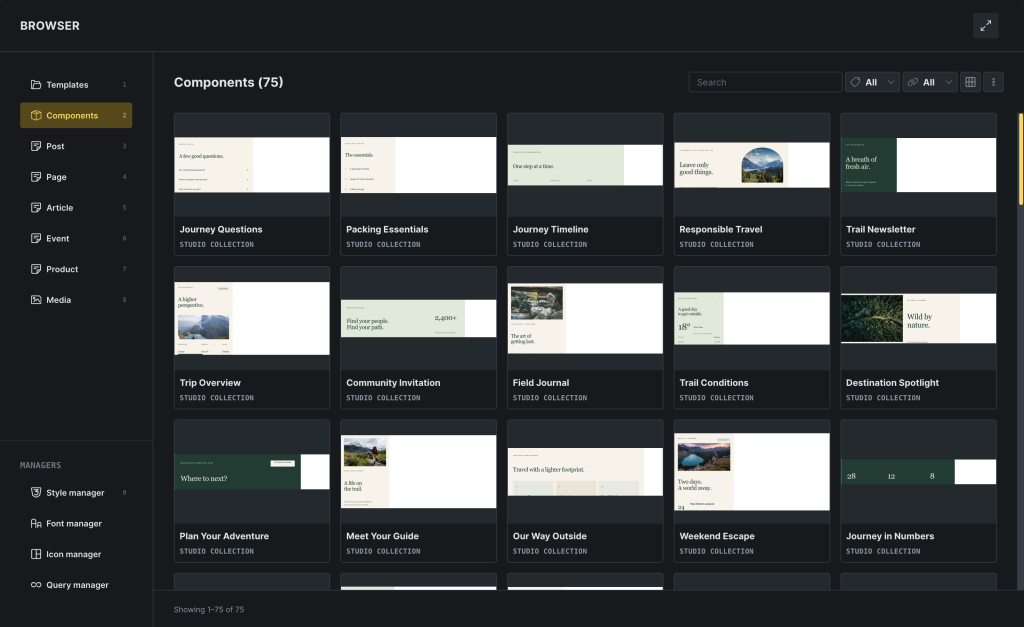
Search and filter components, inspect where they are used, manage screenshots, and duplicate, export, or delete them. Components that are not on the current page can be previewed while you edit them, and component variants can be reordered with drag and drop.
Remote Components
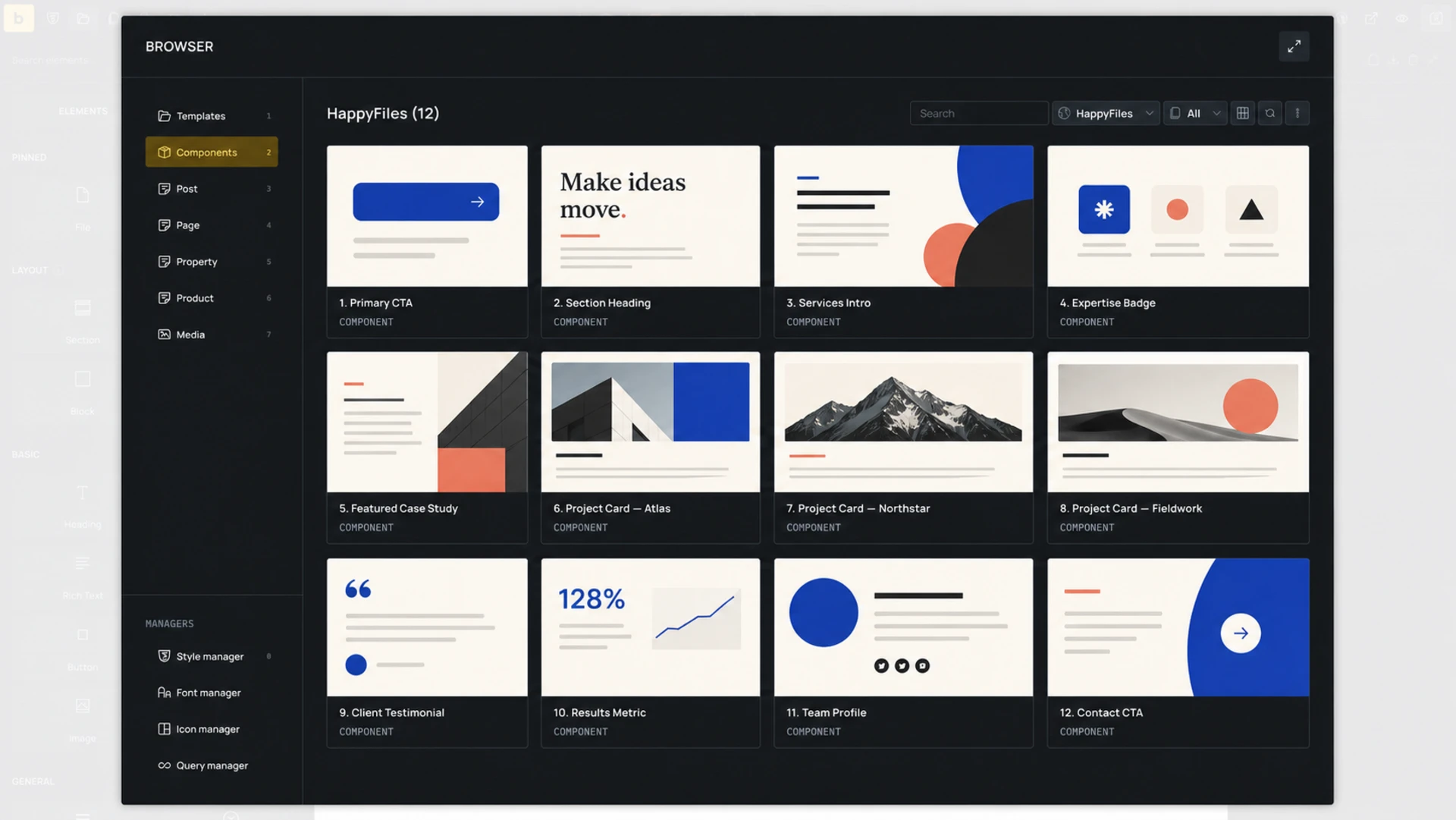
Browse and import components from another Bricks installation directly in Component Manager. Imports include nested component dependencies and referenced global classes, variables, color palettes, and optional images. Remote templates also bring their component dependencies with them.
Review the imported data and choose the component name before importing. When a name is already in use, Bricks suggests the next available numbered name, such as Button (2). Replacement imports keep the existing local name by default.
Remote templates and components use the same remote access settings. You can exclude individual components from sharing and review compatibility or naming conflicts before import.
Media management in Bricks Browser
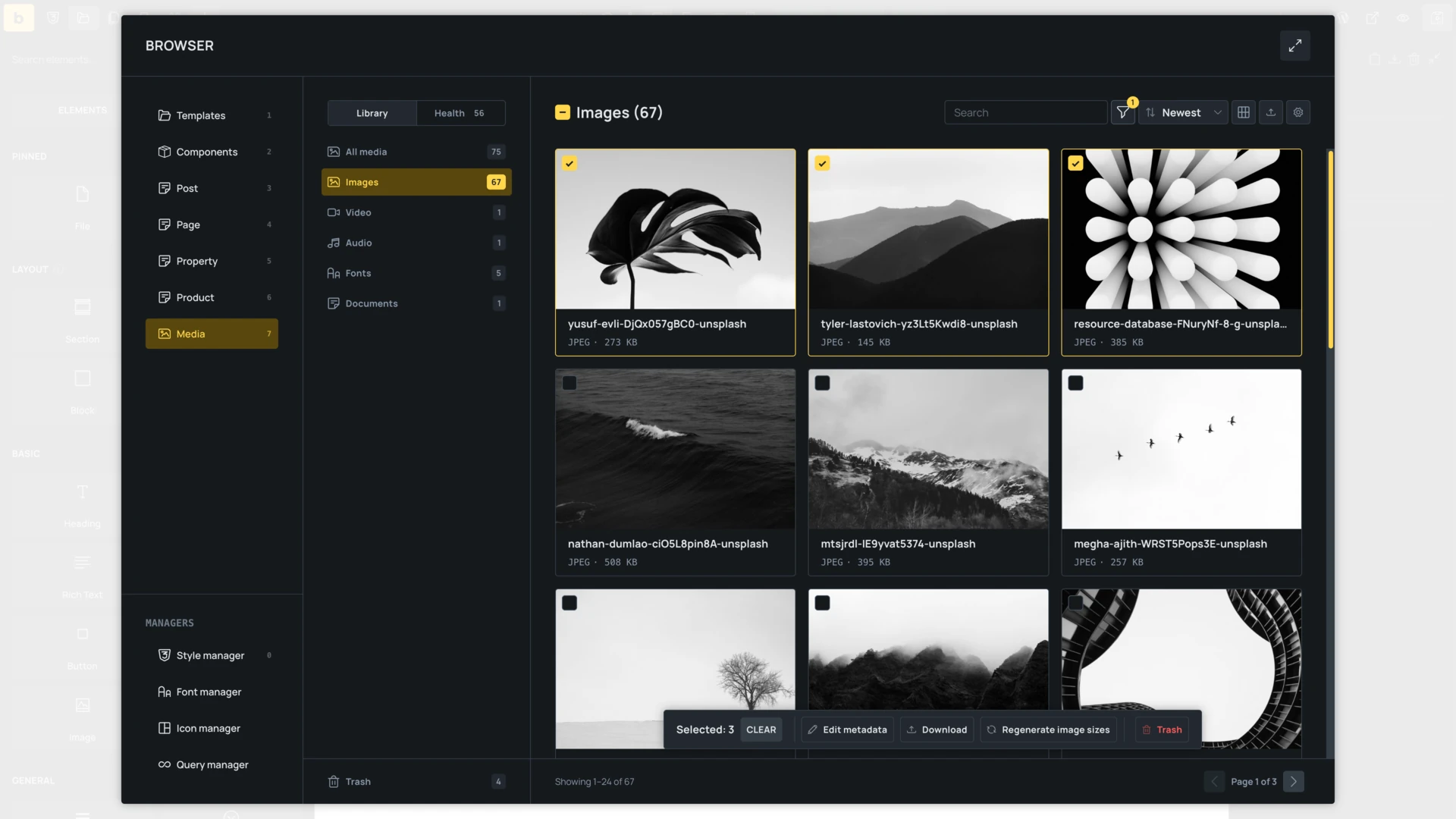
Audio, Image, Video, and SVG controls open the Bricks Media Browser by default. Search and filter files, select one or many attachments, upload media, edit metadata, run bulk actions, and review where attachments are used.
Media Health identifies broken files, missing alt text or image sizes, oversized files, and obsolete formats. Attachment Details provides actions to add alt text, generate image sizes, optimize or convert images, and replace or relink files, subject to your media permissions.
Use arrow keys to move between items, Space to select, and Cmd/Ctrl + Enter to insert your selection. Click the attachment ID to copy it.
Unsplash downloads offer 640px, 1280px, 1920px, 2560px, or Original size while preserving the image aspect ratio.
Global Import & Export
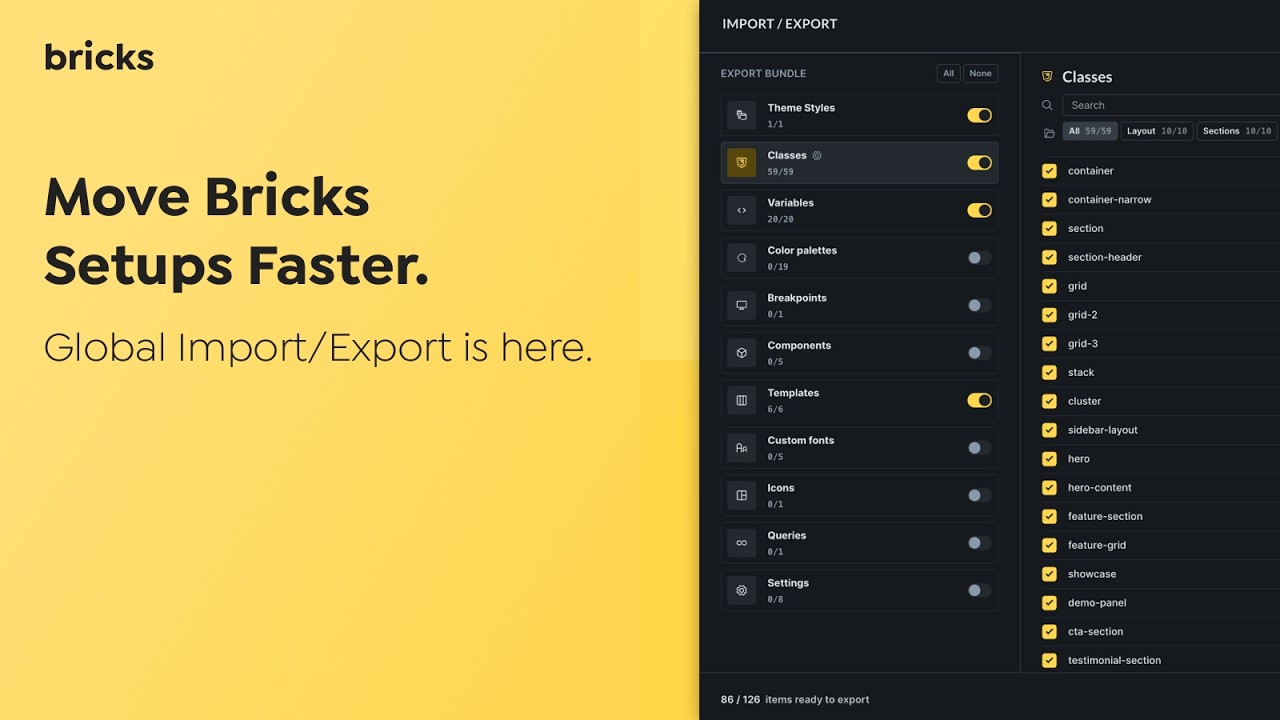
Transfer your global Bricks data between sites in a ZIP file. Supported data includes Theme Styles, global classes, variables, color palettes, breakpoints, components, templates, custom fonts, icons, global queries, Builder interface configuration, and supported settings.
Select individual items, review dependencies, and resolve conflicts before importing. Security-sensitive settings, including API keys, code execution, SVG upload permissions, and access capabilities, are excluded or protected. The same transfer workflow is available through Bricks AI Abilities.
Builder Interface Customiser & Profiles
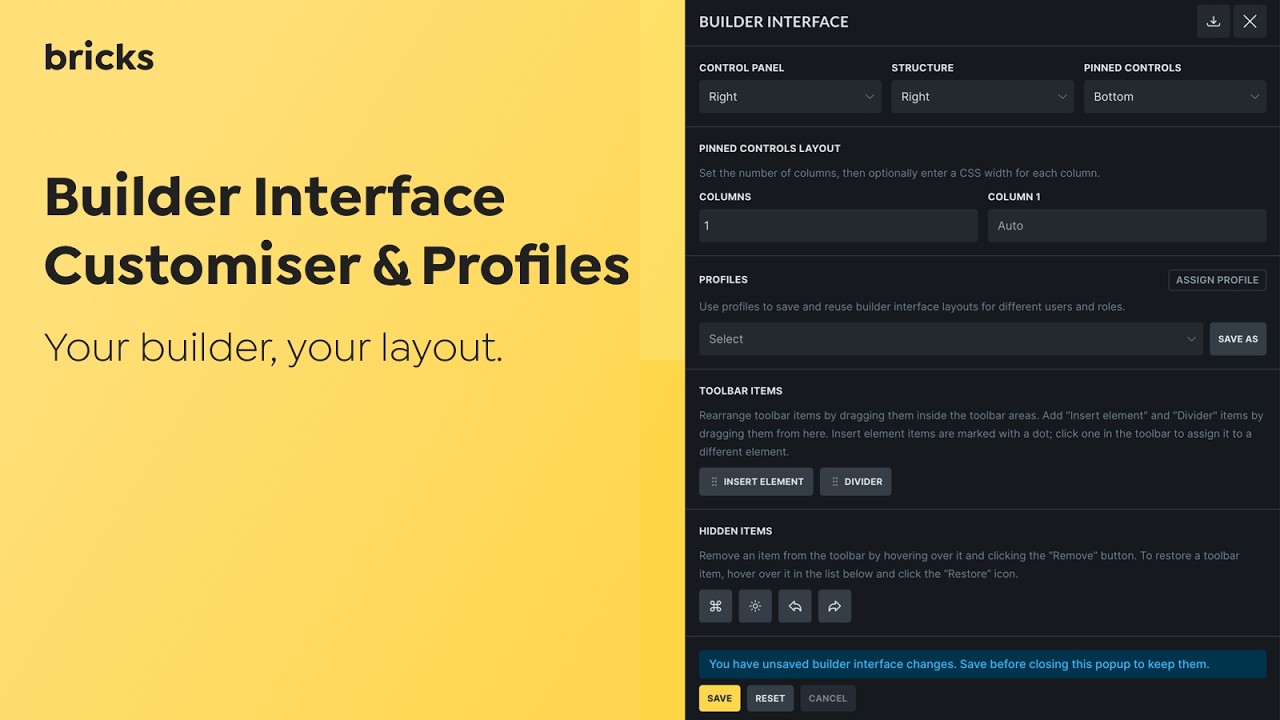
Place the toolbar on any side of the canvas and move the control and structure panels between the left, right, and bottom docks. Arrange pinned controls, reorder or hide toolbar actions, add dividers, and create shortcuts for inserting specific elements.
Save layouts as reusable profiles and assign them to users or roles. Import and export profiles and personal settings to use the same workspace across sites.
Bi-directional Sync: Custom CSS & UI Settings
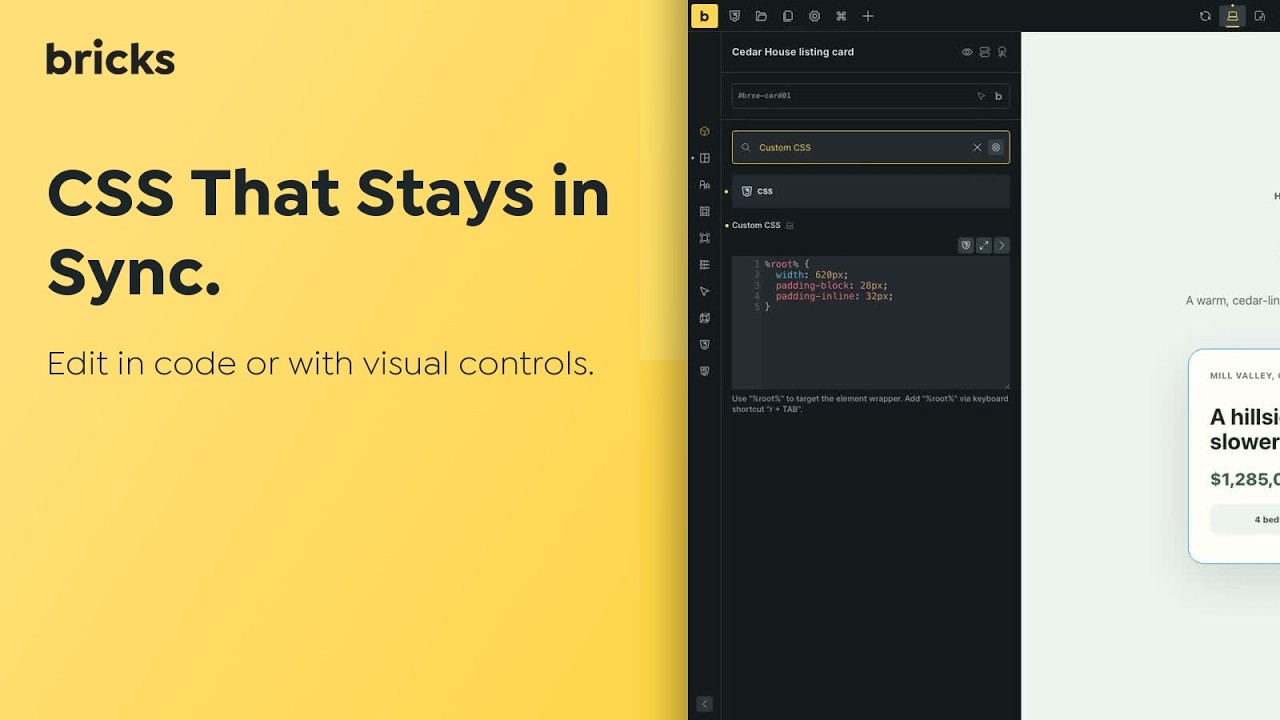
Keep supported Custom CSS declarations and their Bricks style controls in sync. Editing a supported property in the CSS editor updates its control; changing the control writes the value back to Custom CSS. Unrelated or unsupported CSS remains untouched.
CSS Sync respects the active breakpoint and pseudo-class. When the same property is defined in both places, Custom CSS takes precedence in the Builder and on the frontend.
CSS Sync is opt-in and remains experimental. Enable it under Bricks > Settings > Builder > CSS Sync.
Modernized Bricks admin screens
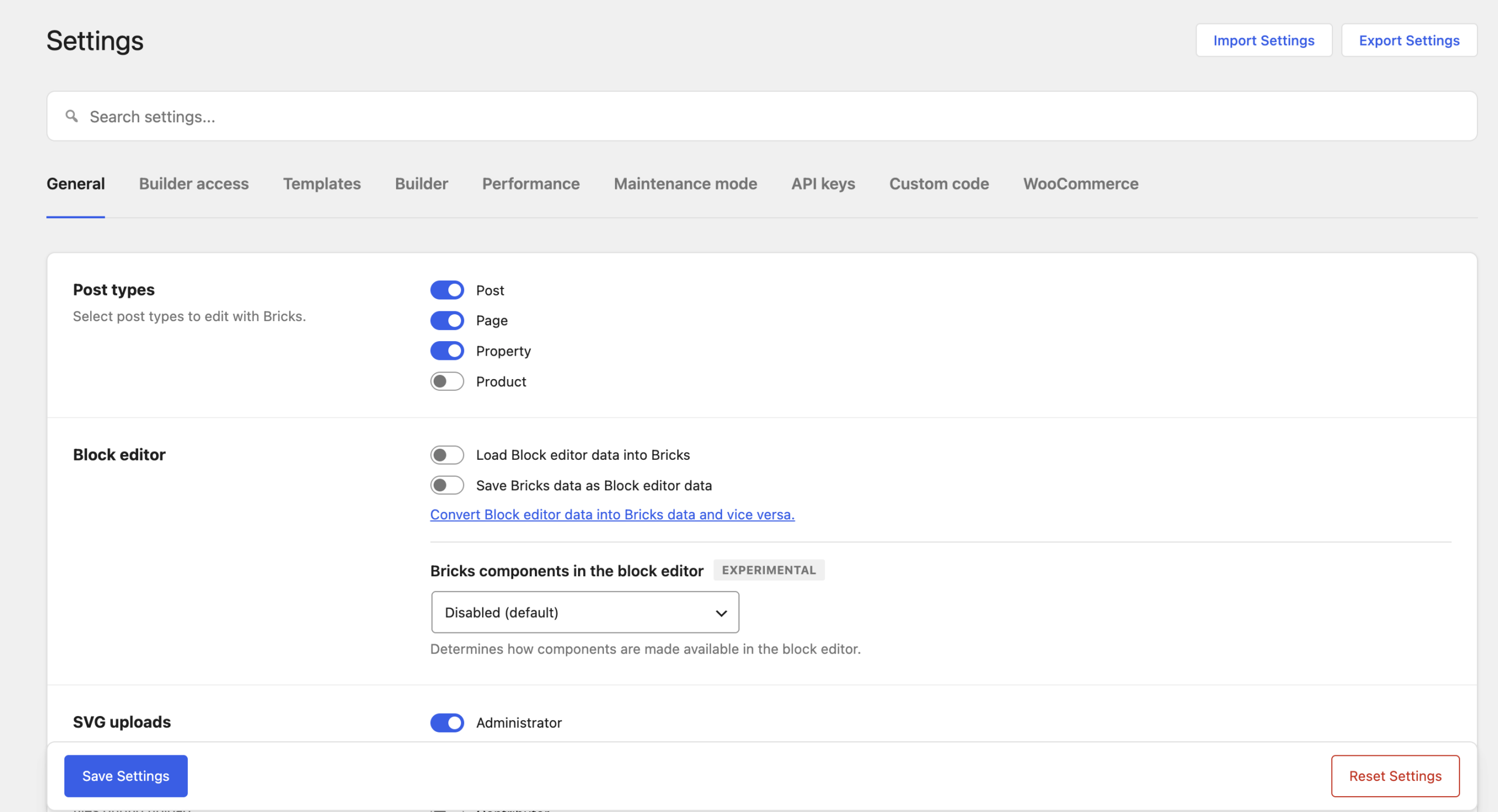
Settings, Elements, AI, the WooCommerce setup wizard, and other Bricks admin screens now share a more consistent layout. Settings search helps you find controls, while clearer import/export actions, responsive layouts, and accessibility updates make the screens easier to navigate.
A floating save bar indicates when you have unsaved changes and confirms when they have been saved.
WooCommerce Setup & v2 Elements
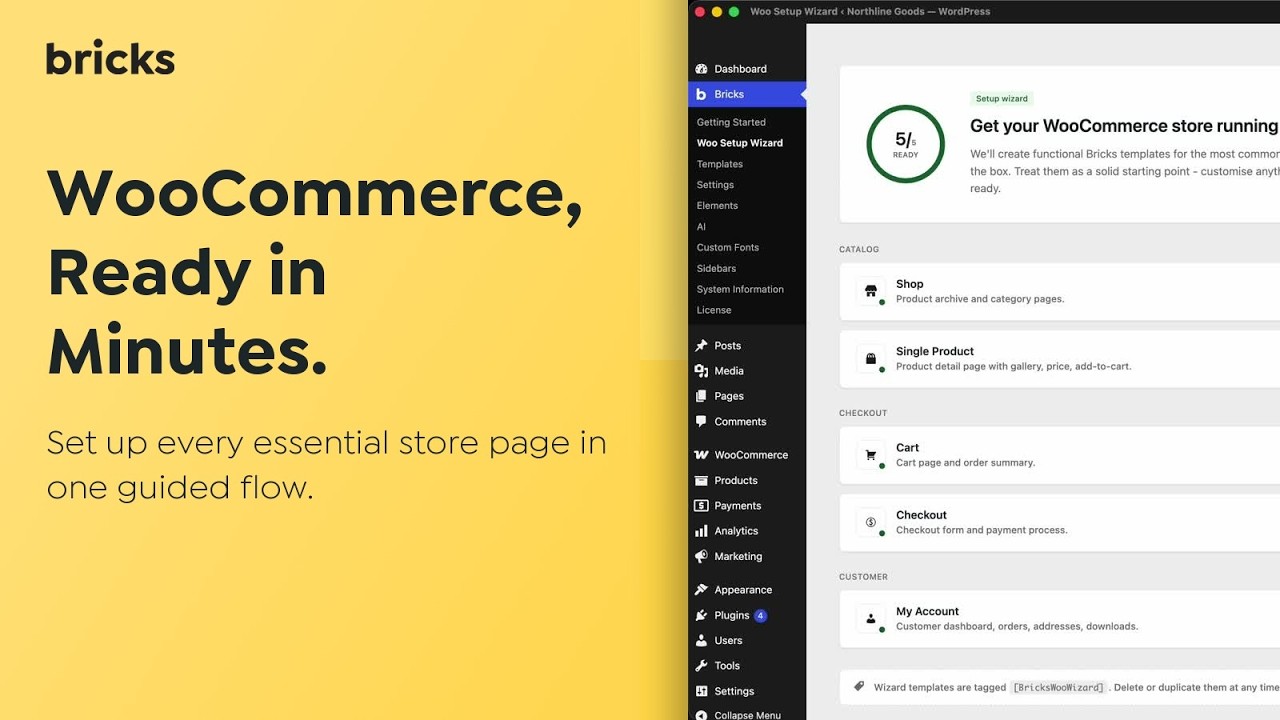
The WooCommerce Setup wizard lists your WooCommerce pages and related templates, provides direct editing links, and can create Cart, Checkout, My Account, Shop, and Single Product structures from one place.
Enable advanced modular elements in Bricks’ WooCommerce settings to use the v2 elements.
The experimental Cart, Checkout, and Account v2 elements let you design different states inside one element:
- Cart: filled and empty layouts.
- Checkout: checkout, pay, and thank-you layouts, with support for multi-step checkout.
- Account: login, lost password, reset password, dashboard, and endpoint layouts.
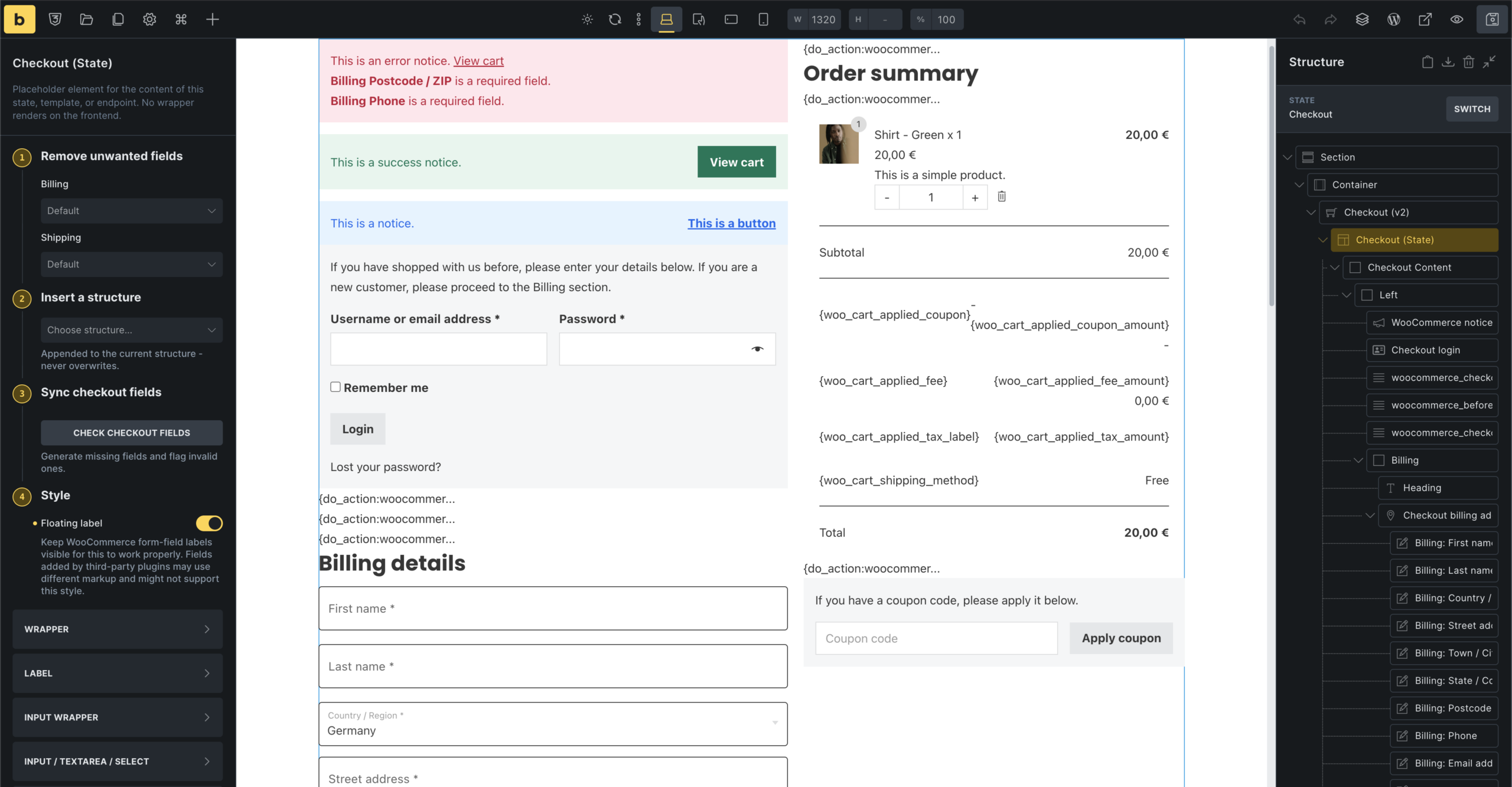
Cart item data, Order item data, and Checkout account fields elements give you more control over cart and order details. Display product titles separately from variation and item metadata, use cart-item dynamic data for unit prices and savings, and override header or footer visibility for individual Checkout and Account states.
The Mini Cart Builder provides a cart loop for adjusting cart contents with AJAX. Use the Bricks cart contents changed interaction trigger to respond to successful item additions, removals, or quantity changes, without treating initial loading or checkout recalculations as cart changes.
Read the Mini Cart Builder documentation
Dynamic fragments recheck source access when refreshing, preventing previously issued tokens from exposing content after it becomes protected.
Copy, paste, move & reset element styles
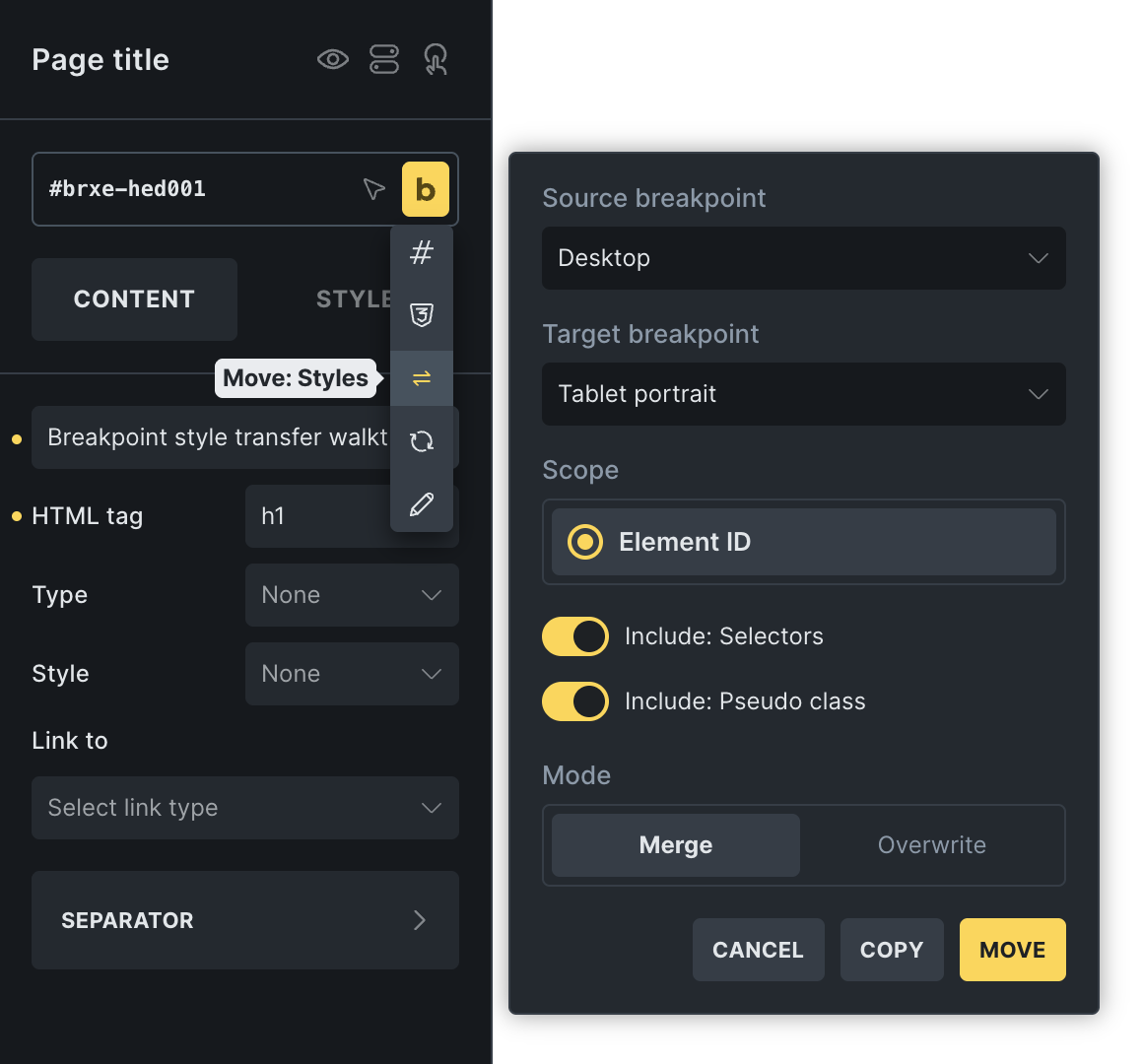
Copy all styles, including breakpoints, selectors, and pseudo-classes, or only styles from the current breakpoint. When pasting breakpoint-specific styles, keep their original breakpoint or apply them to the one you are editing.
Copy or move styles between breakpoints for an element, active class, or multiple selected elements. Choose whether to include selectors and pseudo-classes and whether to merge or overwrite existing styles. Reset everything or clear only the current breakpoint.
Color palettes in Variable Manager & Picker
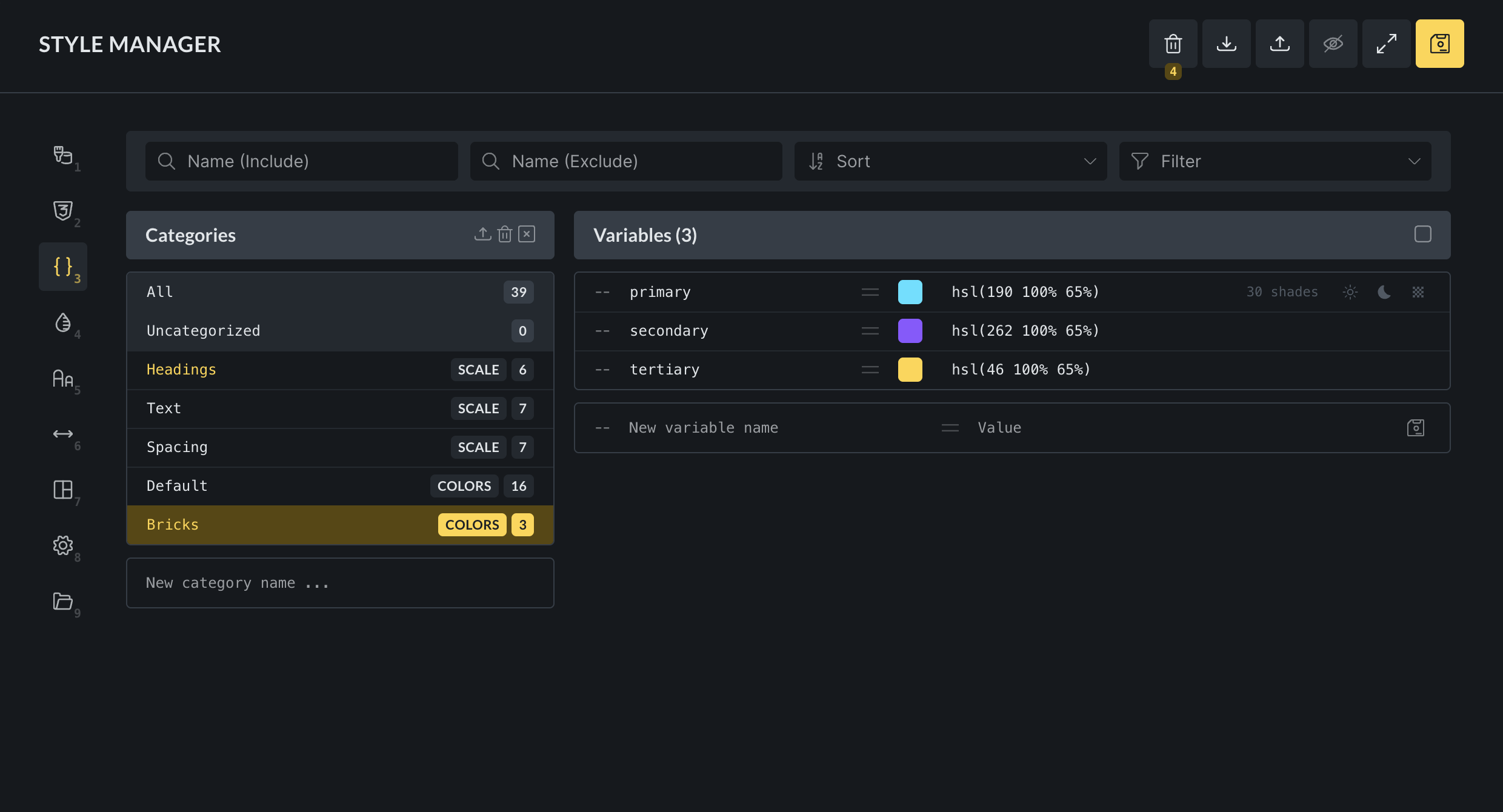
Palette colors are available in Variable Manager and the variable picker. Create colors within a selected palette, rename and sort them, and use the same variables throughout Bricks. The Variable Manager also includes a Trash folder for temporary and permanent deletion.
Theme Styles in the Control Panel
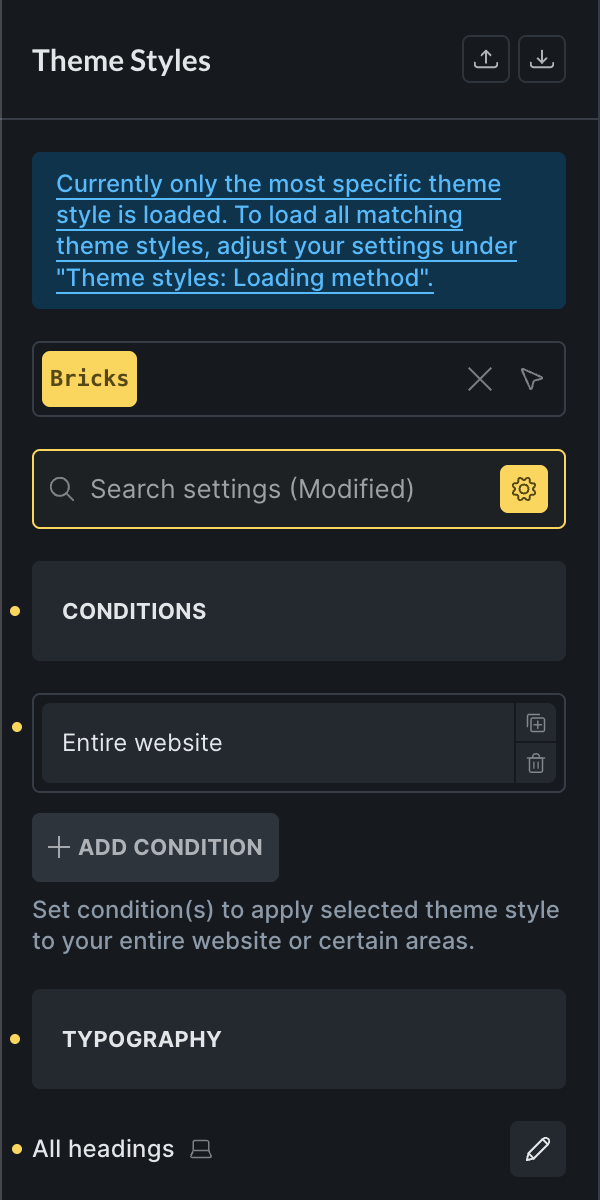
Edit Theme Styles from the Control Panel as well as Style Manager. Search across settings in every Theme Style section, or use the Modified filter to see only values you have changed. Theme Style CSS also opens in the fullscreen editor from Style Manager.
Redesigned Pages panel
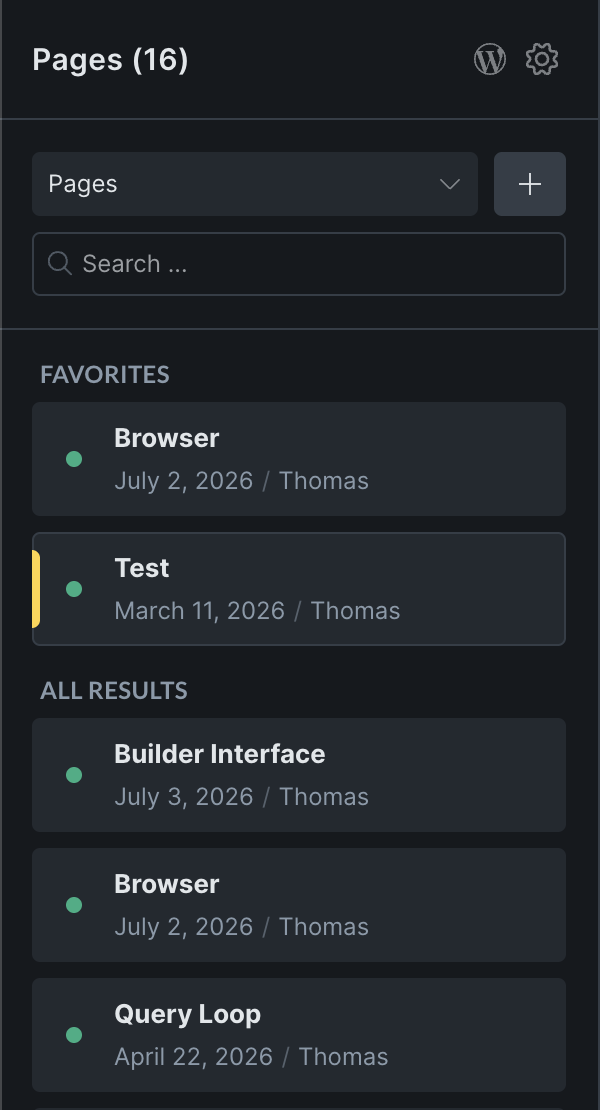
Browse and manage content without leaving the Builder. Favorite frequently used pages or posts, search organized results, toggle post metadata, and create content for the selected post type directly from the panel. Favorites and display preferences persist between sessions.
Components in the Command Palette
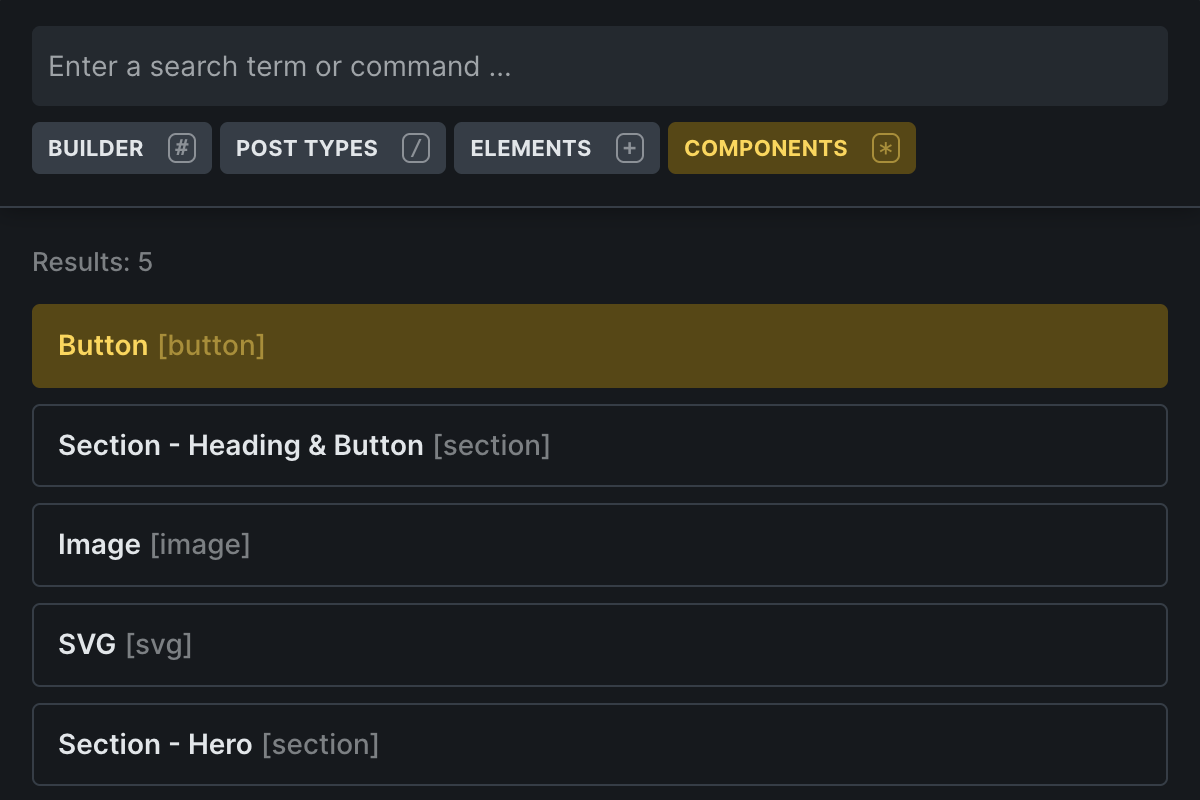
Browse, search, and insert components onto the canvas from the Command Palette. Open the Components scope or press * for quick access.
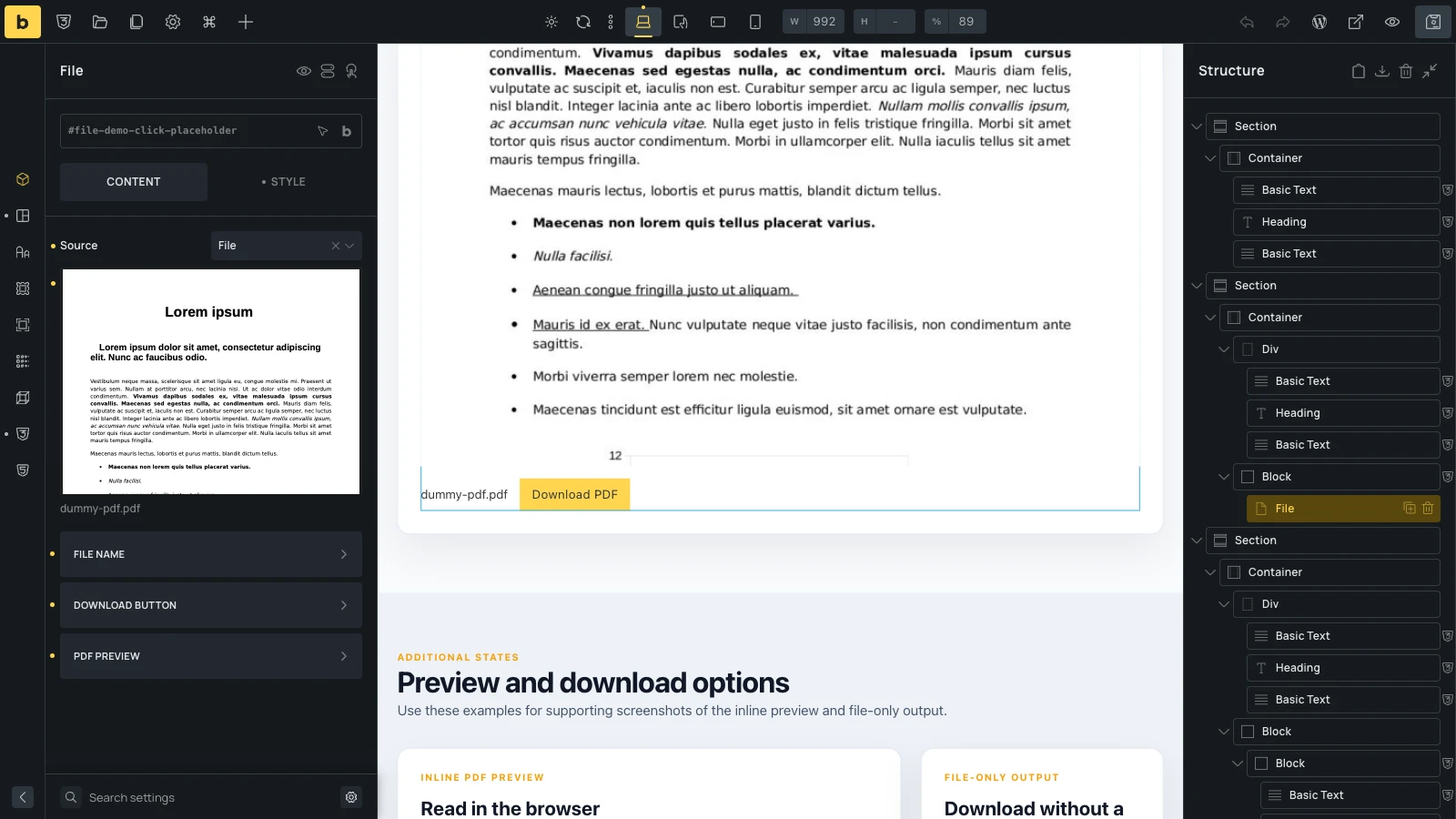
File element
Add documents using a native File element. Choose a Media Library file, enter an external URL, or use dynamic data from a custom field. Display the file name as a link, add a download button, and show PDFs in an optional browser-native preview with responsive dimensions.
When an inline PDF cannot be displayed, visitors still have an accessible link to open or download it.
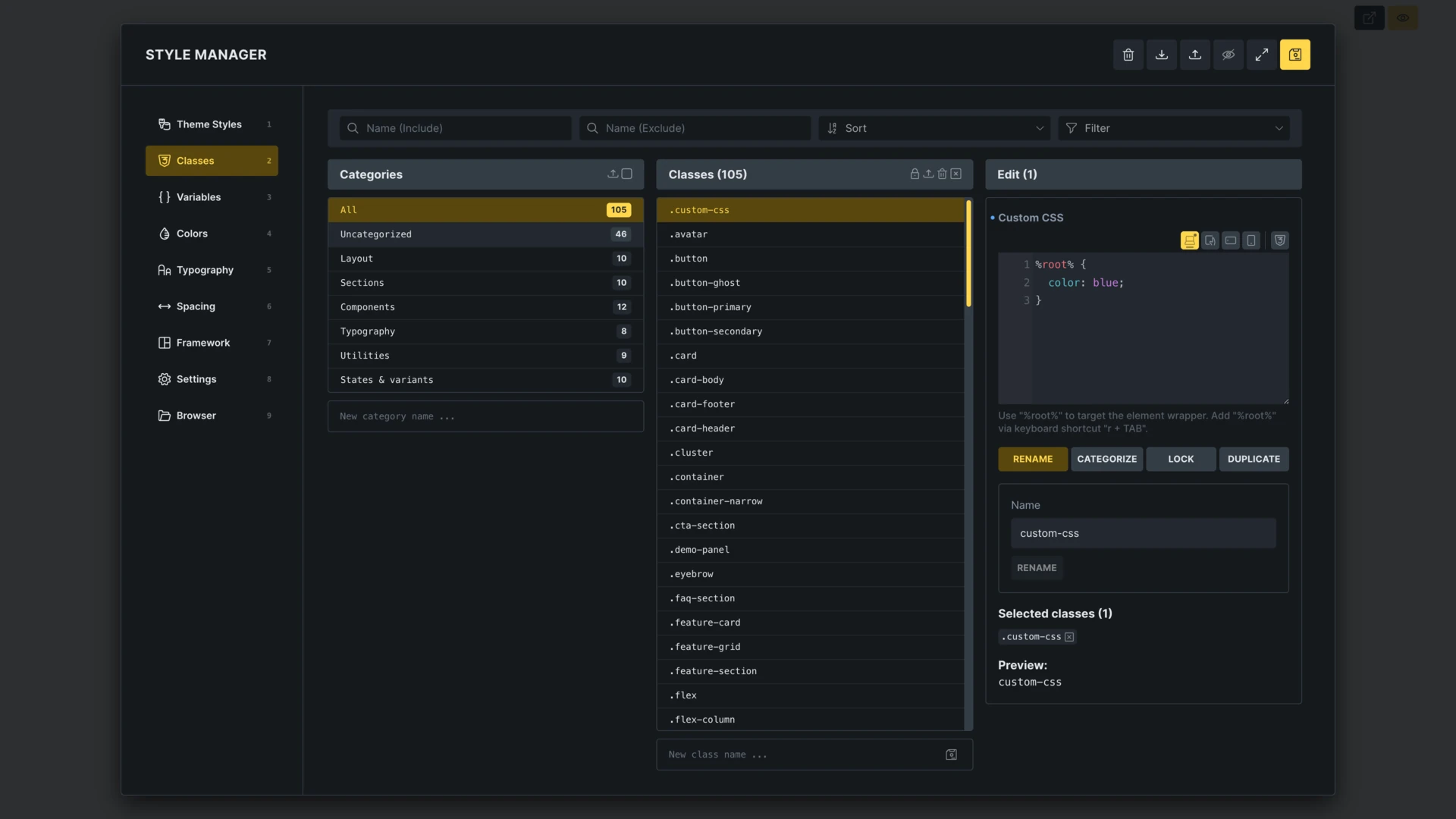
Custom CSS in Class Manager
Edit Custom CSS for a selected global class directly in Class Manager, without switching back to an element’s CSS control.
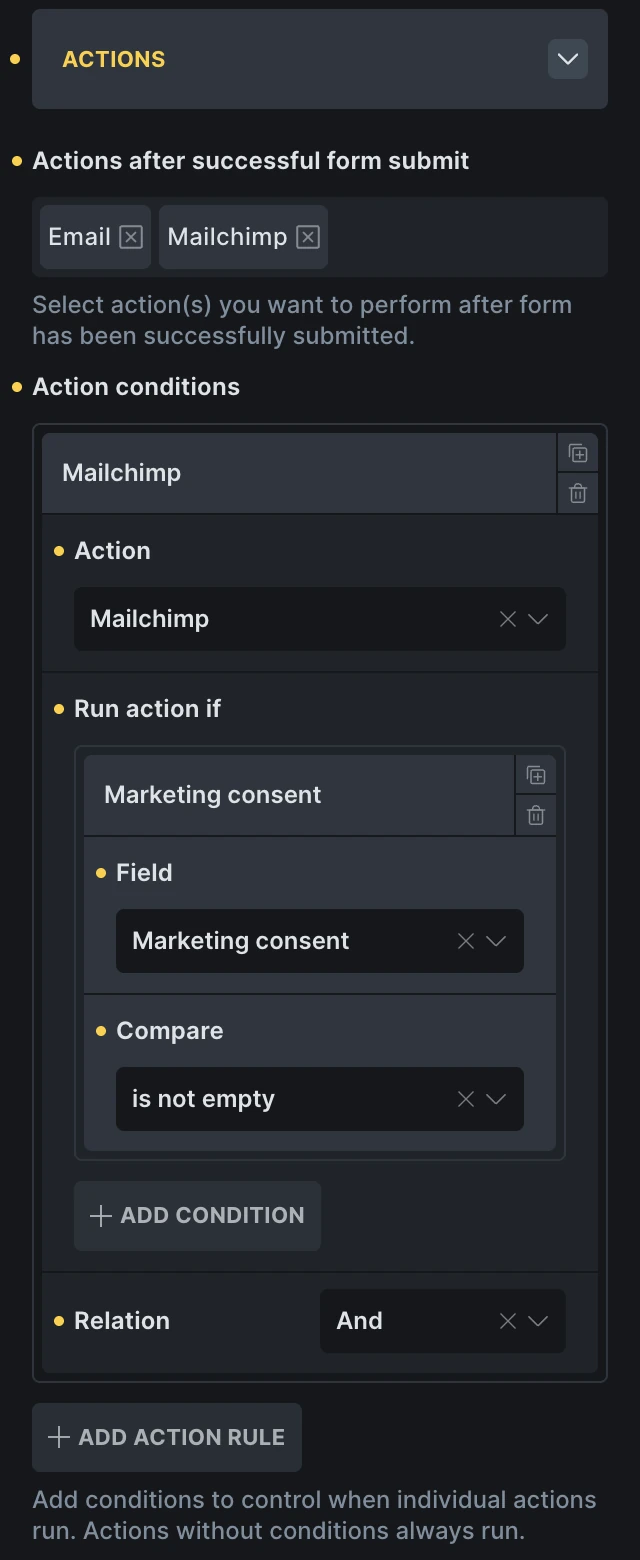
Conditional form actions
Run individual form actions only when their field conditions match. For example, always send an enquiry email but add the submitter to Mailchimp only when a consent checkbox is selected.
Rules can check one or more fields using is, is not, contains, does not contain, is empty, and is not empty. Combine conditions with AND or OR. Actions without conditions continue to run on every successful submission.
Viewport interaction visibility
Set how much of an element must be visible before an Enter viewport or Leave viewport interaction runs. The Element visibility setting ranges from any visible part at 0% to the entire element at 100%. Combine it with Root margin and custom targets to control when the interaction starts.
Automatic code signing for development
Developers can opt into automatic code signing with two independent PHP constants:
BRICKS_DANGEROUSLY_AUTO_SIGN_CODE_ON_BUILDER_SAVEsigns edited code when the Builder is saved.BRICKS_DANGEROUSLY_AUTO_SIGN_CODE_ON_BUILDER_RERENDERsigns and runs code during Builder rerenders, including while typing.
Both are disabled by default, and capability and signature-validation checks remain in place. Rerenders can execute PHP and trigger side effects, so enable these constants only in trusted local or development environments.
License key through PHP configuration
Define the Bricks license key with BRICKS_LICENSE_KEY for blueprint sites, cloned installations, and deployment workflows.
define( 'BRICKS_LICENSE_KEY', 'your-license-key' );More improvements
- Instant navigation between pages and templates in the Builder is enabled by default and can be disabled in Bricks settings.
- Bricks color palettes sync with the Block Editor palette.
- The Code control supports comment shortcuts and search/replace.
- Post query loops include an Author multi-select control, and the Countdown element supports dynamic data.
- Global class CSS output can follow the order defined in Class Manager through a Bricks setting.
- Typography controls accept custom font-family values and can preview fonts on hover.
- Offcanvas direction is responsive, so it can open from different sides at different breakpoints.
- Flex and grid layouts share row and column gap controls.
- Form integrations support deferred Cloudflare Turnstile initialization.
- Custom icon sets include SVG media filtering and optional cleanup of uploaded SVG files.
- WooCommerce stock filters can account for product variations, and variation quantity inputs are available in query loops.
- Nav Menu supports separate desktop and mobile navigation labels.
Translations and download size
Translations have been refreshed across all 43 bundled locales. Compiled translations remain in the production ZIP; editable .po files are provided in a separate translation-source archive to reduce the main download size.
Upgrading from a 2.4 prerelease: PHP abilities
If you enabled PHP execution for an AI client during the prerelease, replace BRICKS_ENABLE_EXECUTE_PHP_ABILITY with BRICKS_ENABLE_PHP_ABILITIES. The old constant is no longer recognized.
define( 'BRICKS_ENABLE_PHP_ABILITIES', true );The new constant enables both PHP execution and persistent PHP authoring/signing through abilities. Leave it undefined to keep these capabilities disabled. Existing authorization and code-execution requirements still apply. Only enable this access for trusted development or staging workflows.
If you configured WooCommerce v2 during an earlier beta, review the latest WooCommerce Setup wizard structures for the added elements and dynamic data before updating your layouts.
The full changelog below includes new features, improvements, and fixes since Bricks 2.3.13 across the 2.4 beta and release candidate cycle. Fixes limited to the prereleases and fixes already shipped in 2.3.x stable patches are omitted.
Full changelog
- WooCommerce Account: Support Order Withdrawal for guests (WooCommerce 11.1)New
- AI AbilitiesNew
- Bi-directional Sync: Custom CSS & UI SettingsNew
- Bricks AI skillsNew
- Builder Browser (Templates, Components, Post Types)New
- Builder Interface Customiser & ProfilesNew
- Command Palette: Browse & Add ComponentsNew
- Copy, paste, move & reset element style improvementsNew
- Countdown element: Support Dynamic DataNew
- Create Post Action: Assign/create taxonomies from text fieldNew
- Custom capabilities: Import/Export via Bricks settingsNew
- Dynamic tag support for Meta Box field type “Block Editor”New
- Filter – Search: Option to redirect to another URL on EnterNew
- Global Import & ExportNew
- Modernize Bricks admin screensNew
- New interaction: Submit filterNew
- Query Loop: Add “Author” multi-select controlNew
- Show Color palettes in Variable Manager & PickerNew
- Store Bricks license key as PHP constantNew
- Sync Bricks color palettes with Gutenberg paletteNew
- Theme Styles: View in control panel (via builder toolbar)New
- Variable Manager: Add “Trash” folder for permanent variable deletionNew
- WooCommerce: Setup WizardNew
- WooCommerce Filters: Variation-aware product stock filter (new Bricks settings)New
- WooCommerce: New dynamic tag {woo_product_gtin}New
- WooCommerce: Mini Cart BuilderNew
- WooCommerce: Advanced / Modular Checkout ElementsNew
- WooCommerce: New v2 elements (cart, checkout, my account)New
- Bricks setting: Output global class CSS in Class Manager orderNew
- AI abilities: Add an opt-in PHP execution abilityNew
- Browser: Add media search, filtering, selection, and uploadsNew
- Builder: Preview font families on hoverNew
- Class Manager: Edit custom CSS for the selected classNew
- Entry Animations: Control the viewport position and trigger selectorNew
- File element: Add inline PDF previewsNew
- Form: Run actions conditionallyNew
- Remote Components: Browse and import components from remote sitesNew
- Typography control: Allow custom font family valuesNew
- WPML: Make code controls translatableNew
- Custom icon sets: Add SVG media filtering and optional upload cleanupNew
- Form: Support deferred Cloudflare Turnstile initializationNew
- AI abilities: Support code authoring and partial HTML/CSS importsImprove
- WooCommerce: Support quantity inputs for product variations in loopsImprove
- AI abilities: HTML/CSS import: Explain the postId requirement for non-administratorsImprove
- Builder: Consistent input hover and focus statesImprove
- Link control: Improve accessibility for links that open in a new tabImprove
- Component slots: Select elements in slots on the canvasImprove
- Block editor: Match frontend styles in iframeImprove
- Builder: ACF Flexible Content: New Flexible layout preview CheckboxImprove
- Builder: Color palette with many colors causes editing delayImprove
- Builder: Improve initial load timeImprove
- Builder: Instant navigation is now enabled by defaultImprove
- Builder: Redesign Pages PanelImprove
- CSS variables: Apply on ENTER (including calculations)Improve
- Code control: Support comment shortcut and search/replaceImprove
- Components: SVG control doesn’t show inherited settings (indicator and placeholder)Improve
- Custom CSS: improve hints & variables completionImprove
- Filter – Submit/Reset: Add exclude filter IDs controlImprove
- Form element: Password confirmationImprove
- HTML/CSS to Bricks data: Attach matching media-query rules to imported classesImprove
- Harden admin AJAX input handling and CSS file writesImprove
- Map: Responsive width for custom info box popupImprove
- Layout elements: add inline-flex to display dropdownImprove
- Link to lightbox: Custom image URLs can use wrong dimensionsImprove
- Logo element: Add alternate logo for dark modeImprove
- Map (Google): Zoom level has no effect when using multiple markersImprove
- New dynamic tags: {term_parent} and {term_children}Improve
- PHP constants for automatic code signing in the builderImprove
- Popup body scroll on closeImprove
- Product gallery element slider: Add discernible name to links (A11Y)Improve
- Query Filters: new compare type for filter elements if source is custom fieldImprove
- Remote template import: Import categories & scales (variables)Improve
- Remote templates: Add category and scale choices to insert flowImprove
- Remove convert templates Bricks settingImprove
- Style Manager: Enqueue should follow CSS loading methodImprove
- Style Manager: Regenerate variable scales after settings changesImprove
- Template export: Include design-system data in template exportsImprove
- Template import: Add granular options to JSON importsImprove
- Templates: Include connected components in section/template importImprove
- Typography/scale generator improvementsImprove
- Variables: Export Style Manager settings with variable exportsImprove
- Variables: Import categories and global scale settingsImprove
- WooCommerce Notice: Improve insufficient contrast to AA levelImprove
- Remove unnecessary static area AJAX calls when editing a componentImprove
- Builder: Unify Panel and Structure collapse controlsImprove
- AI abilities and skills: Improve performance, reliability, and HTML/CSS conversionImprove
- Block editor: Add an option to exclude theme styles from Gutenberg inline CSSImprove
- Bricks settings: Add controls for automatic class selectionImprove
- Builder: Match context menus and popup backdrops to light and dark modesImprove
- Builder: Optionally show permalinks in post selectorsImprove
- Builder: Refine the Icon Manager and Theme Styles interfacesImprove
- Component properties: Allow reordering Select optionsImprove
- Component variants: Allow drag-and-drop sortingImprove
- Components: Preview off-page components while editingImprove
- Filter – Radio: Wrap options in a fieldset for accessibilityImprove
- Global Import & Export: Include builder interface settingsImprove
- Google Fonts: Reduce font lookup overhead on the frontendImprove
- Gutenberg: Correct the notice for empty pages using Bricks templatesImprove
- Image control: Show all registered sizes even when the selected image lacks a generated sizeImprove
- Offcanvas: Add responsive direction controlsImprove
- Template preview: Scope the Populate Content selector correctly for Single templatesImprove
- Theme Styles: Add the grid display option to all layout elementsImprove
- Unify gap controls for flex and grid layoutsImprove
- Variable Manager: Allow reordering color palette categoriesImprove
- Visual Grid Builder: Hide grid lines for non-controllable internal-grid elementsImprove
- Visual Grid Builder: Prevent items in the same grid cell from overlappingImprove
- WPML: Show the language code in popup interaction settingsImprove
- WooCommerce Mini Cart: Reduce Dynamic Fragment delay after quantity updatesImprove
- WooCommerce v2: Add cart item price and savings Dynamic DataImprove
- WooCommerce v2: Add header and footer visibility controls for statesImprove
- WooCommerce v2: Improve checkout login and mobile shipping option stylesImprove
- WooCommerce v2: Keep address selects interactive before SelectWoo initializes to prevent layout shiftsImprove
- WooCommerce v2: Remove strong tags generated by {woo_cart_order_total} Dynamic DataImprove
- WooCommerce v2: Separate product titles and item data across cart, checkout, and ordersImprove
- WooCommerce v2: Stabilize AJAX cart and Dynamic Fragment refreshesImprove
- WooCommerce v2: Update predefined structures for new Dynamic Data and elementsImprove
- WooCommerce: Preserve Free Shipping Progress Bar animation progress after cart updatesImprove
- Browser: Improve media browsing and filteringImprove
- Builder permissions: Initialize administrator capabilities for programmatically provisioned sitesImprove
- Builder: Improve performance with multiple pinned control groupsImprove
- Builder: Standardize file import titles, spacing, and drop zonesImprove
- CSS Sync: Preserve authored shorthands and compound variablesImprove
- CSS Sync: Preserve trailing semicolons when stringifying rulesImprove
- Component variants: Hide the reorder handle when only one custom variant existsImprove
- Custom elements: Keep render_attributes output in sync on the builder canvasImprove
- Dynamic Data: Distinguish and group HappyFiles folders by post typeImprove
- Filter – Radio and Filter – Checkbox: Add configurable group labelsImprove
- Theme Styles: Clarify repeated labels in search and modified settingsImprove
- WooCommerce v2: Preserve Dynamic Fragment cart scrolling after item removal and quantity updatesImprove
- WooCommerce v2: Standardize discount percentage dynamic data outputImprove
- Browser: Add an infinite scroll setting for post typesImprove
- Browser: Add clear icons to search fieldsImprove
- Media Browser: Hide attachment details when multiple items are selectedImprove
- Media Browser: Keep the image grid accessible when viewing attachment detailsImprove
- Media Browser: Make active filters easier to identifyImprove
- Unsplash: Improve browsing, search, and filteringImprove
- Media Browser: Improve keyboard navigation and selectionImprove
- WooCommerce: Add Bricks cart contents changed interaction triggerImprove
- Woo Setup Wizard: Clarify optional templates with conditionsImprove
- Translations: Improve Traditional Chinese accuracy and terminologyImprove
- Style Manager: Add fullscreen editor for Theme Style CSSImprove
- Media Browser: Show and copy attachment IDImprove
- Unsplash: Choose image download sizeImprove
- Translations: Add context for ambiguous interface labelsImprove
- Components: Improve SVG property connections and icon choicesImprove
- Search element: Keep keyboard focus inside the open search overlayImprove
- Nav Menu: Add default and customizable desktop and mobile navigation labelsImprove
- Interactions: Copy element IDs without closing the interaction controlsImprove
- Builder: Preserve parent controls and selection when closing popupsFix
- Nav Nestable: Apply added classes to nav links without refreshing the BuilderFix
- AI abilities: HTML/CSS import: Preserve video sources, playback settings, and postersFix
- Form: Use the admin email when the confirmation sender resolves emptyFix
- Template Dashboard (WP): Restore shortcode copying after Quick EditFix
- Theme Styles: Keep stylesheet undo and redo from changing page elementsFix
- Components as blocks: Run element scripts in GutenbergFix
- Components as blocks: Preserve separate loop settings for multiple block instancesFix
- Coming soon / maintenance mode: Preserve robots.txt responsesFix
- Single-post fallback: Prevent fatal errors when Post Meta is disabledFix
- Dynamic Data: Resolve ACF post IDs to URLs with :url in Link controlsFix
- Components as blocks: Keep styling consistent with inline and external CSSFix
- WooCommerce: Prevent undefined order warning in Thank You and Pay elements without an orderFix
- Contextual spacing: Preserve mini cart subtotal and checkout form spacingFix
- Theme Styles: Load styles on error pages used for WordPress authentication redirectsFix
- Animated Typing: Prevent skipped animations when shuffle is enabledFix
- Image: Apply overlays at non-base breakpointsFix
- Builder: Align grid guidelines when the canvas has a scrollbarFix
- Builder: Hide selection handles for hidden elementsFix
- Builder: Show grid guidelines in popupsFix
- WooCommerce Pagination: Use native pagination URLs for main product archivesFix
- Nestable Slider: Correct the lightbox image count in loop modeFix
- Color manager: Dark mode shade scale is not invertedFix
- Component variants: variant styles show only for first loop itemFix
- Component slots: Copy/paste component in a slotFix
- Component: Connect property to “compare” condition does not workFix
- Custom pseudo class with data attribute incorrectly escapedFix
- Dynamic data: echo: Incorrect argument if colon followed by numbers (more than twice)Fix
- Duplicated loop styles with custom breakpointFix
- Dynamic data: Support special characters in fallbackFix
- Dynamic data: post_content as fallback output with surrounding DD tagFix
- Filter – Select: Enhanced select placeholder opacity does not align with frontendFix
- Font manager: @font-face rules for variable fonts contains font-weightFix
- Frontend: Update bundled Swiper for CVE-2026-27212Fix
- Gradient/overlay: Indicator dots show twiceFix
- Gradient: Angle control hidden when type is DefaultFix
- Icon palette: broken/deleted icon shows after deleting it from media libraryFix
- Image custom alt text: Nested DD tag in @fallback outputs the tag as static textFix
- Image sources: Higher resolution images on larger breakpoints than baseFix
- Instant navigation: Weird layout with WooCommerce ‘My account’ & render call issuesFix
- Builder: Links disappear on canvas after builder reloadFix
- Meta Box: Block editor custom field has “Edit with Bricks” overlayFix
- Password protection: template width / wordpress wrapper & post title/dynamic data issueFix
- Show outer post content: Outline issues on first add and wrong orderFix
- Show outer post content: Layout broken if Post content element has no parentFix
- Testimonials: Slide width in flex layoutFix
- Theme styles: Button styles affect unintended buttonsFix
- Vimeo background-video doesn’t play with background=1 in urlFix
- WPML: Translated image ALT text and caption not appliedFix
- WooCommerce: Thank you, Order Receipt, Order Pay template doesn’t apply when logged out (non-guest order)Fix
- Builder: Instant navigation leaves store and blog template canvas unselectableFix
- If product category ID is the same as a page/post ID and rendered by WordPress, Bricks template with correct condition will not applyFix
- User registered via Bricks form can’t log in via default login form, if password contains backslashFix
- bricks/frontend/render_element not working if PHP element rendering via render_element API call in the builderFix
- Dynamic data: echo: argument incorrect if contains single quote (apostrophe)Fix
- Block element: Preserve explicit width when align-self is stretchFix
- Builder: Align Quick Access Bar buttons correctly on smaller screensFix
- Builder: CSS control placeholders inherit from the correct breakpoint above baseFix
- Builder: Opening an empty theme style group no longer overwrites saved stylesFix
- Builder: Update the page status after publishingFix
- Code element: Stop automatically focusing the JavaScript control when selectedFix
- Components: Prevent duplicate elements when unlinking nested Section, Container, and Nav elementsFix
- Filter – Select: Prevent the initial Choices.js style flicker and correct placeholder typographyFix
- Form: Prevent honeypot overflow on RTL sitesFix
- Quick Access Bar: Show style indicators in condition, interaction, and Hide Element panelsFix
- Builder: Display inherited Gradient/Overlay “Apply to” values across breakpointsFix
- Builder: Keep Populate Content options available after instant navigationFix
- Builder: Prevent native and duplicate context menus across canvas and StructureFix
- Builder: Prevent unwanted line breaks when editing text on canvasFix
- Comments: Keep the element title localized after comment count updatesFix
- Components: Apply linked property values to taxonomy query TermsFix
- Components: Preserve image-specific link options for linked propertiesFix
- Divider: Keep icon alignment controls in sync with directionFix
- Filter – Select: Preserve the All option label when a placeholder is setFix
- Google Fonts: Prevent duplicate preconnect tagsFix
- Icon: Apply the Display setting to linked iconsFix
- Nav Menu: Keep menus inside mega menu sections visible on mobileFix
- Theme Styles: Show setting indicators for active pseudo-classesFix
- Builder: Use the Builder language for Pages panel dates and post type labelsFix
- Query Filters: Prevent database errors when the feature is disabledFix
- Components: Keep renamed component names consistent across the BuilderFix
- Nav (Nestable): Preserve dropdown icon size when changing top-level typographyFix
- Theme Styles: Allow global classes to override Button stylesFix
- Unsplash: Show correct message when API rate limit is reachedFix
- Slider (Nestable): Prevent outer slider styles from affecting nested slidersFix
- Builder: Allow undoing deletion of the last section on the canvasFix
- Carousel: Restore accurate lightbox countersFix
- Filter – Select: Correct post counter spacing and bidirectional text orderFix
- Tabs (Nestable): Preserve following content when embedded code contains a full HTML documentFix
- WPML: Use translated attachments for media linksFix