
Visual tools for crafting unique website experiences
Build responsive layouts with Flexbox and Grid, then keep your designs consistent with reusable classes, variables, and global styles. Shape the details with visual controls and custom CSS, from typography and colors to images and motion.
Fluid and responsive layouts with CSS Flexbox and Grid
Create fluid and responsive designs that automatically adapt to different screen sizes and viewport changes. Build any layout with Flexbox and CSS Grid (manually or visually in the grid builder). Add responsive column layouts with a few clicks. Rearrange your layouts via precise drag-and-drop on the canvas and structure panel.

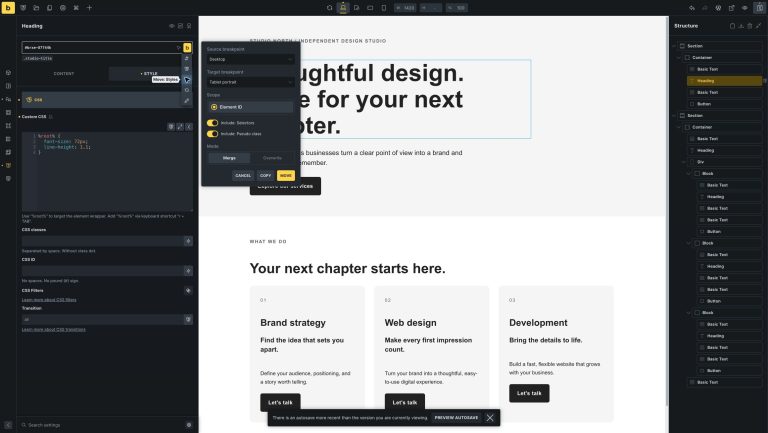
Reuse styles across breakpoints
Copy or move styles between breakpoints for an element, a class, or multiple selected elements. Merge them with existing styles or replace them, and reset only the current breakpoint when you want to start again.
Create reusable styles. Keep changes consistent.
Create and apply classes to reuse styles across your site, including pseudo-classes and custom selectors. Organize your class library and edit a class’s Custom CSS directly in the Class Manager, without first finding an element that uses it.
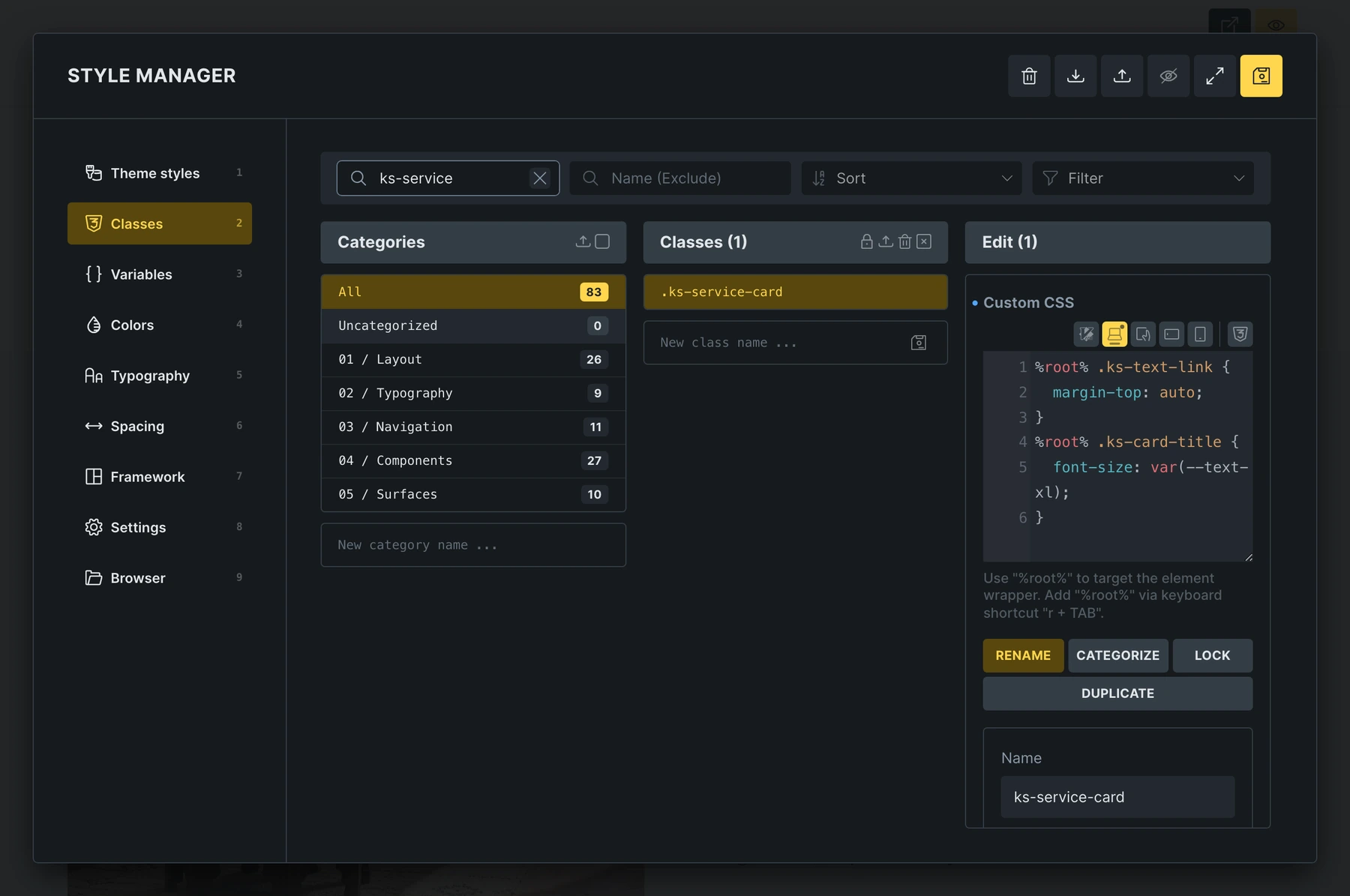
Keep your CSS and visual controls in sync
Edit a supported property in an element’s or global class’s Custom CSS, and the matching visual control updates with it. Adjust the control, and the change is written back to your CSS. CSS Sync follows the active breakpoint and pseudo-class, while leaving unsupported CSS untouched.
Explore CSS SyncManage your design values in one place
Define reusable values for spacing, typography, and more, then update them wherever they’re used. Access palette colors alongside your variables in the Variable Manager and picker. Move variables you no longer need to Trash before deleting them permanently.
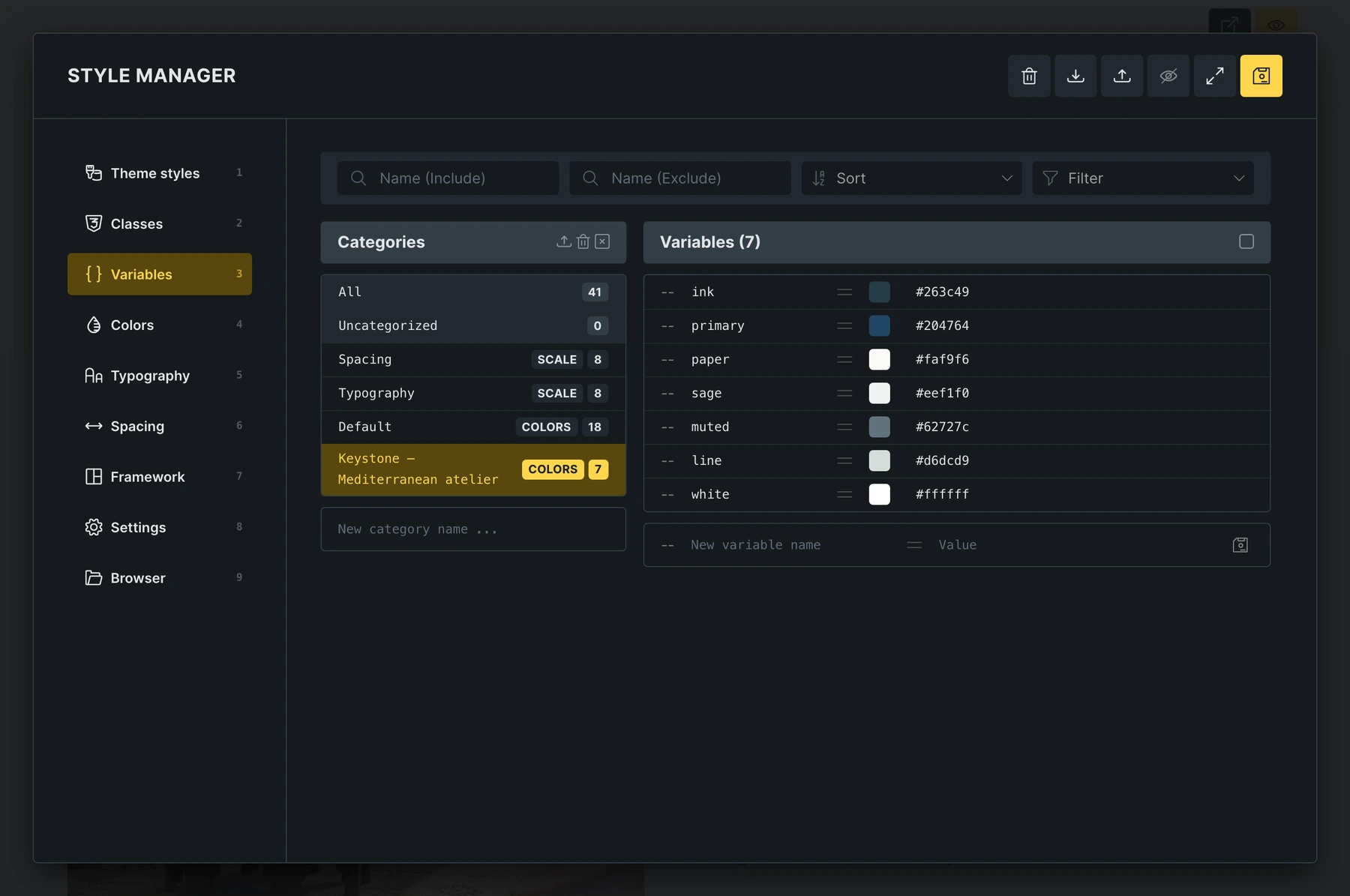
Keep your design consistent across your site
Total control over your color system
Design flexible, future-proof color systems in one place. Manage individual colors with light/dark modes, HSL-based variables, and built-in color tools.
Generate shades, harmonies, and utility classes automatically, preview the final CSS, and maintain compatibility with legacy setups.
Your Bricks color palettes are also available in the WordPress block editor, helping you use the same colors across both editing workflows.
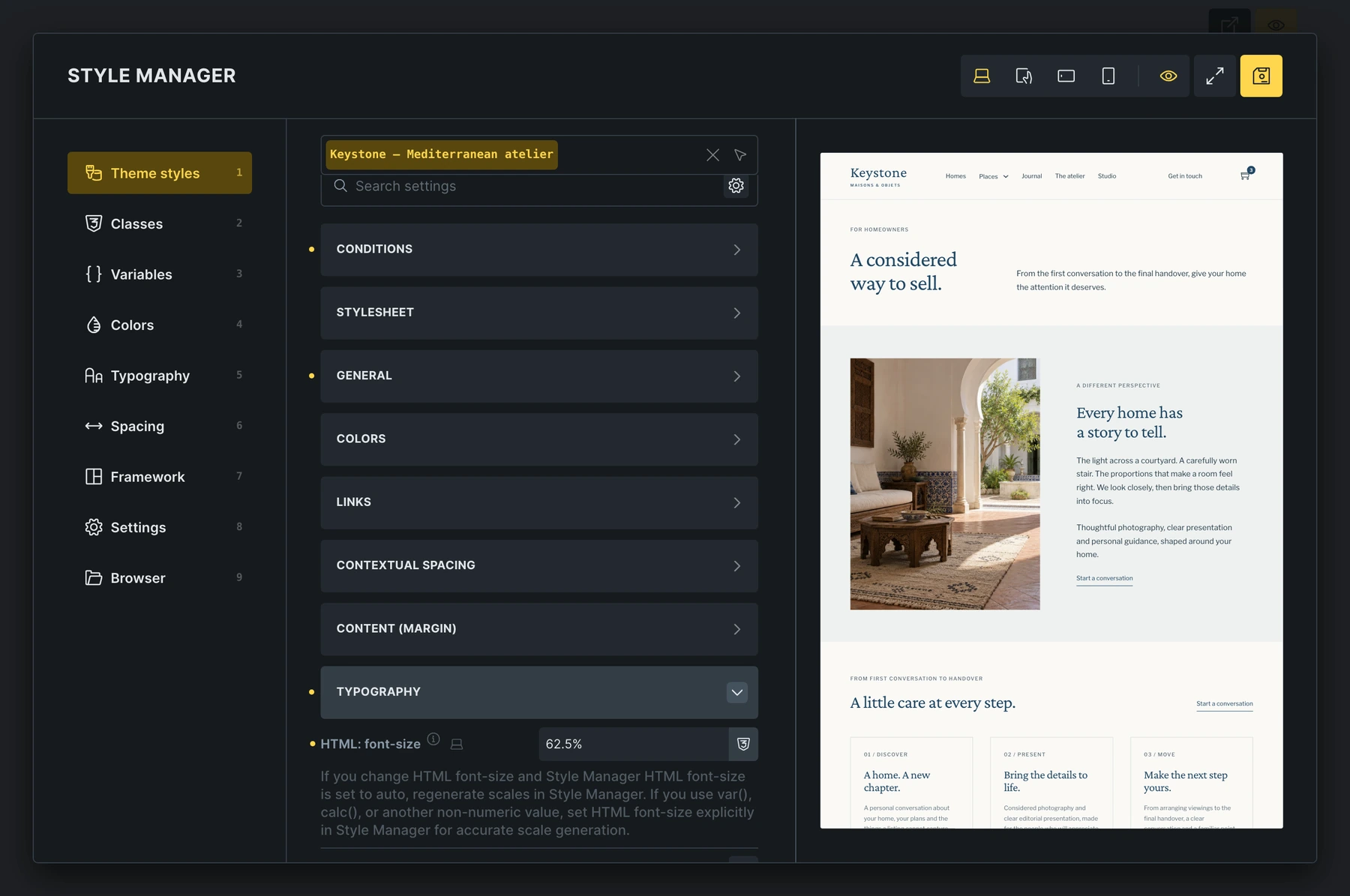
Set the defaults. Find the details.
Define shared defaults for typography, colors, layouts, and elements, then apply them across your site or to selected pages and templates. Search across Theme Style settings or use the Modified filter to find your changes. Open the fullscreen CSS editor when you need more room to work.
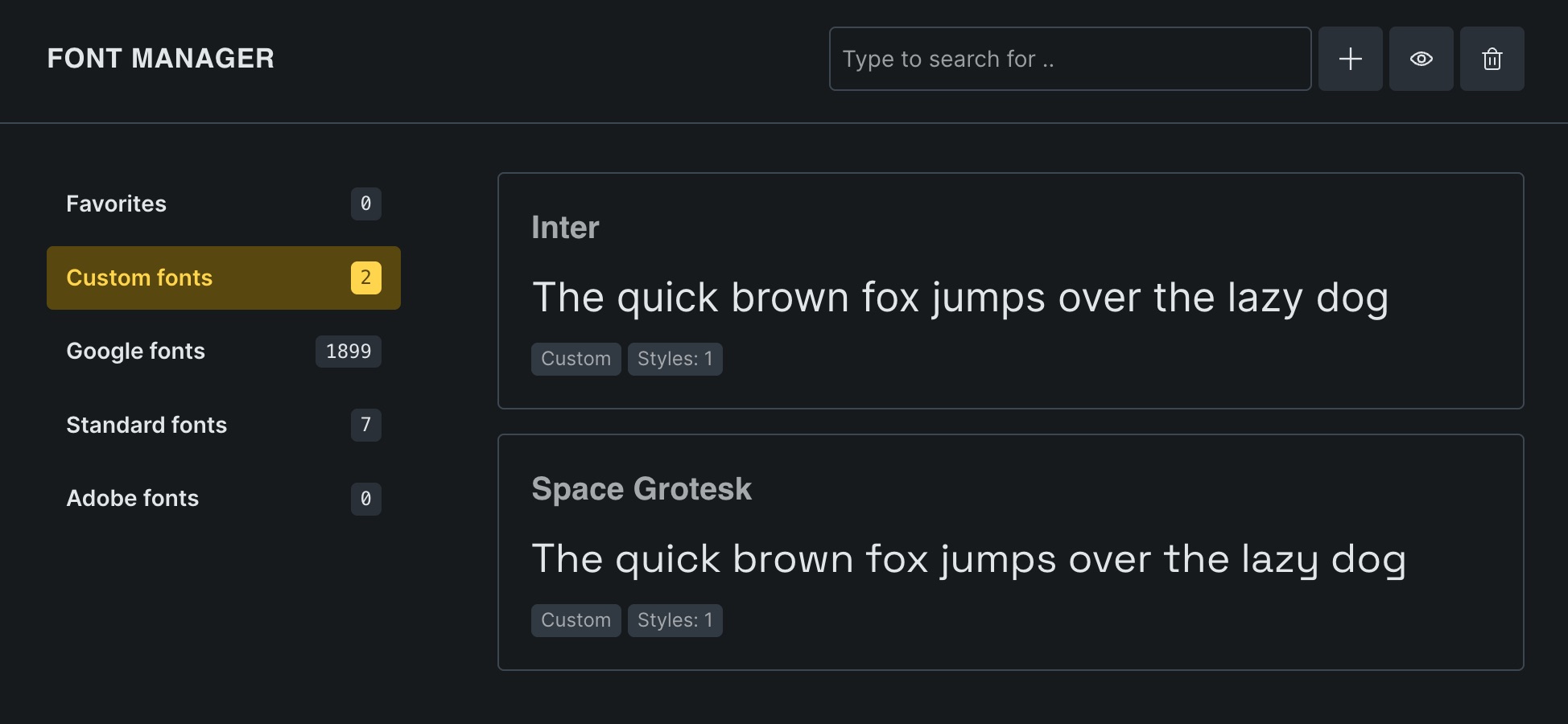
Unleashed typography flexibility
Make your website stand out through typography. Access Google Fonts, integrate with Adobe Fonts, or upload custom fonts. Full support for variable fonts to fine-tune font styles while ensuring your website continues to load as fast as possible. Create fluid type scales visually that automatically adapt to your screen size – no hassle with different font sizes across breakpoints.
Build consistent typography & spacing at scale
Create flexible, scalable typography and spacing systems in minutes. Generate responsive scales with fluid variables that adapt from desktop to mobile, define custom steps and ratios, and automatically turn them into CSS variables and utility classes. Perfect consistency, zero guesswork.
Celebrate visual storytelling
Embed and lazy load any video
Embed YouTube, Vimeo, or local videos. Customize your HTML5 video player, open any video in a lightbox.

1M+ free professional photos
Browse a vast library of high-quality royalty-free photos from Unsplash directly inside the builder. Download with a single click. Ready for use on your website without any cost, permissions, or attribution required.

Creative image masks for unique designs

Lazy load images and galleries
Add single images or entire image galleries with multiple layouts effortlessly. Advanced lazy loading helps to keep your website lean & loads it fast. Responsive images ensure that only the most relevant image size is loaded.

Enhance visual engagement
Bricks' native lightbox works for images, videos, and galleries. Group & unite images via lightbox IDs. Engage your audience with a sleek, immersive viewing experience: no plugins or complexities.
Endless styling options at your fingertips
Add the CSS your design needs
Add Custom CSS to an element or global class, a single page, or your entire site. Use it for styling that goes beyond the available visual controls.
Bring your website to life
Maximize user engagement with Bricks' animations. Apply fade-in, slide-out, and many more effects for truly interactive website experiences. Or showcase creative headlines with animated typing.

Mesmerizing gradients & overlays for stellar designs
Dazzle your visitors with captivating designs using gradients and overlays with unlimited color stops. Add stunning linear, conic, radial and even repeating gradients to backgrounds, text, overlays, or specific CSS selectors. Stand out from the crowd with eye-catching designs. All without the need for coding.
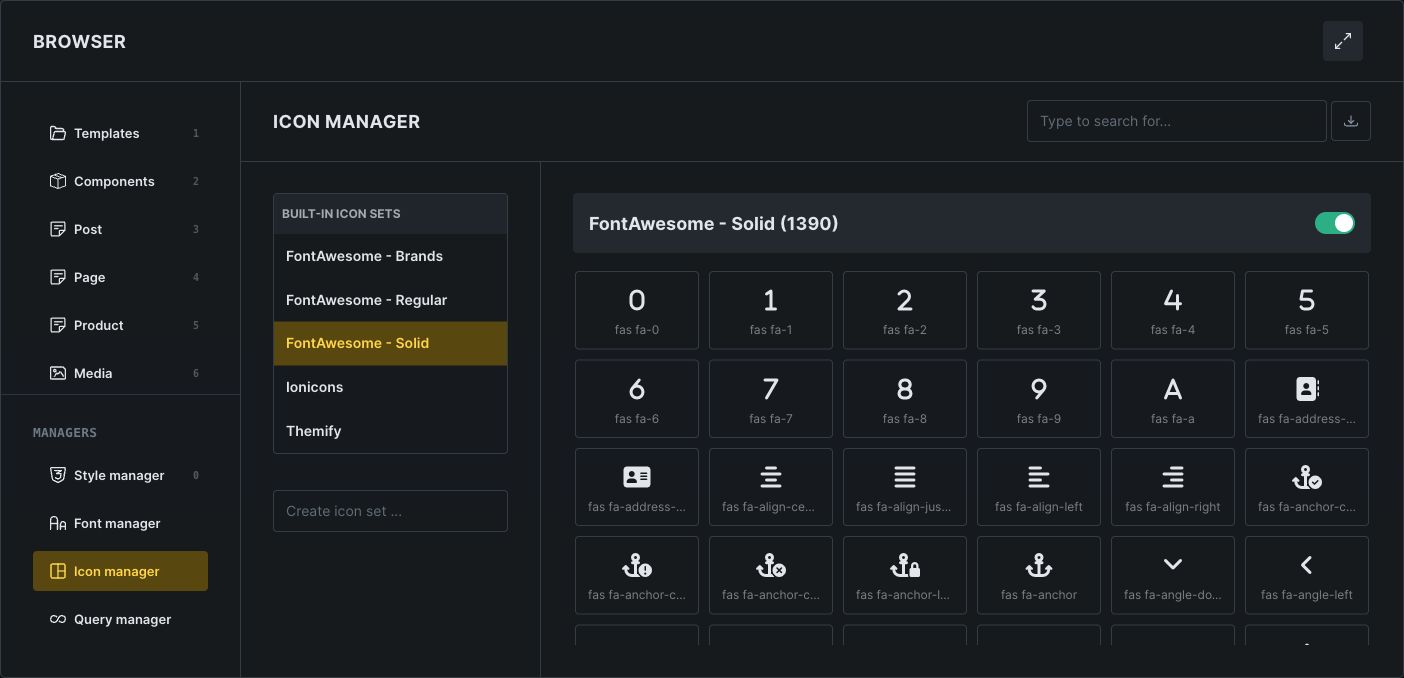
Access a world of icons with built-in libraries
Icons made easy. Access popular libraries: FontAwesome (Solid, Regular, Brands), Ionicons, Themify, and create and manage your own custom SVG icon sets.
Transform and animate
Modify shape, size, position, and orientation of any element to create visually appealing effects for a dynamic web design. Add interactivity and visual interest. No coding required.
Endless shape dividers
Break up and make your sections work with each other. Create a flow through your content that engages your visitors by adding stunning horizontal and vertical ready-made or custom dividers.
Enhance user experience with CSS Scroll Snap
Ensure a seamless but snappy scrolling experience using CSS Scroll Snap, which anchors the viewport to specific elements post-scrolling.
Precision styling
Target child nodes of any element directly on the canvas or add custom selectors for maximum styling flexibility.

Enhance images with stunning effects
Add a touch of magic to your visuals with CSS filters. From blurs to sepia tones, achieve stunning effects without tedious image editing in Photoshop.
Bring any CSS framework into Bricks
Extract and manage CSS frameworks like a pro. Bring in classes and variables from any framework, organize them into categories, add prefixes to prevent conflicts, and instantly make them available in Bricks’ Class & Variable Manager for seamless integration.
Seamless Light & Dark Mode
Enable one-click light and dark mode switching with zero reloads. Fast, fluid, and built for modern websites that care about user comfort.