
Bricks 2.5 is about working safely on live sites. You can now save page and site-wide changes as drafts, recover earlier versions of classes, variables and other global data, and find any element in a large structure in seconds. Query filters can be shared across elements, components get a Repeater property, and AI abilities and Components as blocks are no longer experimental.
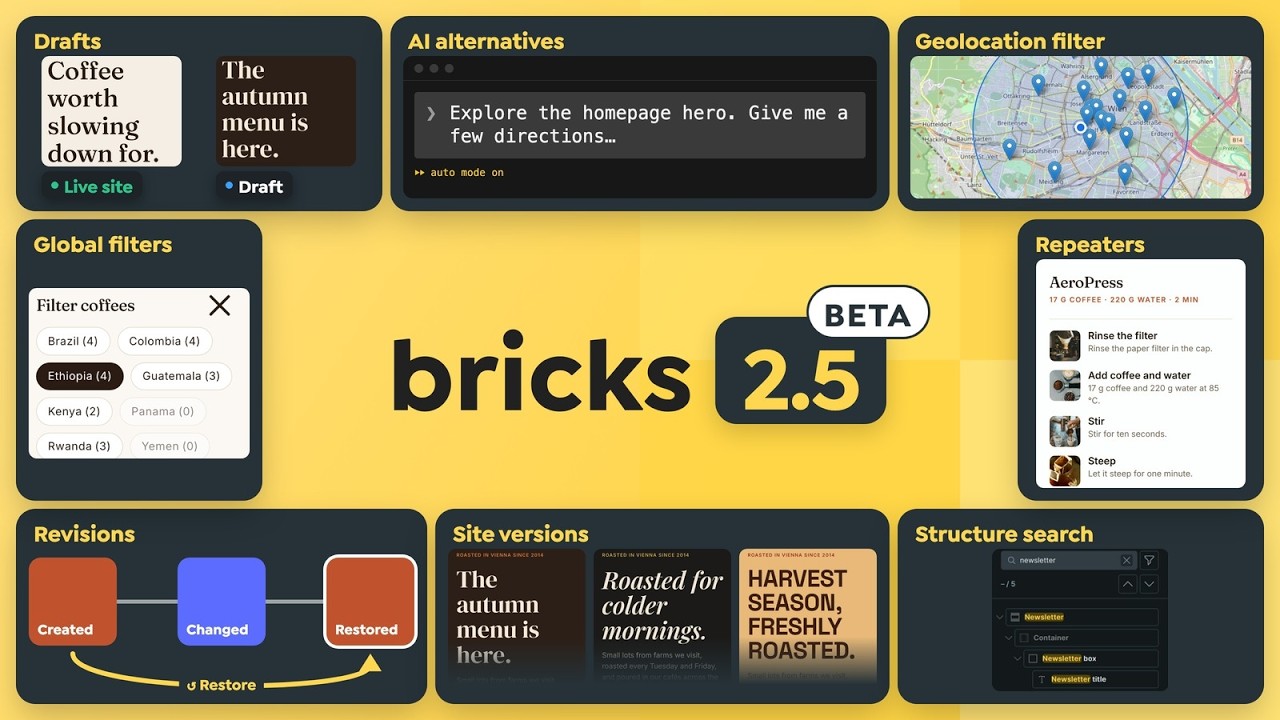
This is a beta release. Please test it on a staging site, not on production. Report anything that looks wrong in the forum so we can fix it before the stable release.
Drafts and site versions (experimental)
Until now, every save in the Builder went live. With drafts enabled, you can choose Save as draft to keep working without publishing, then review and publish later.
Drafts are off by default. Enable them under Bricks > Settings > Builder > Drafts & site versions. Drafts are experimental in this beta: please only enable them on staging sites for now.
Page drafts hold changes to a single page.
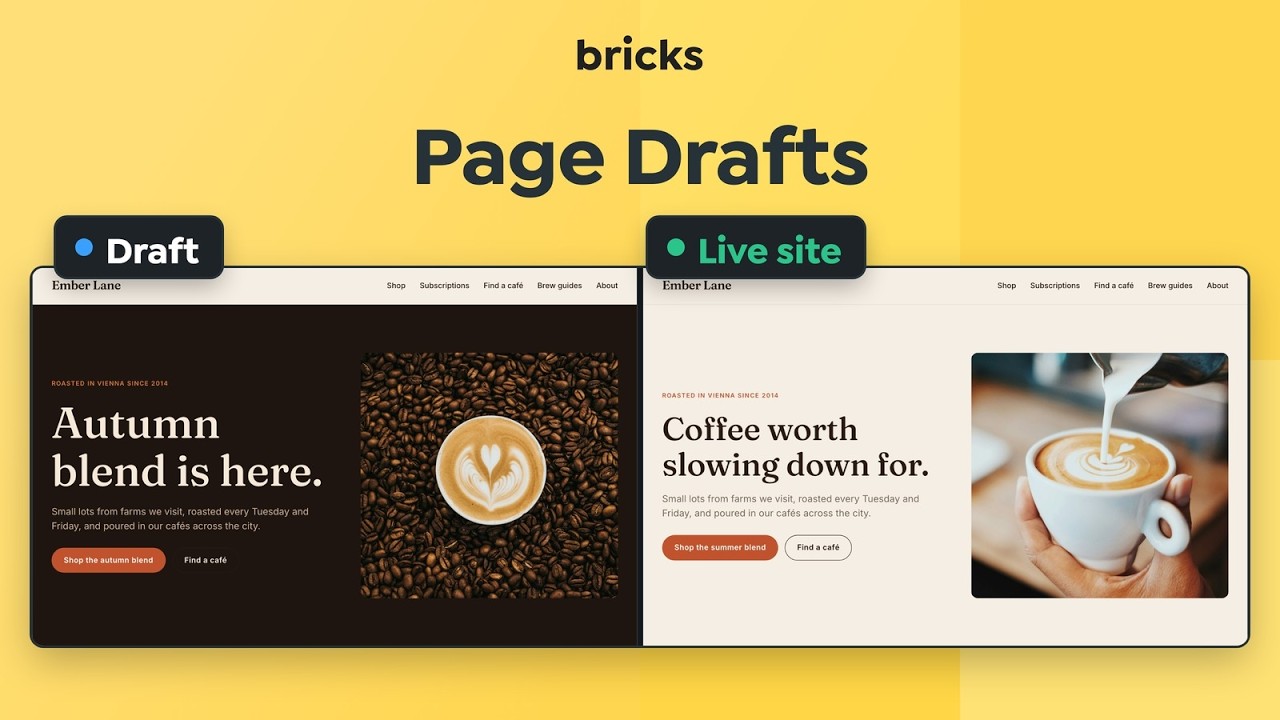
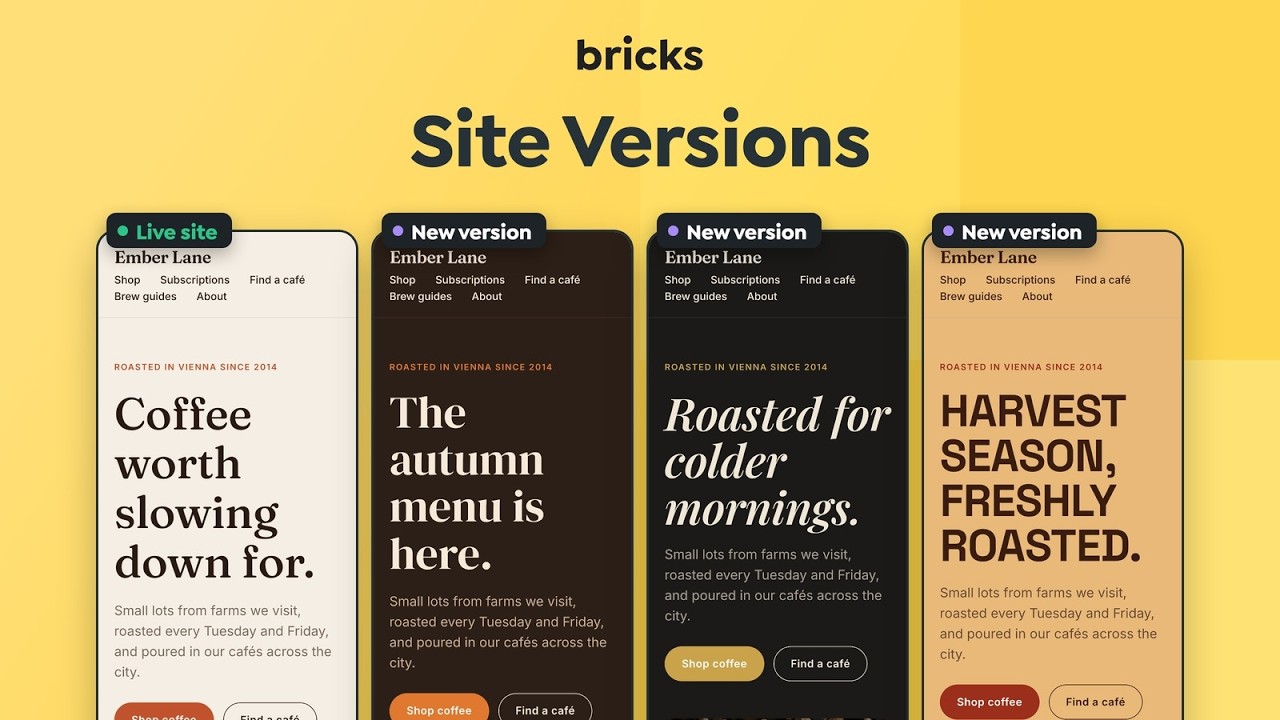
Site versions group work across several pages and global styles, such as a rebrand that updates your colors, fonts, header and several pages at once.
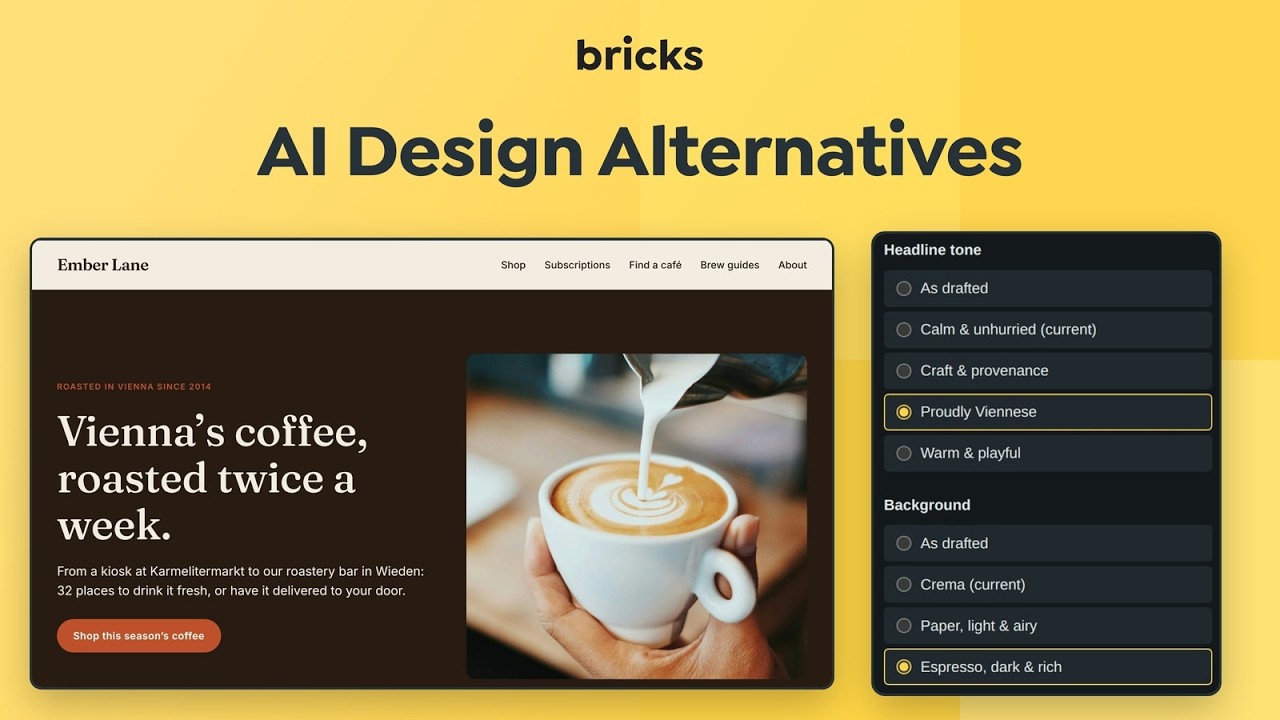
Explore alternatives lets you switch between design options inside a draft at desktop, tablet and mobile widths, and AI abilities can create them for you.
Also in drafts and site versions:
- Review links: Share a draft or site version with a client. They can view it without logging in. Links are view-only, expire after 1 to 30 days, and can be deleted at any time. Turn them on under Bricks > Settings > Builder > Drafts & site versions.
- Compare with live: See a draft next to the live site before you publish.
- Safe publishing: Publish shows exactly what will change and lets you resolve conflicts with the live site. Every publish can be undone.
- Global data included: Drafts cover global classes, variables, color palettes, theme styles, components, fonts, icons and breakpoints. Untouched items keep following the live site.
Documentation: https://academy.bricksbuilder.io/builder/interface/drafts/
Global data revisions
Bricks now records a revision history for global classes, variables, color palettes, theme styles, components, global queries and global filters. See the old and new value of every changed setting, restore any version, or bring back deleted items.
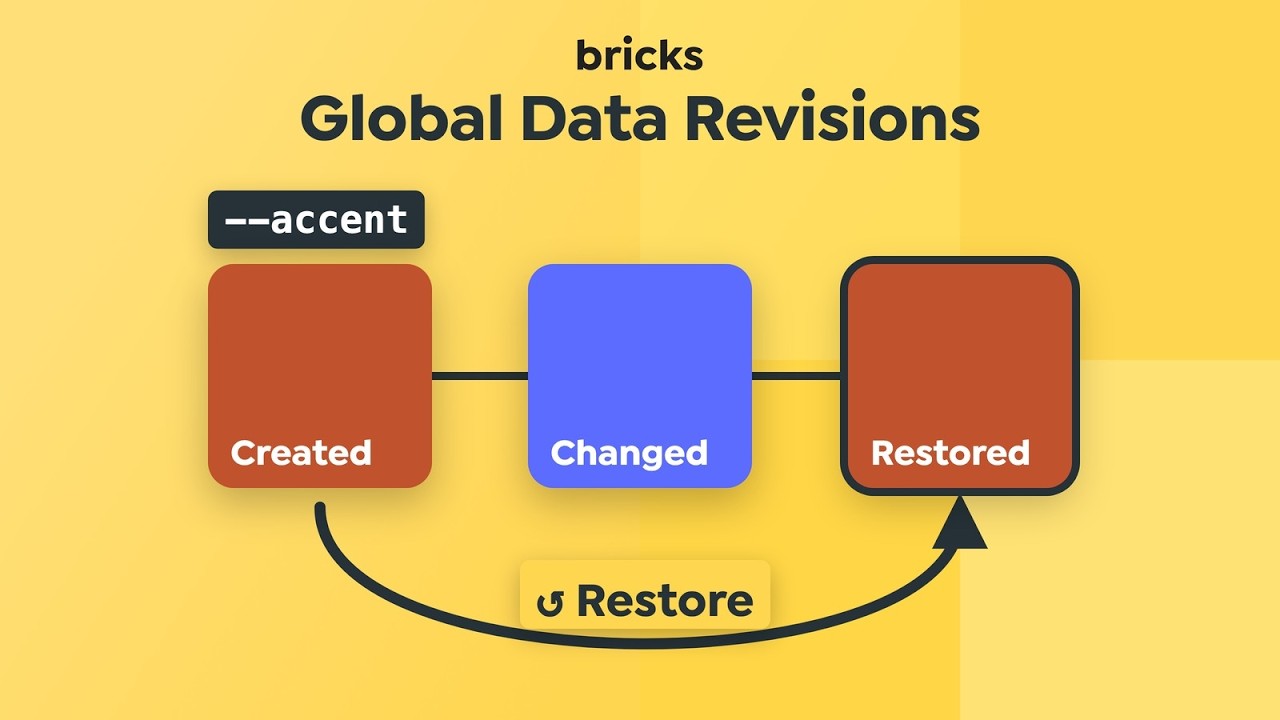
Bricks keeps the latest 20 versions of each item and every version from the last 90 days. You can turn the feature off under Bricks > Settings > Builder > Global data revisions.
Saving global data is also safer when several people edit the same site. Conflict-safe saving is now always on: unrelated edits from different Builder tabs merge, and competing edits to the same item ask you to choose which version to keep. The previous setting has been removed.
Documentation: https://academy.bricksbuilder.io/builder/interface/global-data-history/
Structure panel search and class generator
The Structure panel now has a search field that matches element labels, element types, text content and pasted element IDs. Press Cmd/Ctrl + F to focus it.
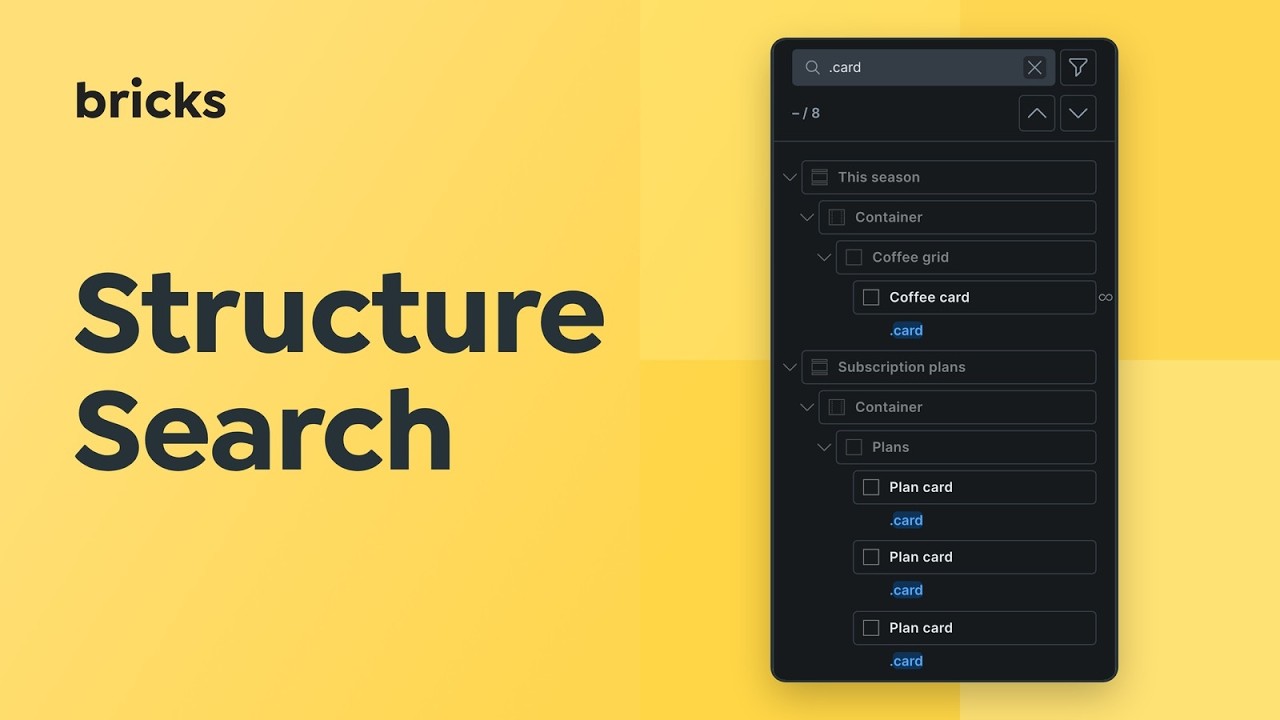
Use a prefix to search for something specific:
#for element or CSS IDs.for classes[for attributes<for HTML tags{for Dynamic Data tags
Filters narrow the tree to elements with query loops, conditions, interactions, custom CSS, attributes and more. You can also show HTML tags in the Structure panel, and hide the Structure panel and Element Quick Access per Builder interface profile.
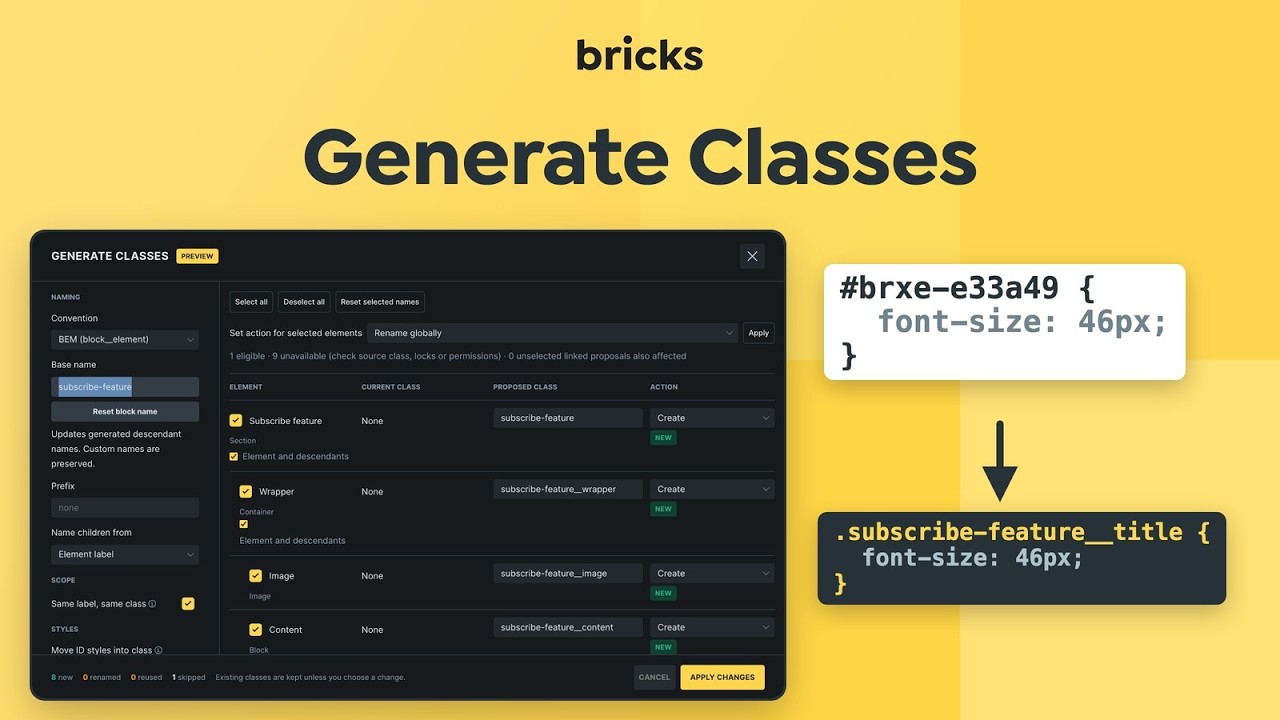
Generate classes (right-click an element) creates global class names for an element and its children from their labels, using BEM or another naming preset, and finds class names that no longer match their labels.
Documentation: https://academy.bricksbuilder.io/builder/interface/structure-panel-search/
Documentation: https://academy.bricksbuilder.io/builder/styling/generate-classes/
Undo/redo history and keyboard shortcuts
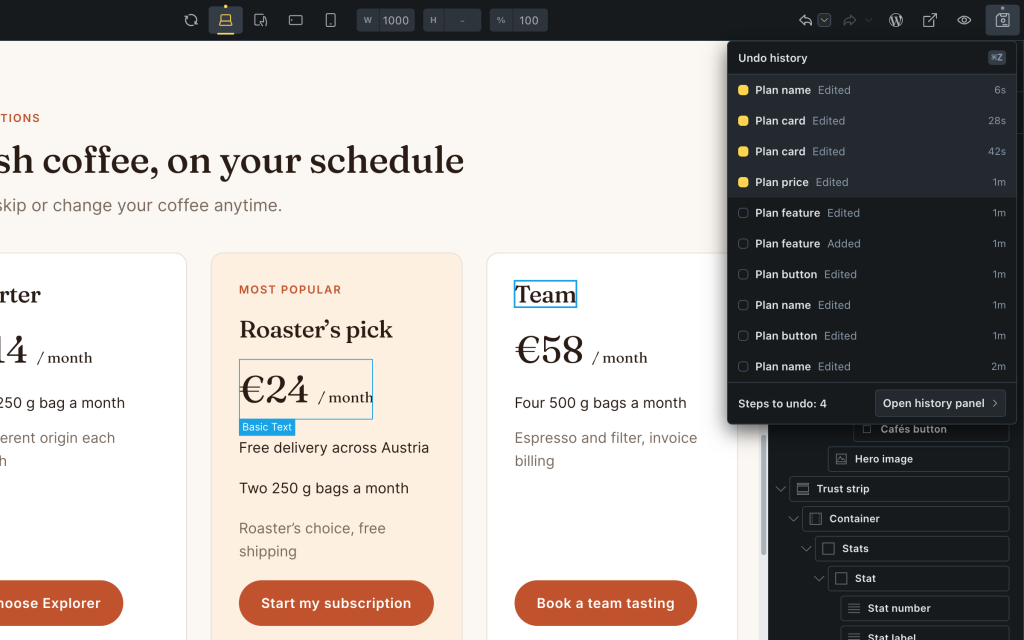
Undo and redo now tell you what they did. Each step shows a short notice with the element and the change, and briefly highlights the element on the canvas. A dropdown next to the undo and redo buttons lists the last 10 steps so you can jump back several steps at once. The History panel has been redesigned to match.
This also fixes a long-standing issue where undoing and then making a new edit could break the structure on later undos.
You can now remap, disable, reset, import and export Builder keyboard shortcuts. Site defaults and Builder interface profiles can set shortcuts for a team, and shortcut hints across the Builder show the current key combination.
Documentation: https://academy.bricksbuilder.io/builder/interface/undo-redo-history/
Documentation: https://academy.bricksbuilder.io/builder/interface/keyboard-shortcuts/
Global query filters and Geolocation filter
Global filters let several filter elements share one definition, for example a desktop sidebar and a mobile offcanvas, while each keeps its own query target and styling. Manage them in the new Filter Manager.
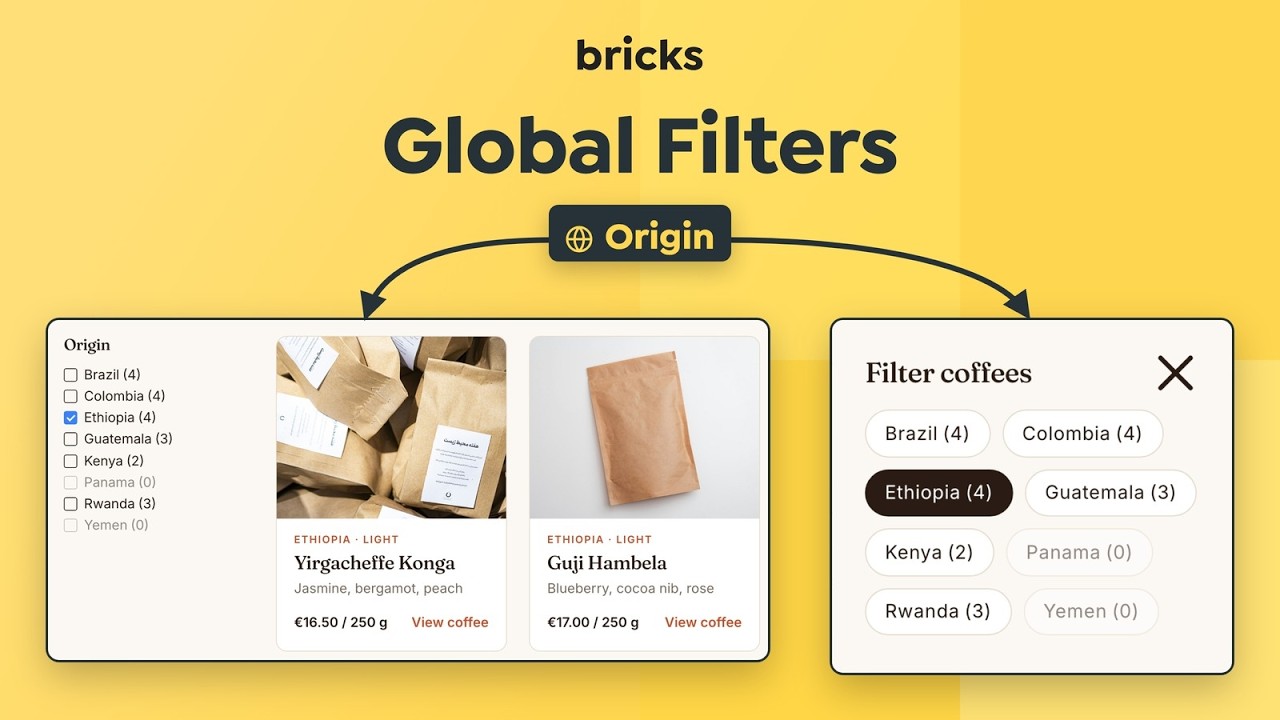
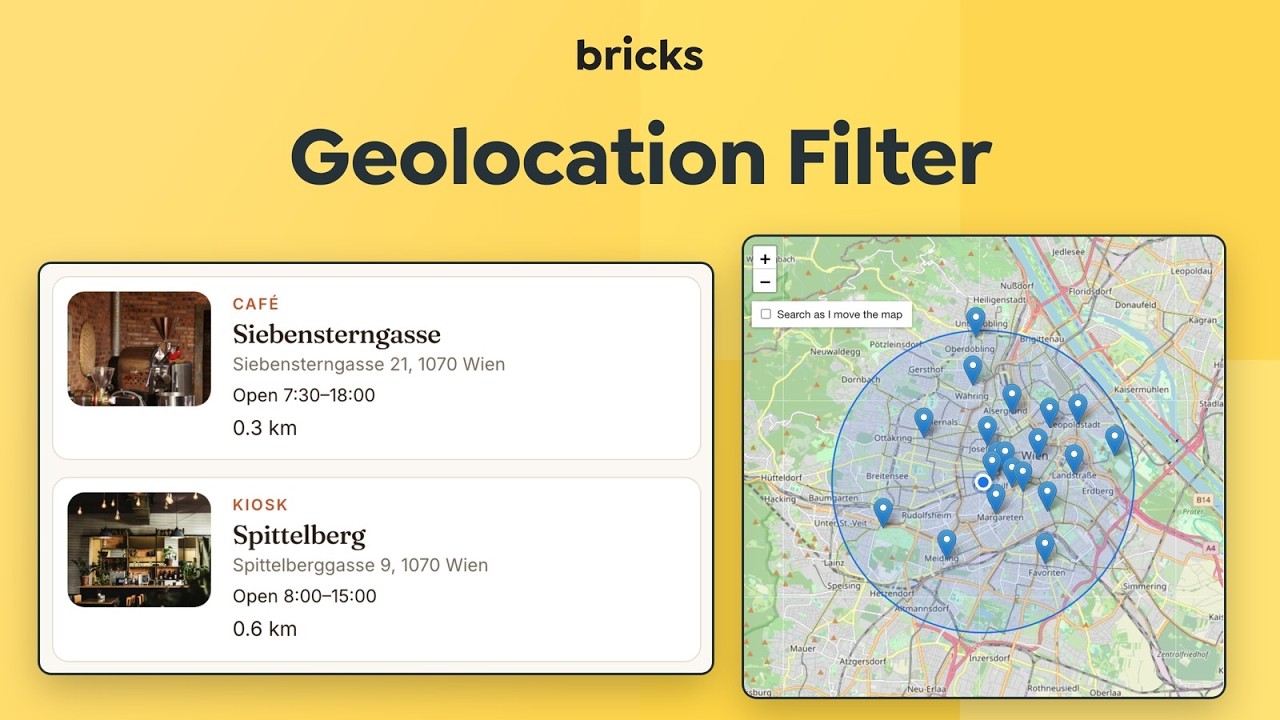
The new Filter – Geolocation element adds radius searches for posts, terms and users. Visitors can use their device location or an address, choose a radius and sort results by distance. It works with Google Maps and Leaflet maps, and supports native coordinate fields, ACF Google Map fields and Meta Box map fields.
Other Query Filters additions in this release:
- Default filter values
- Separate start and end date fields in the Datepicker
- Collapsible Checkbox hierarchies with Show more/less
- Distance sorting in Select and Radio filters
- An option to include child terms in taxonomy counts
Documentation: https://academy.bricksbuilder.io/builder/dynamic-content/global-filters-filter-manager/
Documentation: https://academy.bricksbuilder.io/builder/elements/filter/filter-geolocation/
Components: Repeater property and properties as Dynamic Data
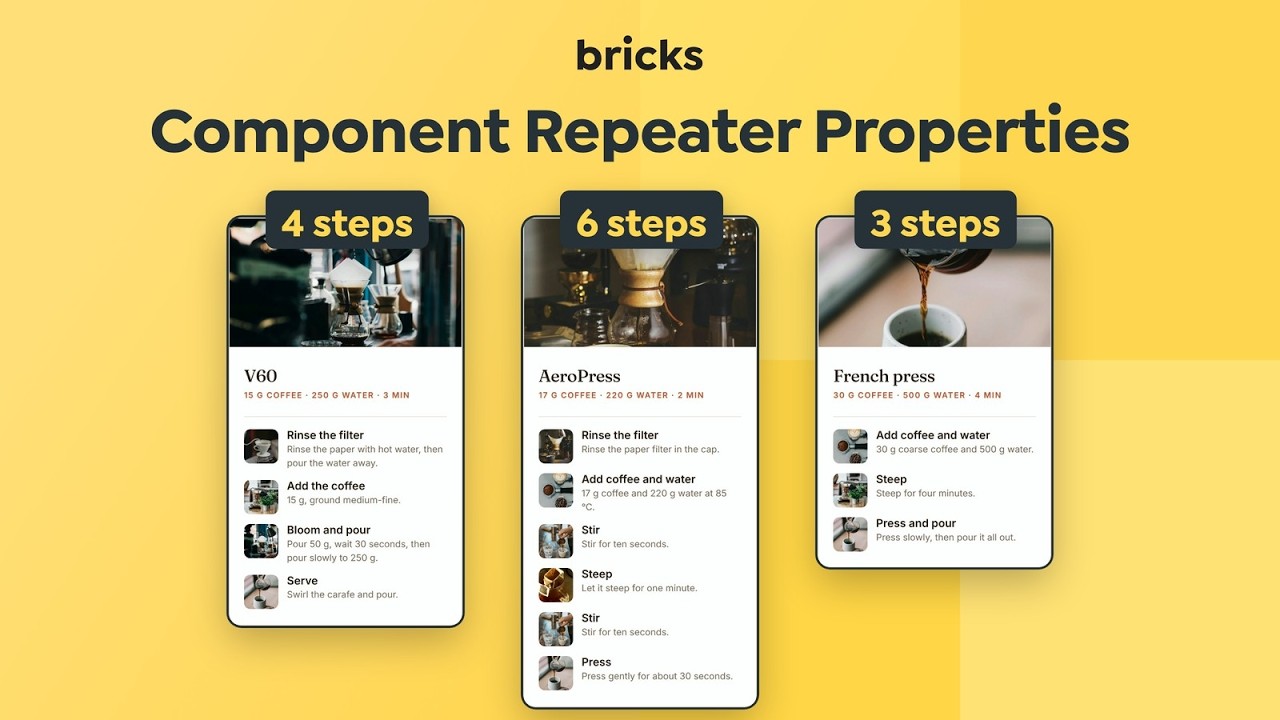
The new Repeater property makes it possible to build components for FAQs, pricing plans, testimonials and other repeated content. You define the fields (up to two levels deep), and each component instance can add, duplicate, reorder and remove rows. Connect the property to a native repeater control or to an Array query loop.
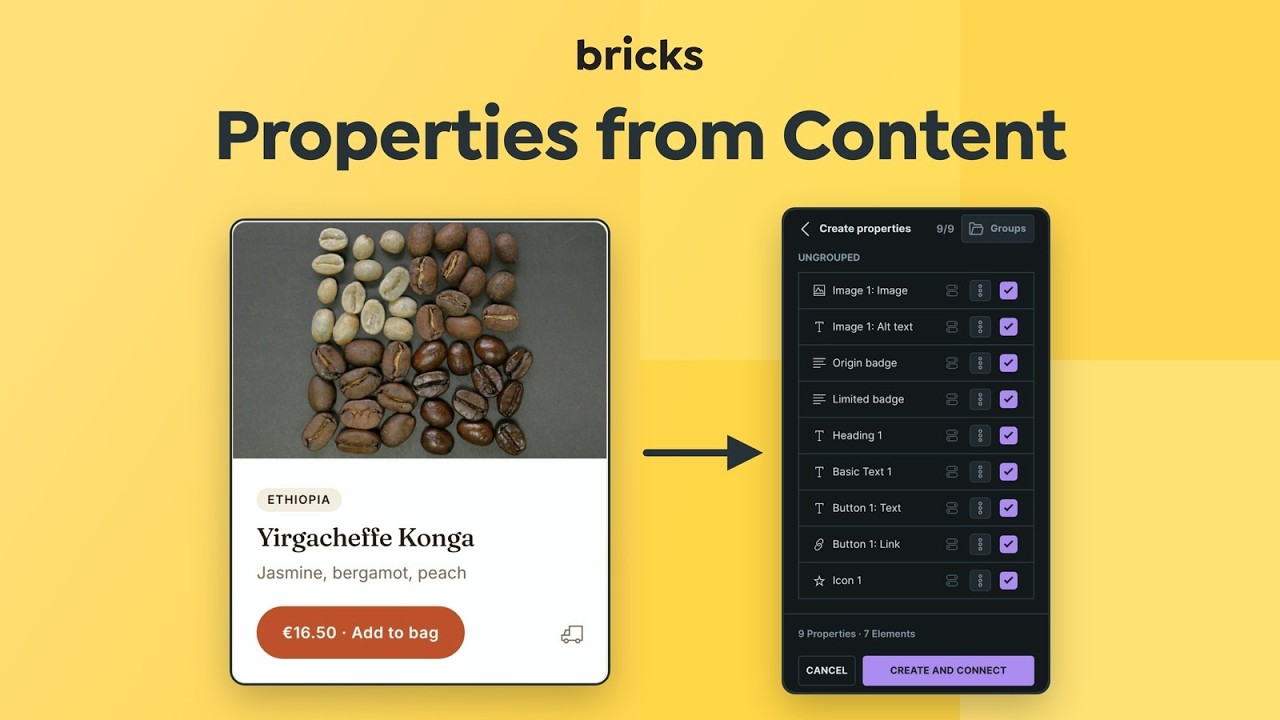
Create properties from content detects headings, text, images, buttons and icons inside a component and creates and connects their properties in one step.
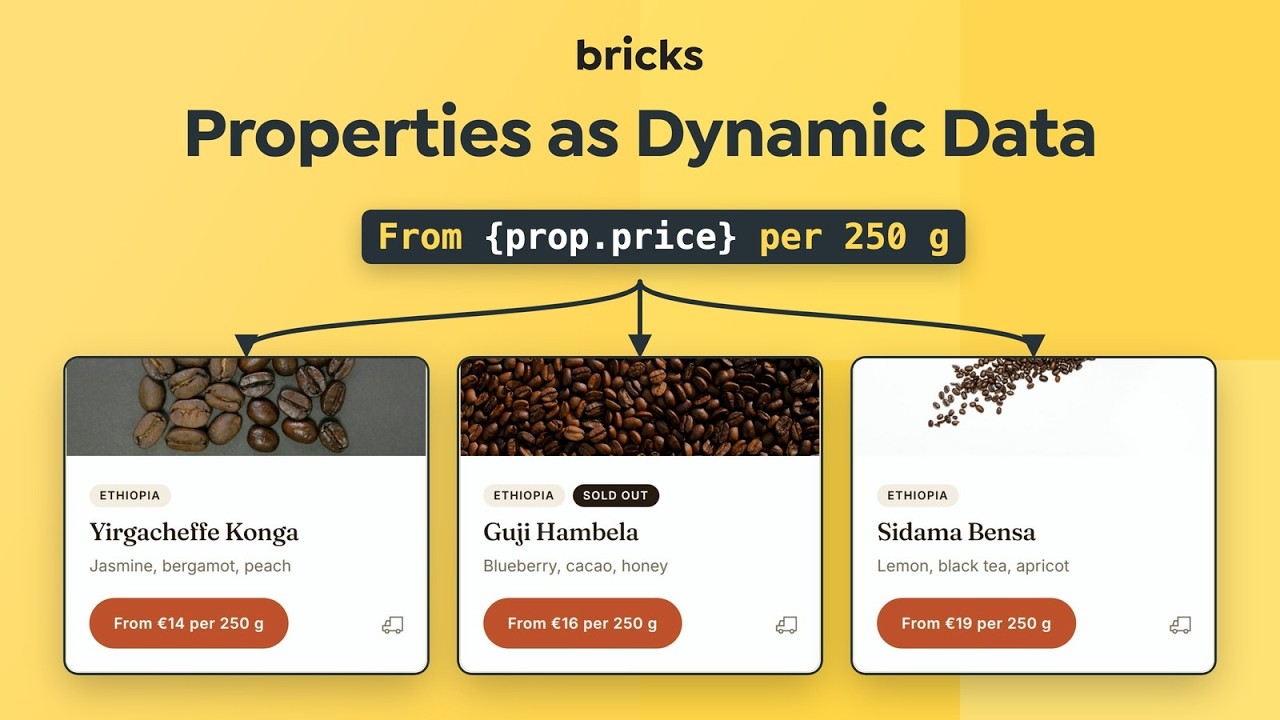
Component properties can now be used as Dynamic Data with {prop.key}, including inside mixed text, image and link fields, and element conditions.
More component improvements:
- Style variants support global classes.
- The Component Manager can assign and browse categories and filter by element type.
- Unlink all property connections from the properties list.
Documentation: https://academy.bricksbuilder.io/builder/features/components/#repeater-properties
Documentation: https://academy.bricksbuilder.io/builder/features/components/#property-dynamic-data
No longer experimental: AI abilities and Components as blocks
AI abilities and Components as blocks, both introduced in Bricks 2.4, are no longer marked experimental. Their settings, permissions and saved data are unchanged. Components as blocks also received several fixes, including Accordion initialization in the block editor, Button styling under Link theme styles, and block titles, descriptions and icons.
Documentation: https://academy.bricksbuilder.io/builder/features/ai-abilities-and-skills/
Documentation: https://academy.bricksbuilder.io/integrations/gutenberg/components-as-blocks/
Breaking changes
Search element: Regrouped controls and updated default CSS
The Search element now has separate controls for the input submit button, the overlay trigger, the overlay submit button and the close button. Previously, some of these buttons shared one set of controls, so styling one could affect the others, and overlay button settings had no effect on the close button.
Existing settings are still used as fallbacks, so most sites render as before. The default CSS changed, though:
- Search buttons no longer have a fixed 40px height and 60px width. They now have a minimum size of 40 x 40px and no horizontal padding.
- The default close button icon size in the overlay changed from 60px to 24px.
- The 600px maximum width on the overlay search form was removed.
- Custom SVG icons inside Search buttons now default to 1em, so the Icon size control applies to them.
- The close button now shows an SVG icon instead of the × character, and the Search element gets a
brx-search-type-inputorbrx-search-type-overlayclass.
What to do: After updating, check every Search element on your site, especially in overlay mode. If a button or the close icon changed size or position, set it again with the new controls. Custom CSS that targeted the previous fixed button size may need an update.
Documentation: https://academy.bricksbuilder.io/builder/elements/wordpress/search/
Disable global classes (Interface) setting deprecated
The Disable global classes setting under Builder interface is deprecated. Use Builder permissions to control who can edit and assign global classes instead. Existing values keep working for now. Users with permission to edit global classes can now select assigned classes without assignment permission, and reordering classes requires the Assign/unassign permission.
Documentation: https://academy.bricksbuilder.io/builder/interface/builder-access/
Password protection: Media option removed
Media can no longer be selected in password protection conditions. The option only protected a file’s attachment page, never the file itself, which stayed reachable at its direct URL. Existing conditions keep working. To protect media files, restrict access at the server level.
More highlights
- Lottie element: Add Lottie animations from JSON or
.lottiefiles with start and end frames, viewport and hover playback, lazy loading and play/pause/stop actions from interactions. - Background video per breakpoint: Set the video URL and playback settings per breakpoint, or turn the video off at a breakpoint.
- Lazy loading: Extended to background images and videos. Images use browser-level lazy loading, and background images get a preload option.
- Interactions: New copy to clipboard action, and finite or infinite repetitions for Start animation.
- Forms: Timepicker field, field descriptions with accessible associations, and an auto-focus control.
- Element conditions: New Inner content condition, and cookie presence and value checks.
- Slider and Tabs (Nestable): Auto scroll for sliders and an Accordion setting for tabs.
- AJAX pagination and popups: Browser Back/Forward support for AJAX pagination, and Load more and Infinite scroll inside AJAX popups.
- WooCommerce: The product price updates when a variation is selected. The Mini Cart gets a custom empty-state template and a “Hide if empty” option. New styling controls are available for Checkout order review, Checkout thank you, Checkout coupon and Checkout login, plus WooCommerce form field styling in Theme Styles.
- Gradient/Overlay: Custom gradients with CSS variable support and partial responsive overrides.
- Footer: New reveal effect setting.
- Leaflet Map: Supports Query and Sync Query, like the Google Map element.
- Image controls: Drop images onto the image selector, preview or gallery to upload them.
- Command Palette: Assign classes and custom IDs when inserting element structures.
- Google Fonts: Option to store downloaded fonts outside the Media Library.
Full changelog
- AI abilities: Explore design alternatives inside a draftNew
- Background image: Add preload optionNew
- Background video: Configure the video and playback settings per breakpointNew
- Builder: Add CSS columns settingNew
- Builder: Customizable keyboard shortcutsNew
- Builder: Generate and audit classes from element structureNew
- Builder: Undo/redo feedback, multi-step history navigation and redesigned History panelNew
- Command Palette: Support classes and IDsNew
- Drafts: Review links for sharing unpublished versions (experimental)New
- Drafts: Save page drafts and site versions without publishing (experimental)New
- Element conditions: Add Inner content conditionNew
- Global data: Browse and restore revisionsNew
- Interactions: Add finite and infinite animation repetitionsNew
- Lazy loading: Extend controls to background images and videosNew
- Lottie: Add animations with playback and interaction controlsNew
- Query Filters: Add Geolocation filterNew
- Query Filters: Global filters and Filter ManagerNew
- Slider (Nestable): Add auto scrollNew
- Structure panel: Search and filter elements by name, text, class, ID and moreNew
- Tabs (Nestable): Add Accordion settingNew
- WooCommerce Mini Cart: Add custom empty-state templateNew
- WooCommerce Mini Cart: Add “Hide if empty” optionNew
- Builder: Show inherited background images at responsive breakpointsImprove
- Accessibility: Prevent shared new-tab description from triggering landmark warningsImprove
- AI abilities: Remove experimental statusImprove
- AJAX pagination: Add browser history and scroll-to supportImprove
- AJAX popup: Support query loop Load more and Infinite scrollImprove
- Audio: Prevent player appearance changing during page loadImprove
- Breakpoints: Expose active breakpoint as a data attributeImprove
- Bricks settings: Optimize code signature regenerationImprove
- Builder interface: Allow hiding the Structure panel and Element Quick Access in profilesImprove
- Builder Pages switcher: Load pages incrementally and search on the serverImprove
- Builder toolbar: Clear the breakpoint indicator after removing grid display settingsImprove
- Builder toolbar: Improve tooltip accessibilityImprove
- Builder: Align global class permissions and deprecate the interface settingImprove
- Builder: Keep the canvas context menu unscaled when the canvas is scaledImprove
- Builder: Reduce duplicate AJAX requests for native custom-field previewsImprove
- Builder: Unify alignment and gap controls for flex and grid layoutsImprove
- Carousel: Group images using a shared Lightbox IDImprove
- Checkout customer details: Remove shipping fields markup when all fields are removedImprove
- Component Manager: Assign and browse categoriesImprove
- Component Manager: Show and filter by element typeImprove
- Components as blocks: Remove experimental statusImprove
- Components as blocks: Use consistent query loop dropdown iconsImprove
- Components: Add Repeater propertyImprove
- Components: Auto-create and connect properties from content elementsImprove
- Components: Reduce input and canvas lag when editing complex componentsImprove
- Components: Support global classes in style variantsImprove
- Components: Unlink all property connections from the properties listImprove
- Components: Use properties as Dynamic DataImprove
- Controls: Prevent hidden dependent settings from affecting the frontendImprove
- CSS Filters: Add native grayscale and drop-shadow controlsImprove
- Dynamic Data: Add :label modifier for choice and status valuesImprove
- Dynamic Data: Add tag-specific render hooksImprove
- Element conditions: Check cookie presence and valuesImprove
- Font Manager: Improve Google Fonts performance and renderingImprove
- Footer: Add reveal effect settingImprove
- Form element: Add timepicker fieldImprove
- Form: Add auto-focus controlImprove
- Form: Add field descriptions with accessible associationsImprove
- Form: Add the Google reCAPTCHA error message only when verification failsImprove
- Frontend: Reduce repeated element control initializationImprove
- Global classes: Support Dynamic Data styles in query loopsImprove
- Global data: Conflict-safe savingImprove
- Google Fonts: Add option to store downloads outside the Media LibraryImprove
- Gradient/Overlay: Add custom gradients with CSS variable supportImprove
- Gradient/Overlay: Allow partial responsive overridesImprove
- Image control: Upload images by dropping onto the selector or previewImprove
- Image gallery control: Upload dropped images with add or replace modeImprove
- Images: Use browser-level lazy loadingImprove
- Interactions: Add copy to clipboard actionImprove
- Interactions: Run the Pagination completed event when other filters use the same queryImprove
- JetEngine: Improve Dynamic Data and Query Filters integrationImprove
- Layout elements: Support conversion to Gutenberg blocksImprove
- Leaflet Map: Support Query and Sync QueryImprove
- Lightbox: Support Gutenberg contentImprove
- Map: Add active connected item state and scroll into viewImprove
- Media Browser: Add adjustable “Thumbnail size” settingImprove
- Media Browser: Preserve image aspect ratios in grid thumbnailsImprove
- Media Browser: Show image dimensions in result metadataImprove
- Mega menu: Add direct width settingImprove
- Nav (Nestable): Render all elements in Nav items as menu items on the Builder canvasImprove
- Password protection: Remove the Media condition because direct media URLs stay accessibleImprove
- Polylang language switcher: Add accessible dropdown labelsImprove
- Popup/Offcanvas: Prevent layout shift when body scroll is disabledImprove
- Query Filters: Add a programmatic reindex APIImprove
- Query Filters: Add collapsible Checkbox hierarchies with Show more/less supportImprove
- Query Filters: Add distance sorting to Select and Radio filtersImprove
- Query Filters: Add option to include child terms in taxonomy countsImprove
- Query Filters: Datepicker supports separate start and end date fieldsImprove
- Query Filters: Group Source and Meta key controlsImprove
- Query Filters: Improve count performance on taxonomy archivesImprove
- Query Filters: Preserve OR taxonomy query logic when applying filtersImprove
- Query Filters: Set default filter valuesImprove
- Query Filters: Support Meta Box relationships in the custom field integrationImprove
- Scale generator: Add a Numeric (reverse) preset for heading variablesImprove
- Search element: Regroup and rename controls and improve CSSImprove
- Social Sharing element: Add ViberImprove
- Structure panel: Optionally show HTML tagsImprove
- SVG icon picker: Improve preview and action contrastImprove
- SVG icons: Apply fill and stroke colors on element hoverImprove
- Template and Components browser: Add sorting and import toolbar controlsImprove
- Templates: Add filter hook for Section template injectionImprove
- Templates: Show selected archive values in the admin Conditions columnImprove
- Theme Styles: Add WooCommerce global form field stylingImprove
- Translations: Use German as a fallback for missing German variantsImprove
- Typography: Allow explicit fallback fonts in font-family controlsImprove
- Visual Grid Builder: Identify and highlight items preventing column or row reductionImprove
- Visual Grid Builder: Prevent placement rules from affecting nested gridsImprove
- WooCommerce Product Gallery: Improve vertical sliderImprove
- WooCommerce: Add Coupon error interaction triggerImprove
- WooCommerce: Add expanded icons and transition duration to Checkout coupon and Checkout loginImprove
- WooCommerce: Add styling controls to Checkout order review and Checkout thank youImprove
- WooCommerce: Compatibility with version 11.3.0Improve
- WooCommerce: Update product price when selecting a variationImprove
- Query loop: Hide PHP Query Editor diagnostics and run cleanup after errorsFix
- AI abilities: Allow authorized page-settings script updatesFix
- AI abilities: Allow reuse of existing components containing executable codeFix
- AI abilities: Identify manage_options as a WordPress capability in global-variable write errorsFix
- AI abilities: Preserve partial HTML/CSS imports when iframe preview is forbiddenFix
- Builder: Preserve the content language in the canvasFix
- Builder: Prevent canvas jumps when selecting small elements at the edgeFix
- Builder: Prevent partial saves after a global class conflictFix
- Builder: Prevent {site_url} from rendering as an embed in text previewsFix
- Builder: Show the wrapper handle correctly inside Slider (Nestable) componentsFix
- Bundle import: Allow executable data with valid Execute code permissionFix
- Class Manager: Identify global classes with empty names or IDsFix
- Components as blocks: Include title, description, and icon in block metadataFix
- Components as blocks: Preserve Button styling under Link Theme StylesFix
- Components: Keep icon settings visible after changing the icon sourceFix
- Components: Load default element styles in Gutenberg post content with external CSSFix
- Components: Prevent false save conflicts when deleting legacy componentsFix
- Components: Prevent global class styles from overriding root styles with external CSSFix
- Components: Save component definitions synced from another unsaved Builder tabFix
- CSS Sync: Preserve custom styles after conditional rules and parsing errorsFix
- Dropdown: Restore hover in preview on Edge (Windows)Fix
- External CSS: Skip empty stylesheets and keep a deleted Default palette deletedFix
- Form element: Prevent single-select fields from accepting multiple valuesFix
- Form element: Require an accessible instance for component submissionsFix
- Form: Correct the “Icon position” placeholder in RTLFix
- Form: Exclude field definitions when copying ID styles into a global classFix
- Frontend: Load TinyMCE z-index styles only when neededFix
- Global Query: Preserve Include/Exclude selections when opening the editorFix
- Gradient/Overlay: Preserve child positioning in layout elements with overlay gradientsFix
- Meta Box: Render CPT relationships with Bricks templates on the frontendFix
- Nav (Nestable): Apply item font size to top-level item wrappersFix
- Nested Accordion: Generate valid ARIA target IDs inside ComponentsFix
- Password protection: Restore AJAX pagination and filtering when protection is bypassedFix
- Query loop: Keep custom hover CSS from losing to background controlsFix
- Query loop: Respect display conditions during AJAX updatesFix
- Query loop: Restore AJAX updates in nested componentsFix
- Selector Detector: Match Builder markup to the frontendFix
- SEO content analysis: Preserve the requested post context for custom query loopsFix
- Slider (Nestable): Keep the dynamic background on the first query-loop slide in the BuilderFix
- Slider (Nestable): Prevent crashes from invalid custom optionsFix
- System Information: Report the configured WordPress site languageFix
- Template element: Preserve standalone styles when the same template is used inside a query loopFix
- Template shortcode: Render with the active post ID inside custom (non-Bricks) loopsFix
- Templates: Apply the custom 404 template when a 404 is set via template_redirectFix
- Undo/redo: Prevent a new edit after undo from breaking the structureFix
- Uploads: Preserve WordPress MIME validation for non-SVG filesFix
- Video background: Show the {featured_image} poster correctly on single post templatesFix
- View on frontend: Open draft pages reliably in a new tabFix
- WooCommerce Breadcrumb: Show the icon at non-desktop breakpointsFix
- WooCommerce Checkout: Prevent an error notice when hiding the country field with single-country shippingFix
- WooCommerce: Reduce duplicate product queries on taxonomy pagesFix
- WooCommerce: Restore product listing controls in Post ContentFix